Invite someone
You want to bring in a colleague or a builder. You invite them with an email address and a role. Only an owner invites. An invitation holds while whoever sent it may still do so; otherwise it waits for an owner.
Open People
Click People at the top.
- Click People

Choose Invite someone
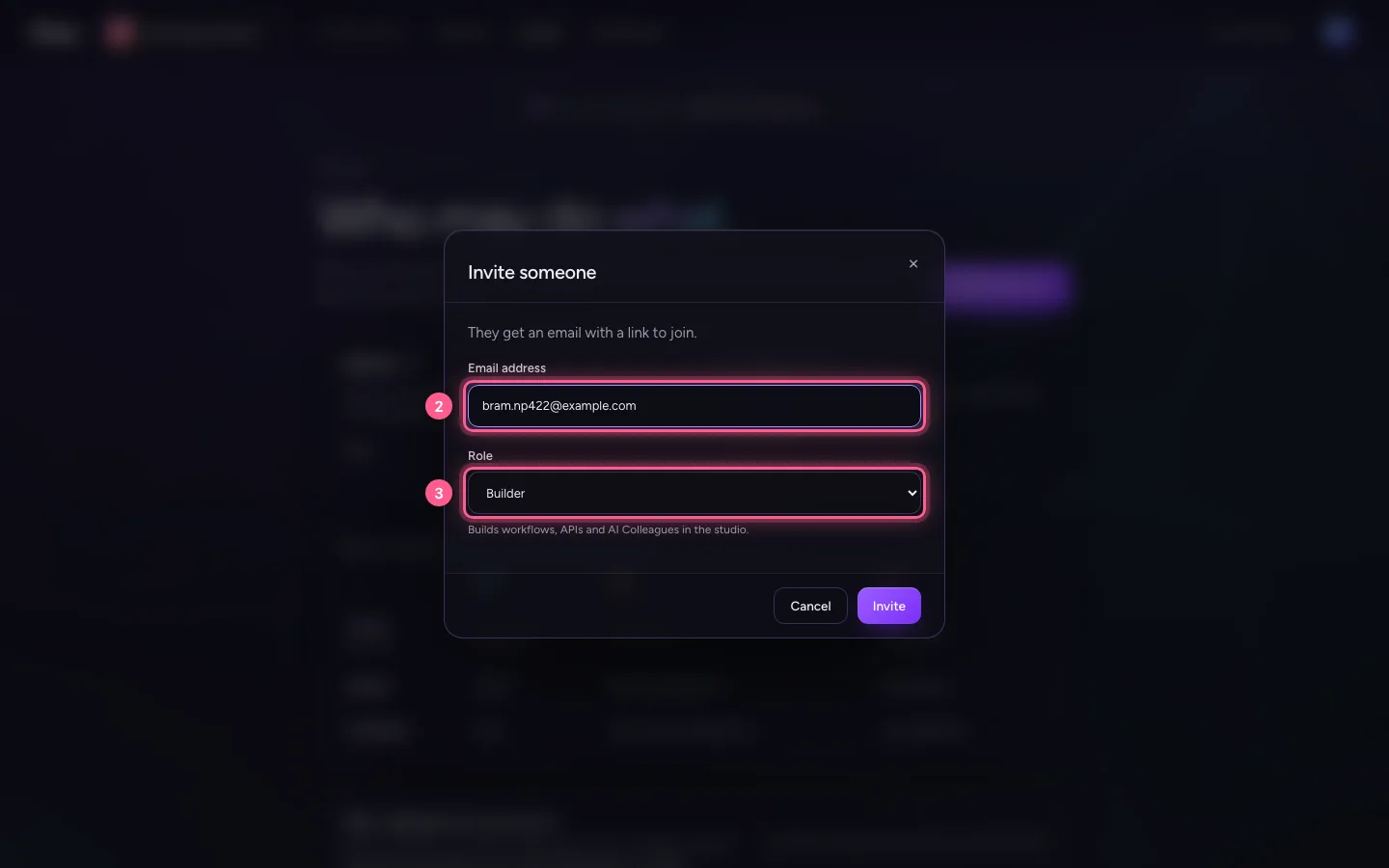
Enter the email address and choose the role. A builder makes workflows and AI Colleagues. A colleague uses what has been built. Not sure? The Who may do what table shows what each role may do per environment.
- Click Invite someone

- In Email address, type
bram.np422@example.com - In Role, choose Builder
Send the invitation
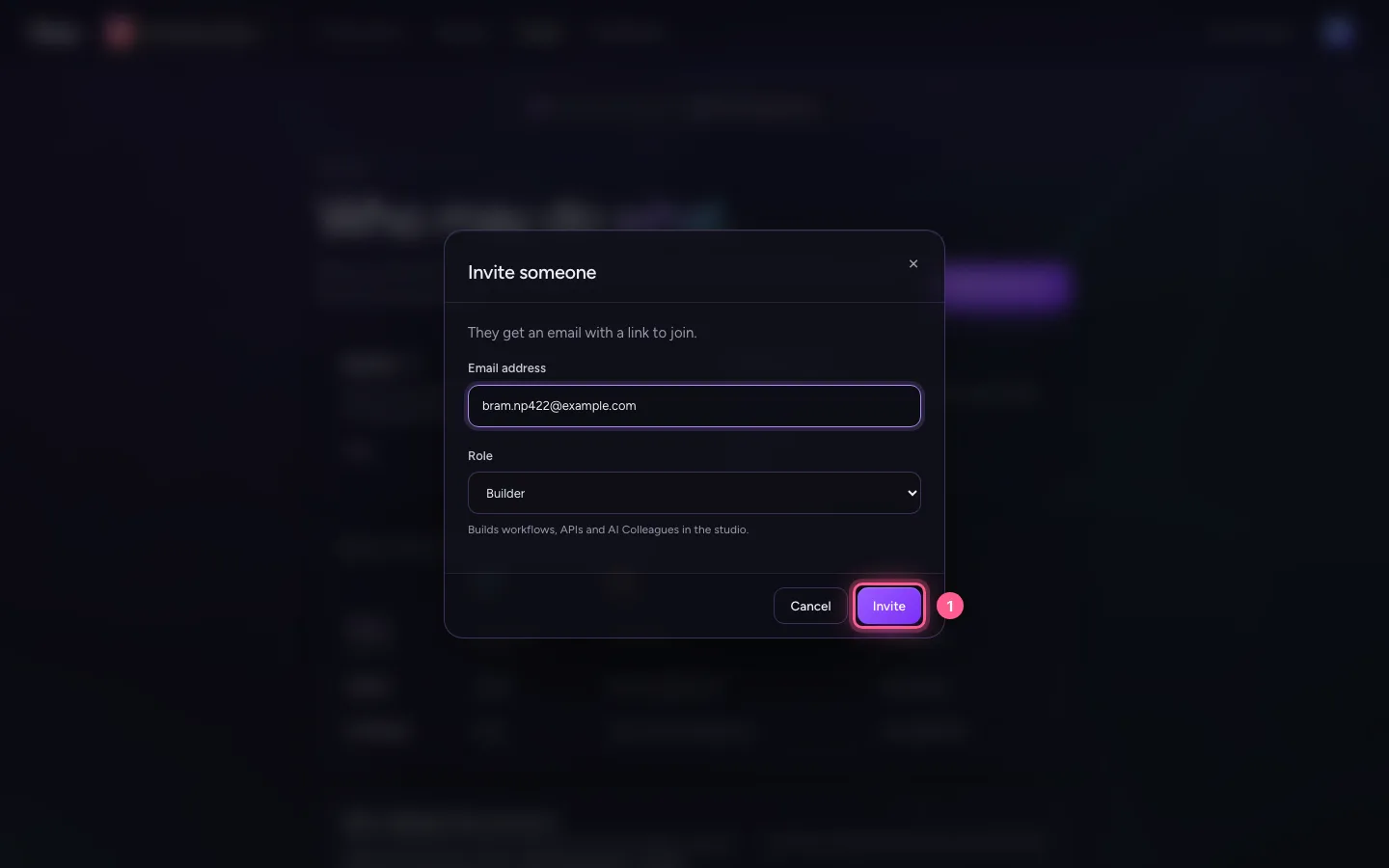
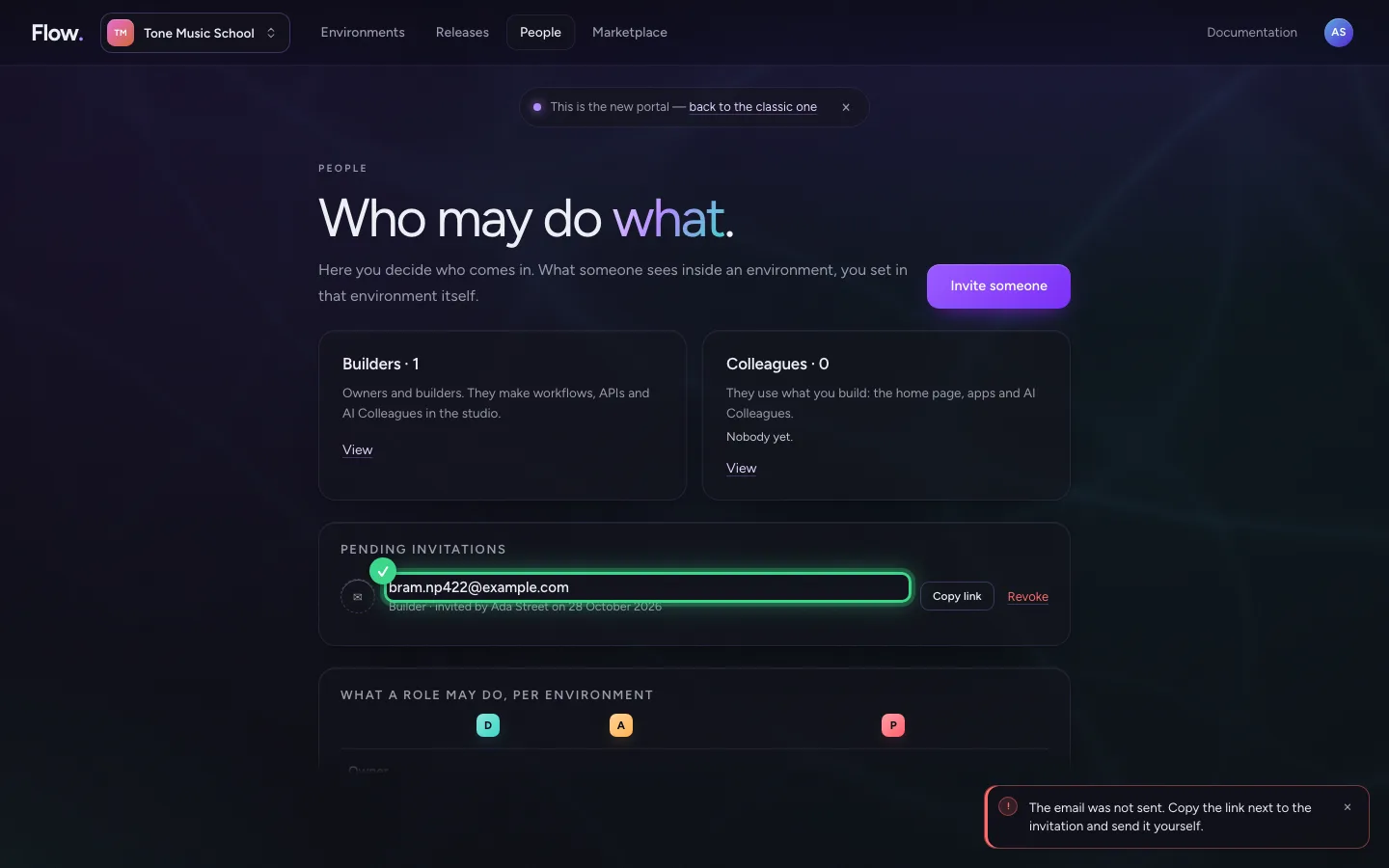
Choose Invite. They get an email with a link. Did the email not arrive? Then copy the link and send it yourself.
- Click Invite
An invitation that waits
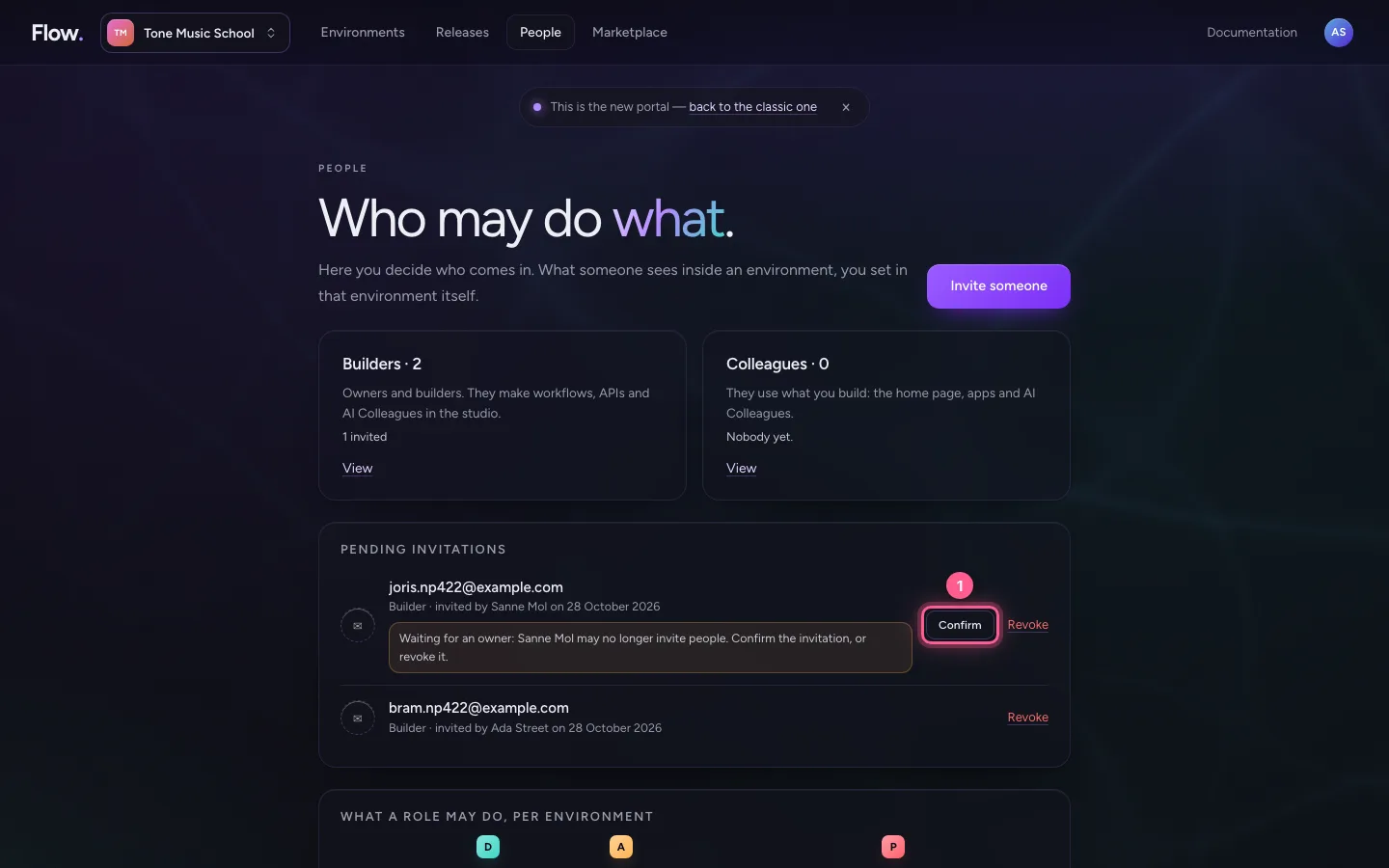
An invitation is the word of whoever sent it, given in advance. So it holds only while that person may still invite: an owner. Sanne, a fellow owner, invited Joris as Builder; afterwards she was made Builder herself. When Joris opens his link, he sees that the invitation waits for an owner, and why. Accepting is not possible yet: as soon as an owner confirms, he gets a new link.

Confirm the invitation
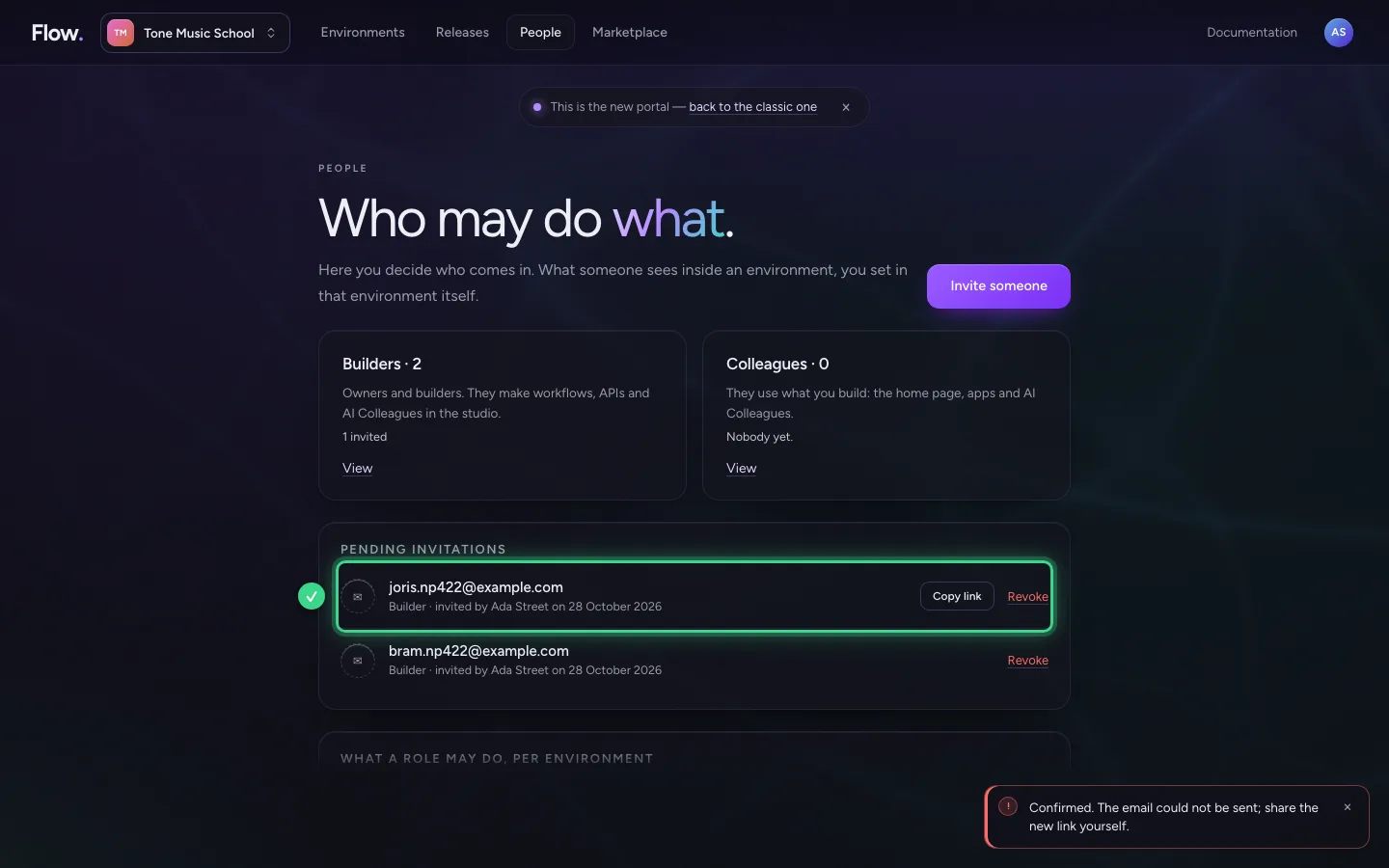
The owners get an email about it. Under Pending invitations it is listed with the reason. Choose Confirm: it becomes your invitation and Joris gets a new link by email; the old one no longer works. When the email could not be sent, the portal says so and you copy the new link with Copy link. If you do not want to let Joris in, revoke the invitation.
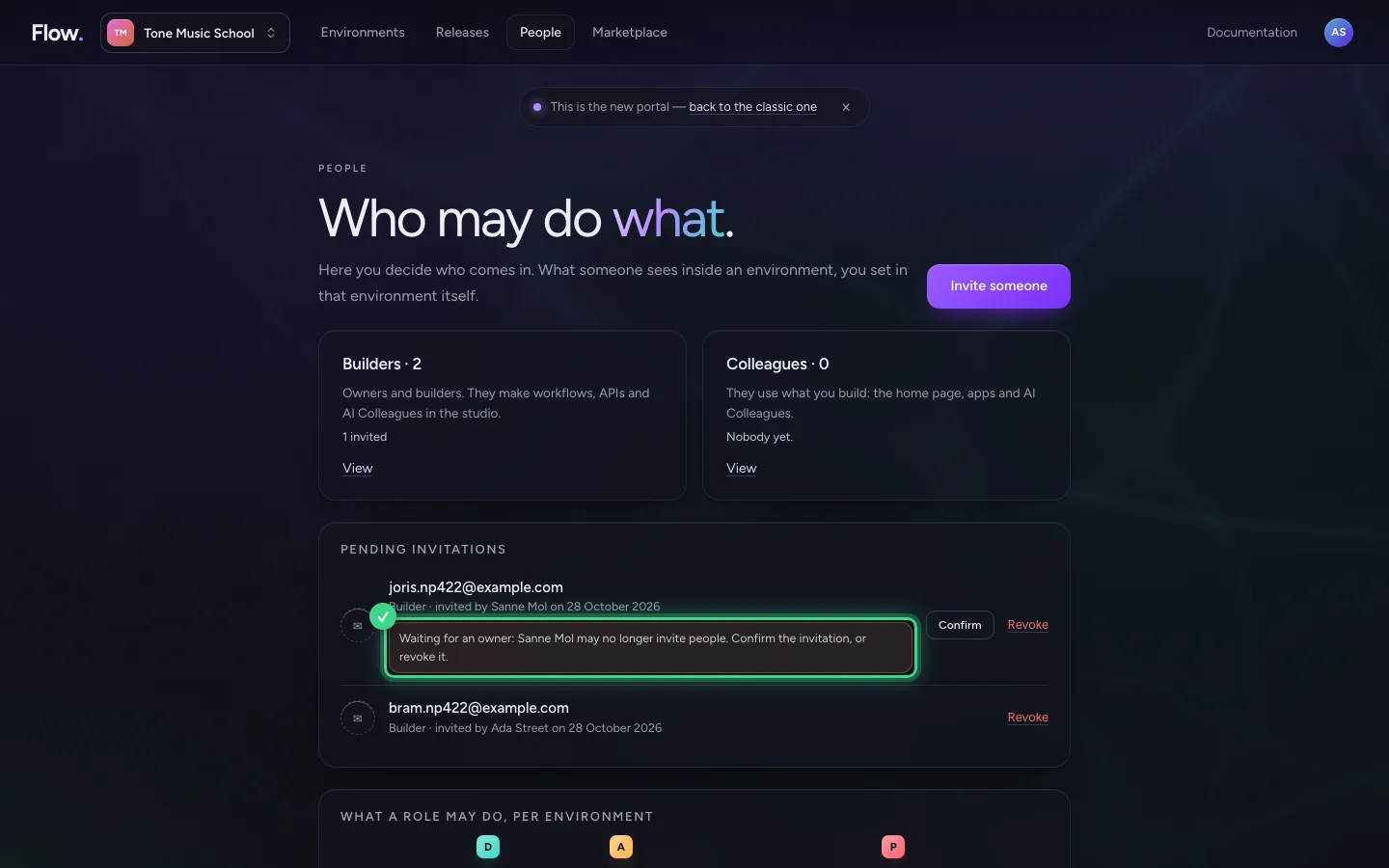
- Click Confirm
This guide was carried out step by step on 28 Oct 2026 by an automated test on Flow (version 96971699).