Let support look along
Did you ask InnTelligence for help? Then support can ask to look along in an environment. Nothing happens without your yes. Support can only look, not change anything. You choose how long, and you can always stop.
Step 1 / 3
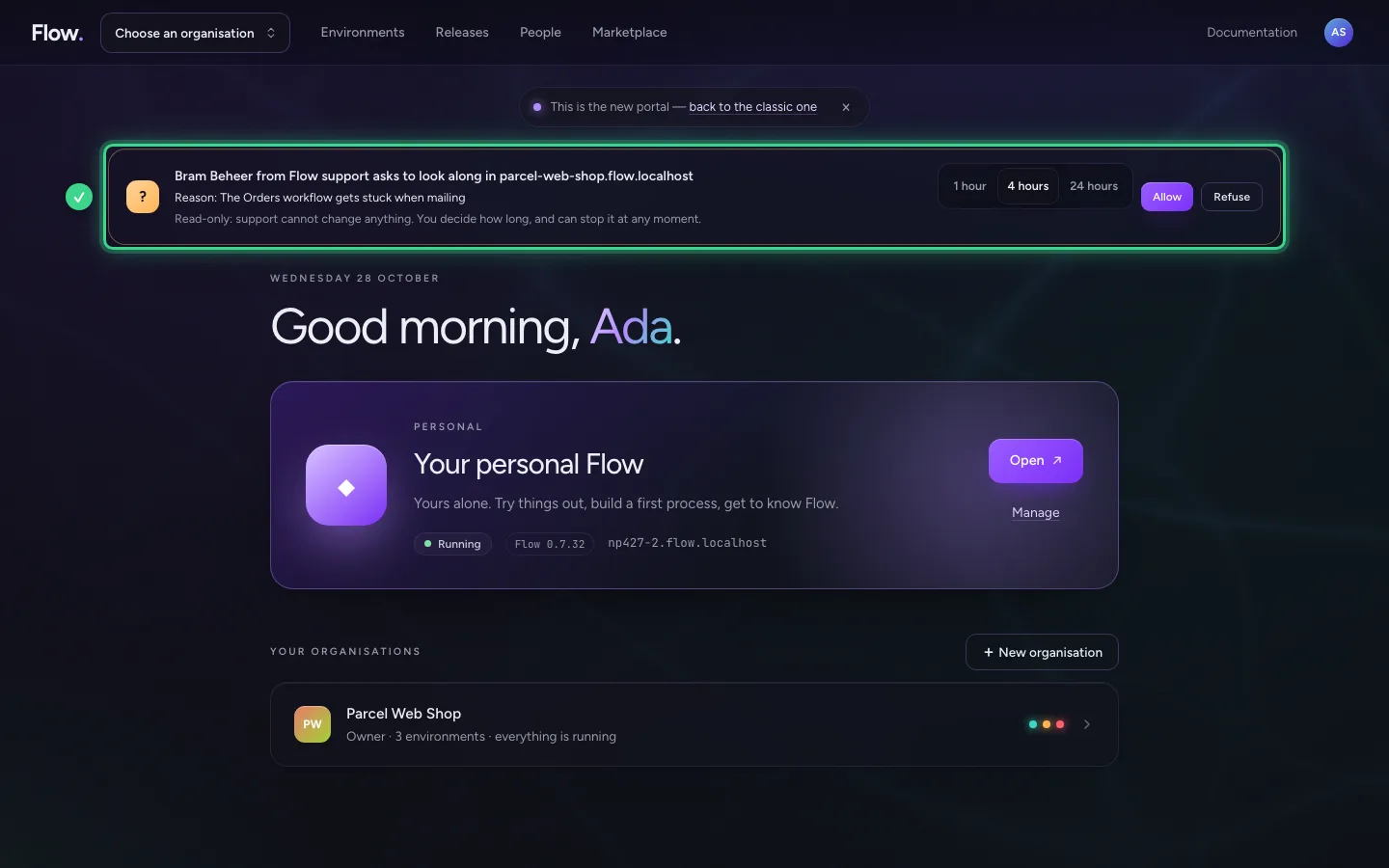
You see the request at the top
At the top of every page of the portal is the request: who from support wants to look along, in which environment and why. You also get an email about it.
Step 2 / 3
Choose how long, and allow it
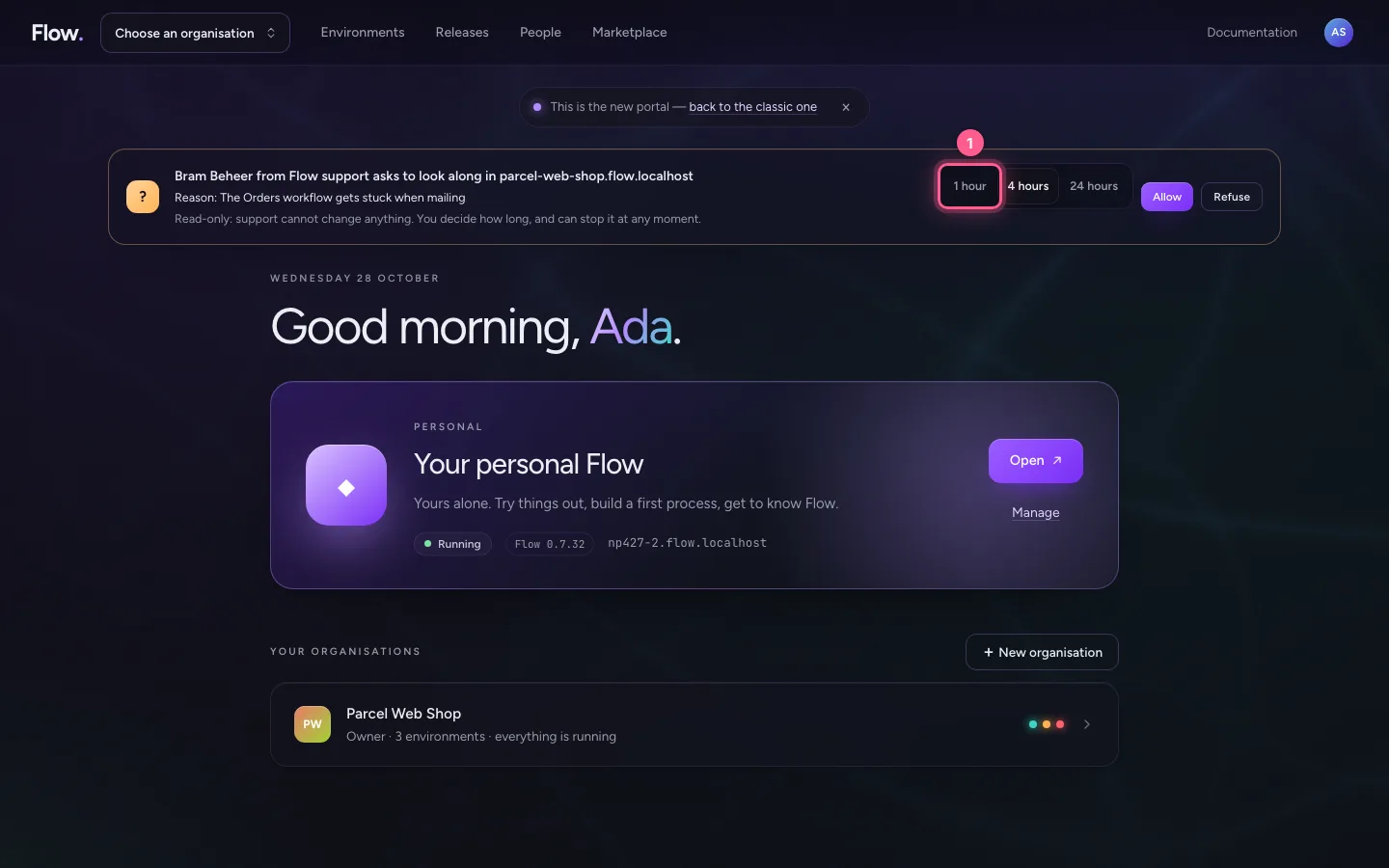
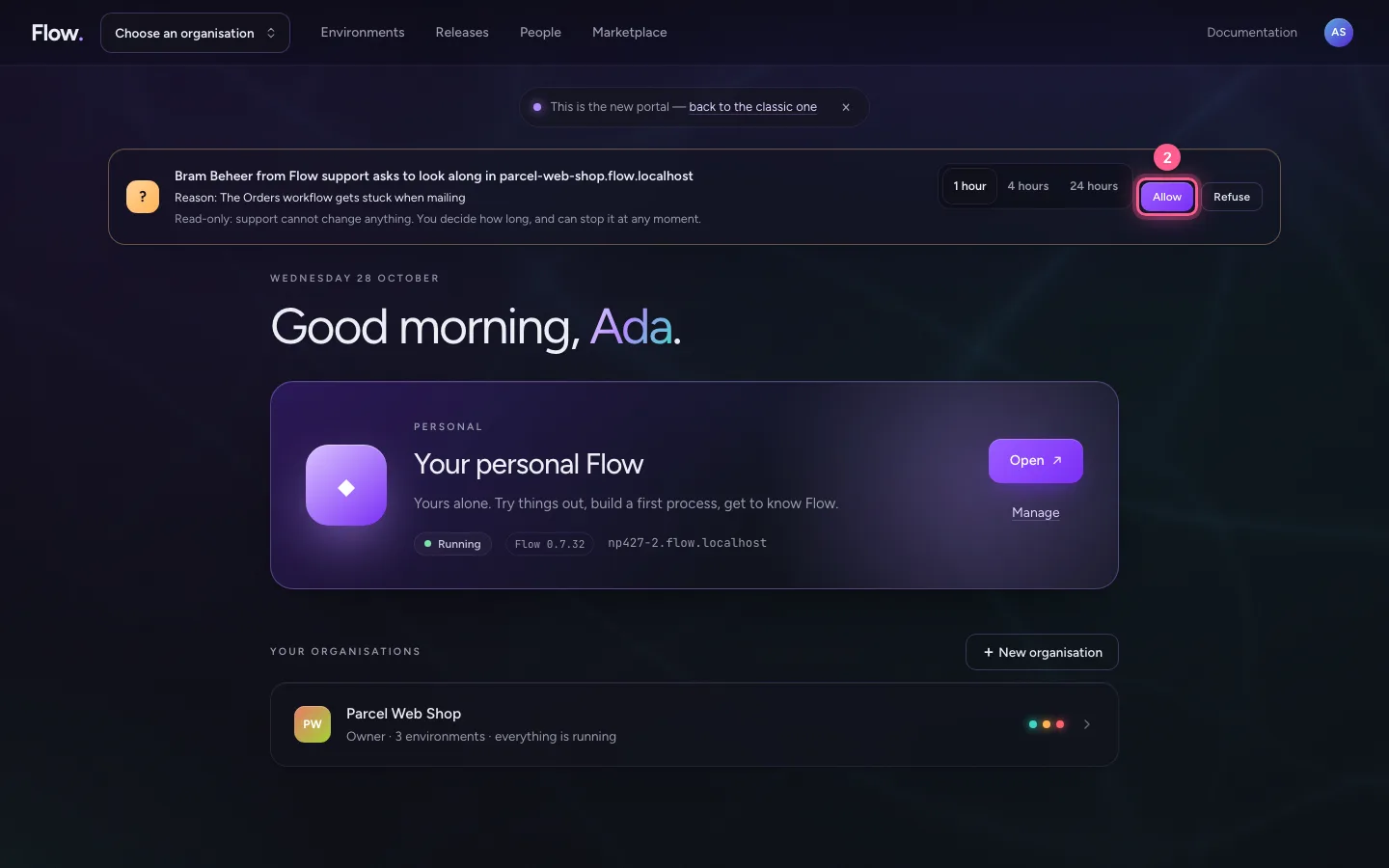
Choose 1 hour, 4 hours or 24 hours, and then Allow. Support looks along with read-only rights.
- Click 1 hour
- Click Allow
Step 3 / 3
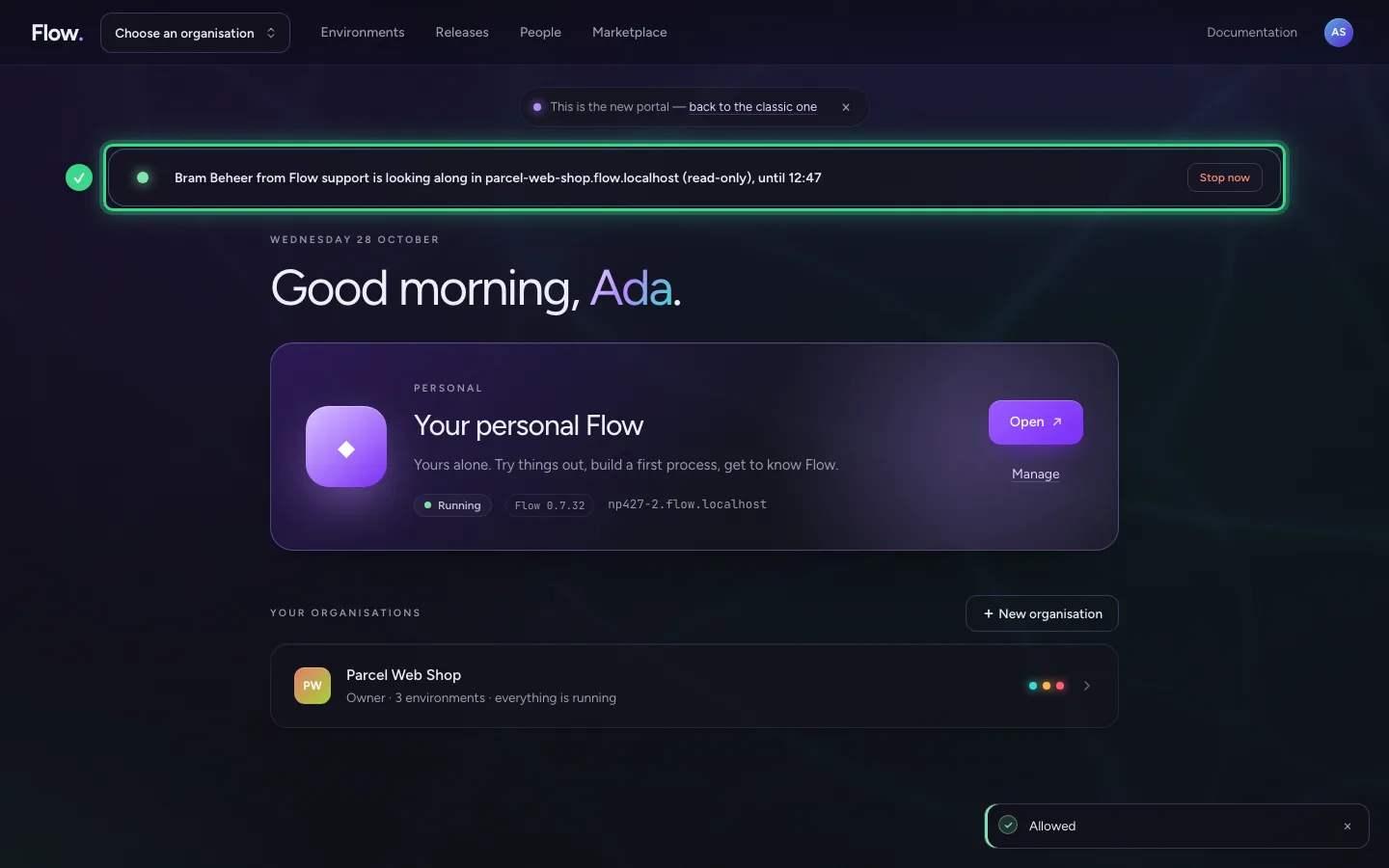
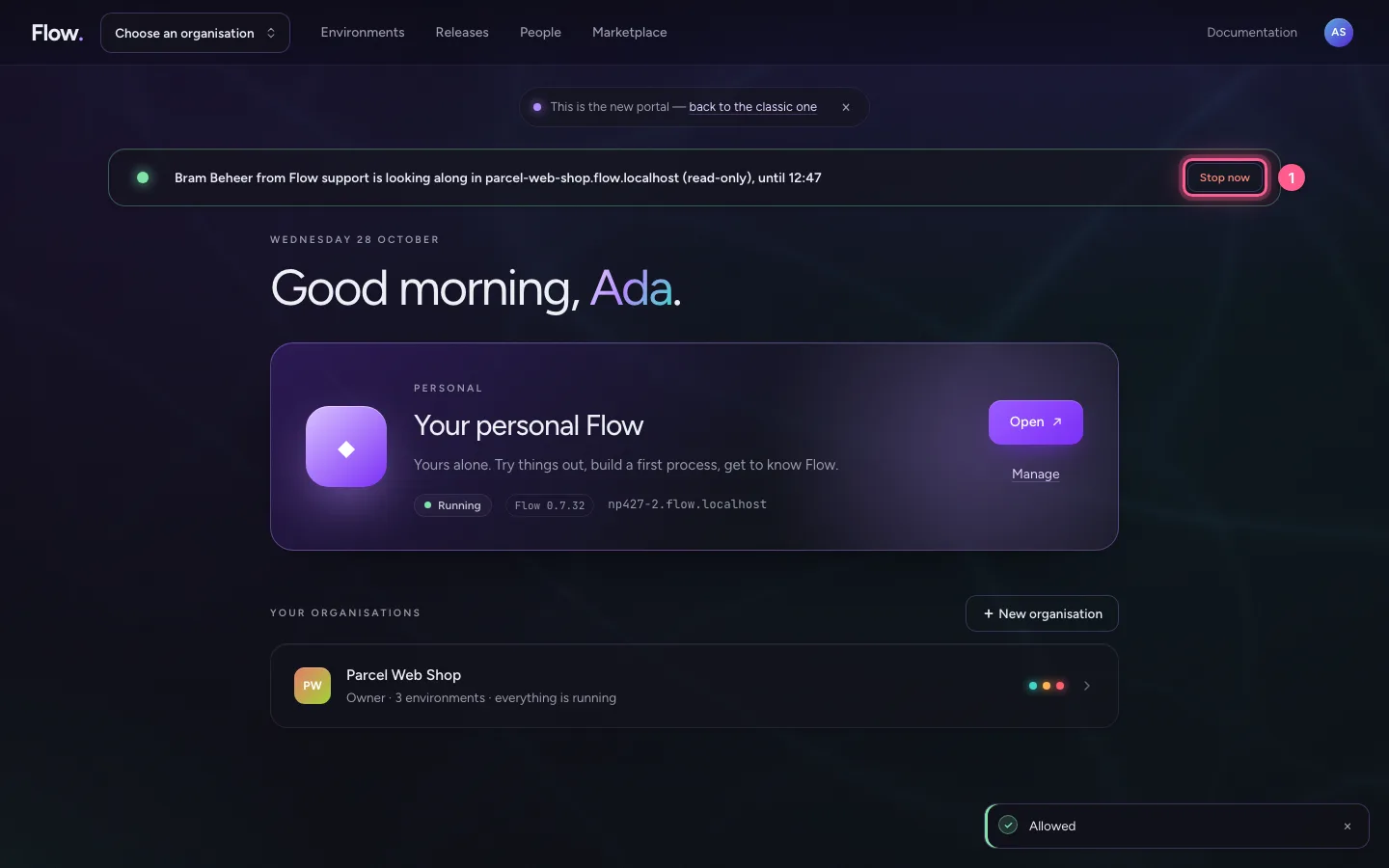
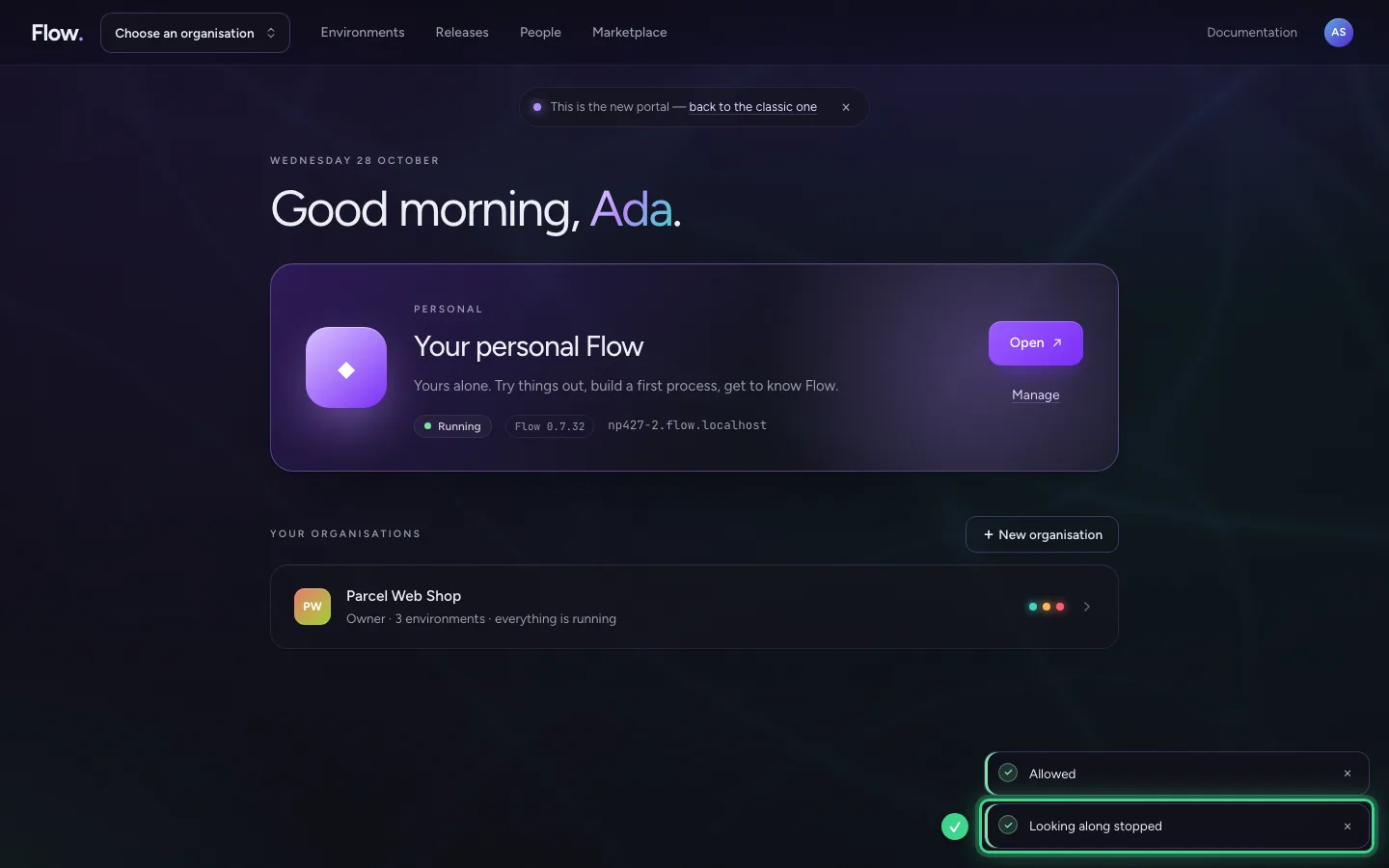
Stop whenever you want
Choose Stop now. Support is out straight away.
- Click Stop now
This guide was carried out step by step on 28 Oct 2026 by an automated test on Flow (version 96971699).