Table from a file (CSV/Excel)
Do you already have your data in Excel, or in an export from another package? Then there is nothing to retype: Flow reads the file, proposes the columns and their kind, and puts every row in a new table. Here you use a list of customer requests. You start in the portal, at your organisation.
Open your development environment
In the portal, under Environments, click Development, and there Open. Flow opens in a new tab.
- Click Development

- Click Open ↗


Choose Table from a file
Click + next to General and choose Table from a file. A window opens that takes you through reading the file in four steps: file, columns, security and import.
- Click Add to General

- Click Table from a file (CSV/Excel)


Choose your file
Click the box and choose your CSV or Excel file (dragging works too). Flow recognises the separator itself and shows the first rows, so you can see whether it looks right.
- Click the box for your file


- Click Next

Check the columns
Flow proposes a name and a kind for every column, based on what is in it: amounts become Number, dates Date. A column with only a few different values, like the status, gets those values as a fixed list. Give the table a name that says what it holds.
- In Table name, type
Requests


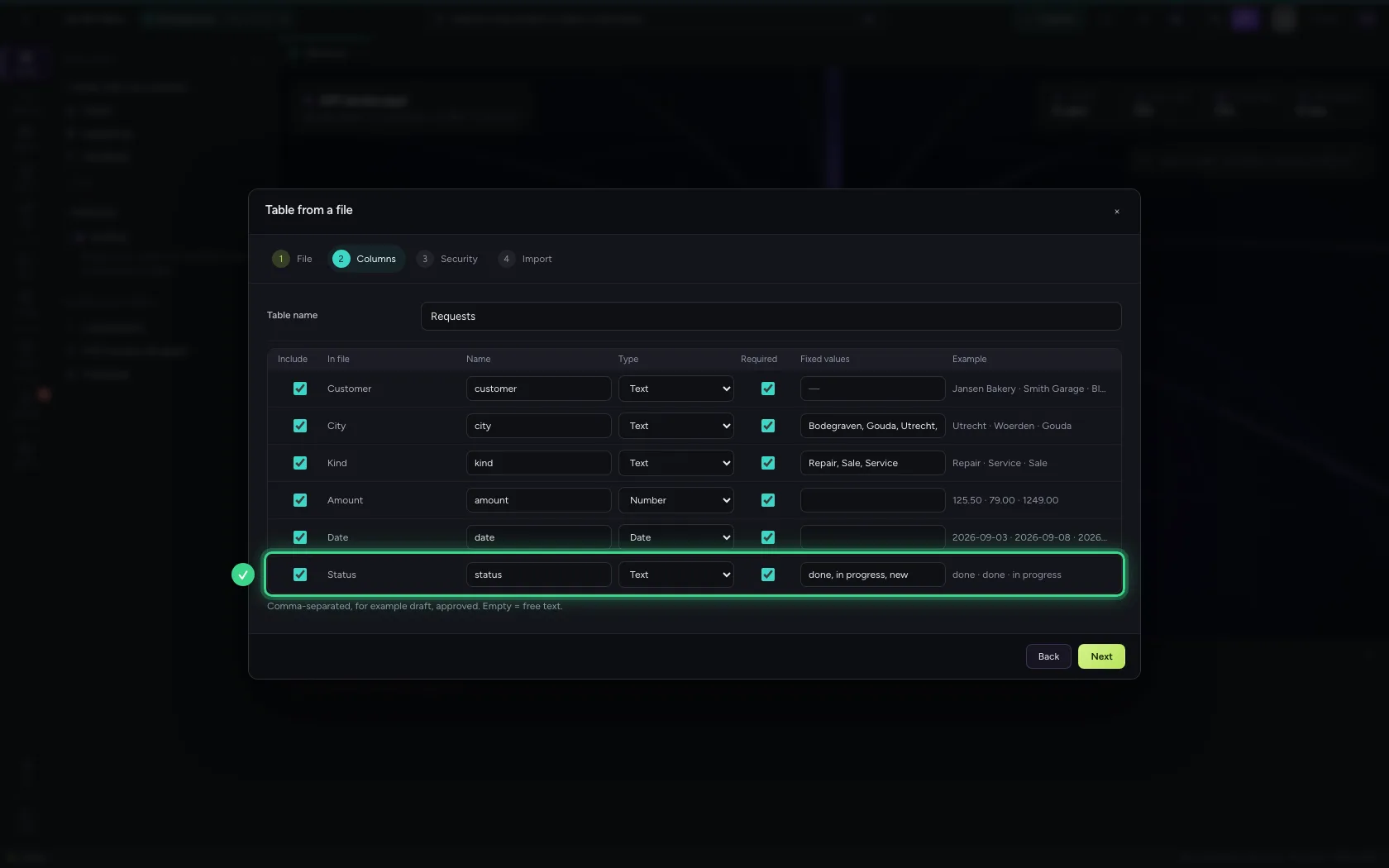
- Click Next
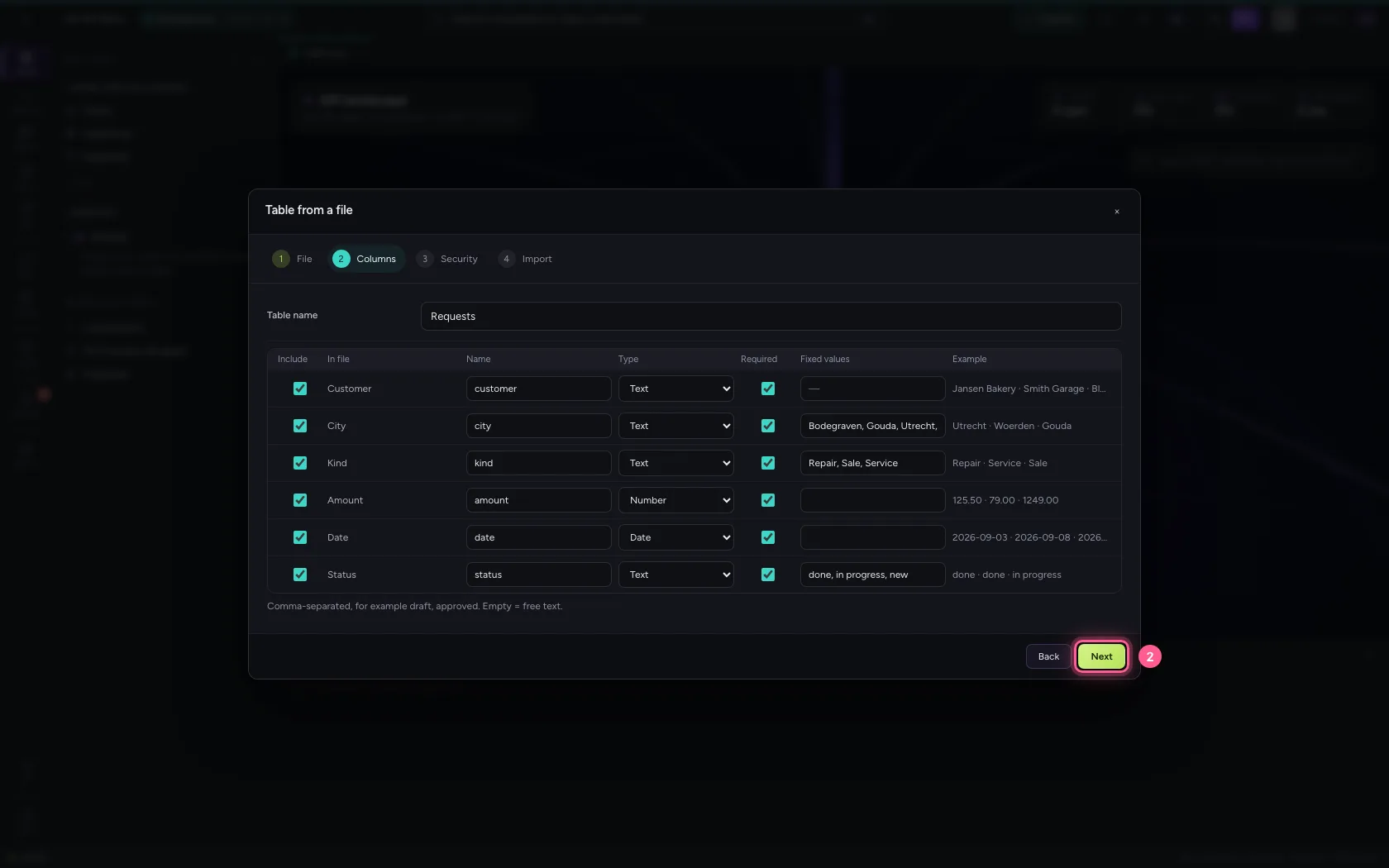
Decide who may see it
The classification says how sensitive the data is; Internal fits a customer list without anything special. Here you can also set per role who may read or change; you can do that later as well.

- Click Next

Import
Flow sums up what will happen. Every row is checked; a row that does not fit is skipped and reported, so you know exactly what did not come along.
- Click Import


Look at your table
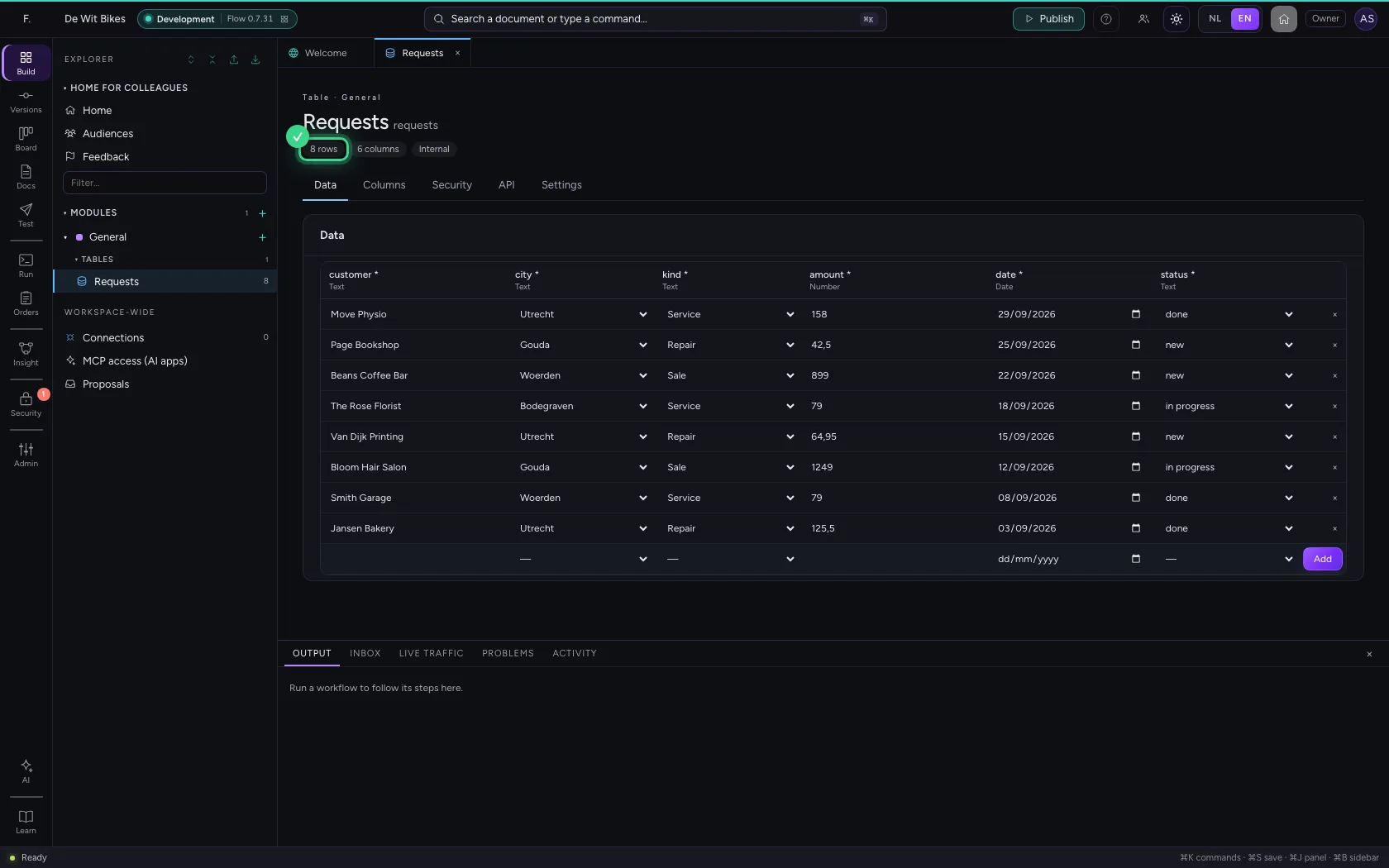
Open the table: every row is there, with the right kind per column. From now on it works like any other table: you can change rows, use it in a workflow or publish it as an API.
- Click Open table

This guide was carried out step by step on 22 Oct 2026 by an automated test on Flow (version 3e563176).