Flow.Documentation
BeginnerTables

Column: whole number

4 steps± 3 minVideoVerified 22 Oct 2026
  1. Step 1 · Open your development environment
  2. Step 2 · Add a Whole number column
  3. Step 3 · Fill in a quantity
  4. Step 4 · Half a quantity is not possible

A Whole number is for counts that are never half: items in stock, number of people, a sequence number. Flow does not allow decimals in it. You keep track of the stock of a bike shop.

Watch the whole guide as a video4 steps in one film
Step 1 / 4

Open your development environment

In the portal, under Environments, click Development, and there Open. Flow opens in a new tab and you are signed in straight away.

  1. Click Development
Open your development environment · Click Development
  1. Click Open ↗
Open your development environment · Click Open ↗
Step 2 / 4

Add a Whole number column

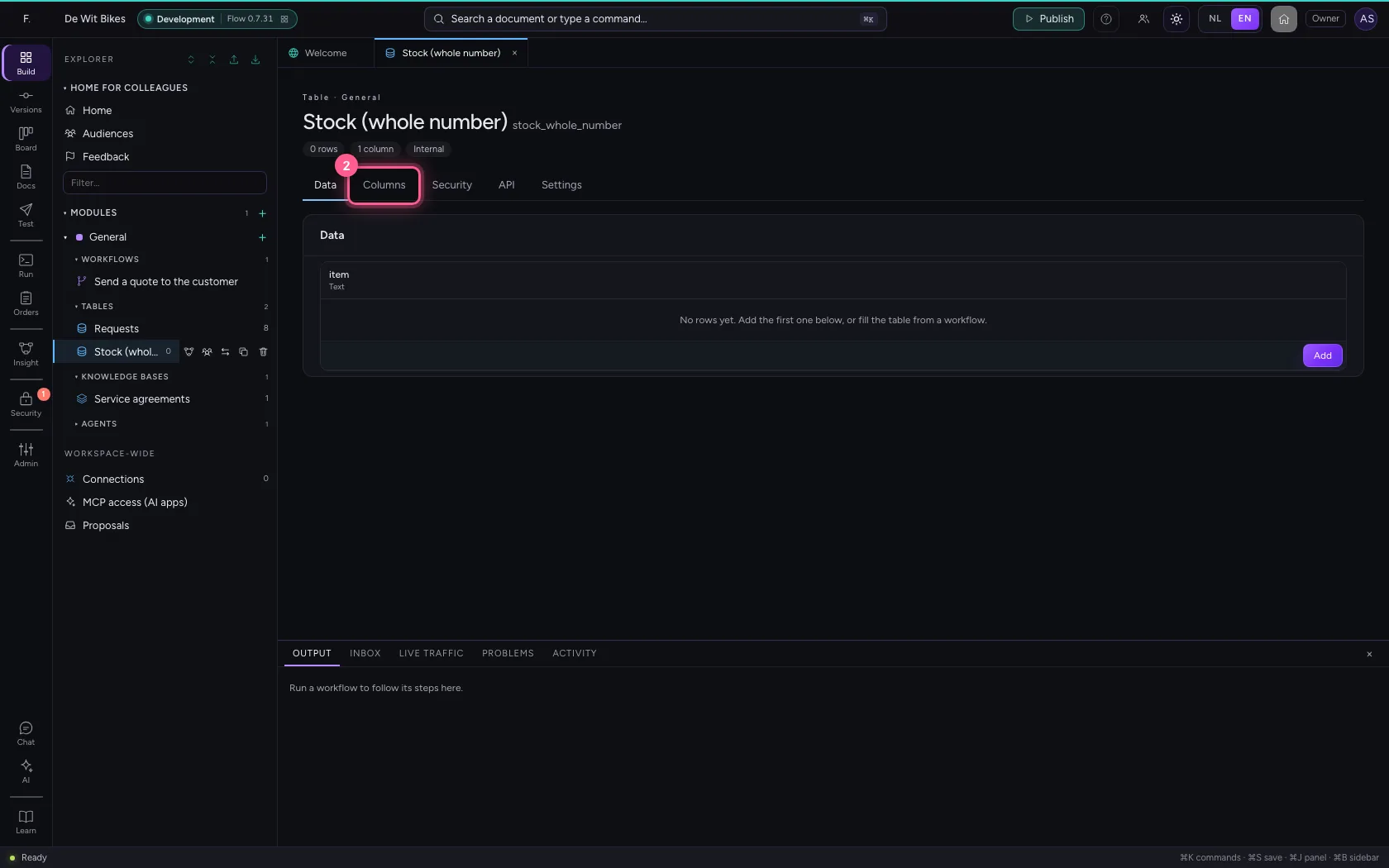
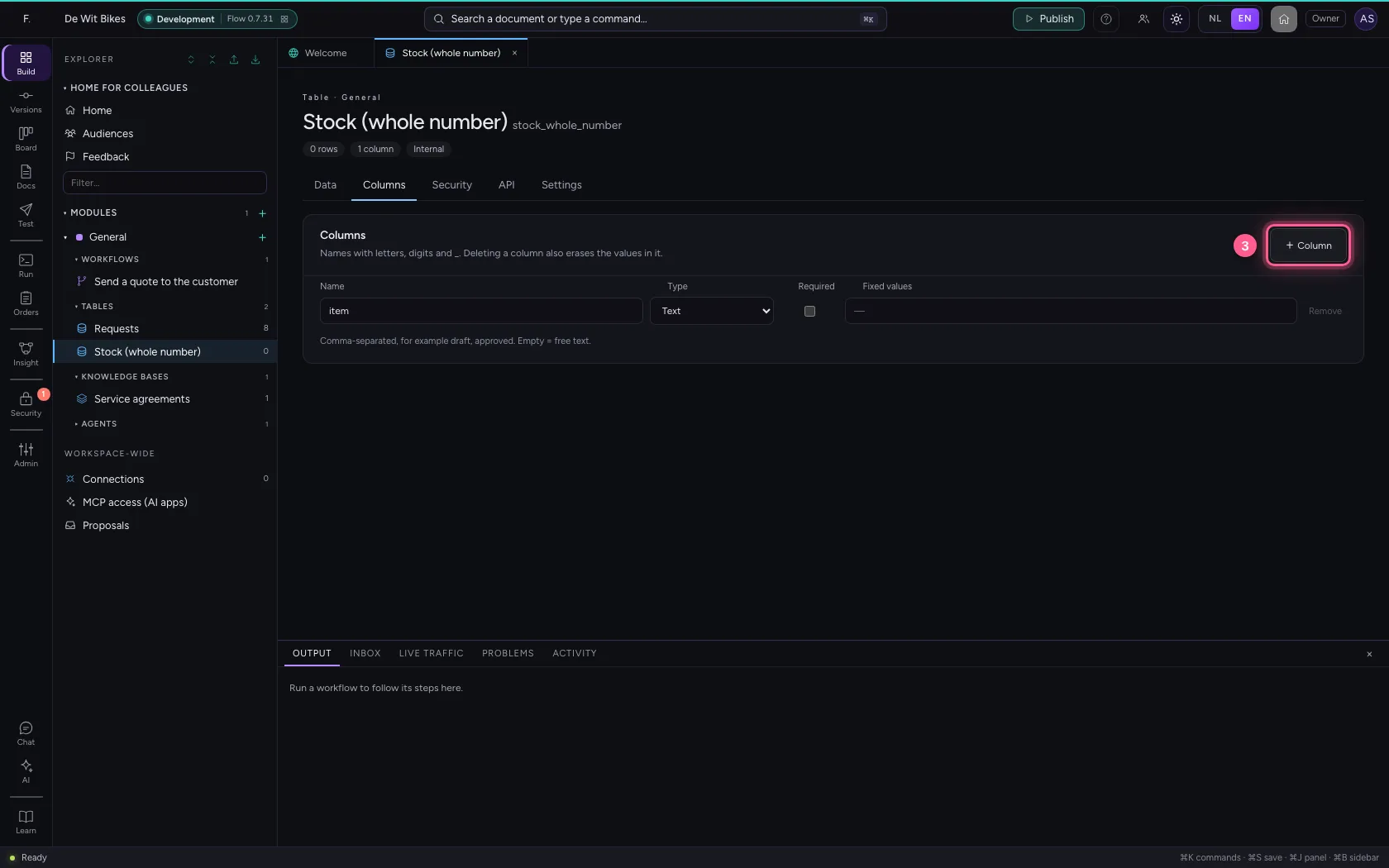
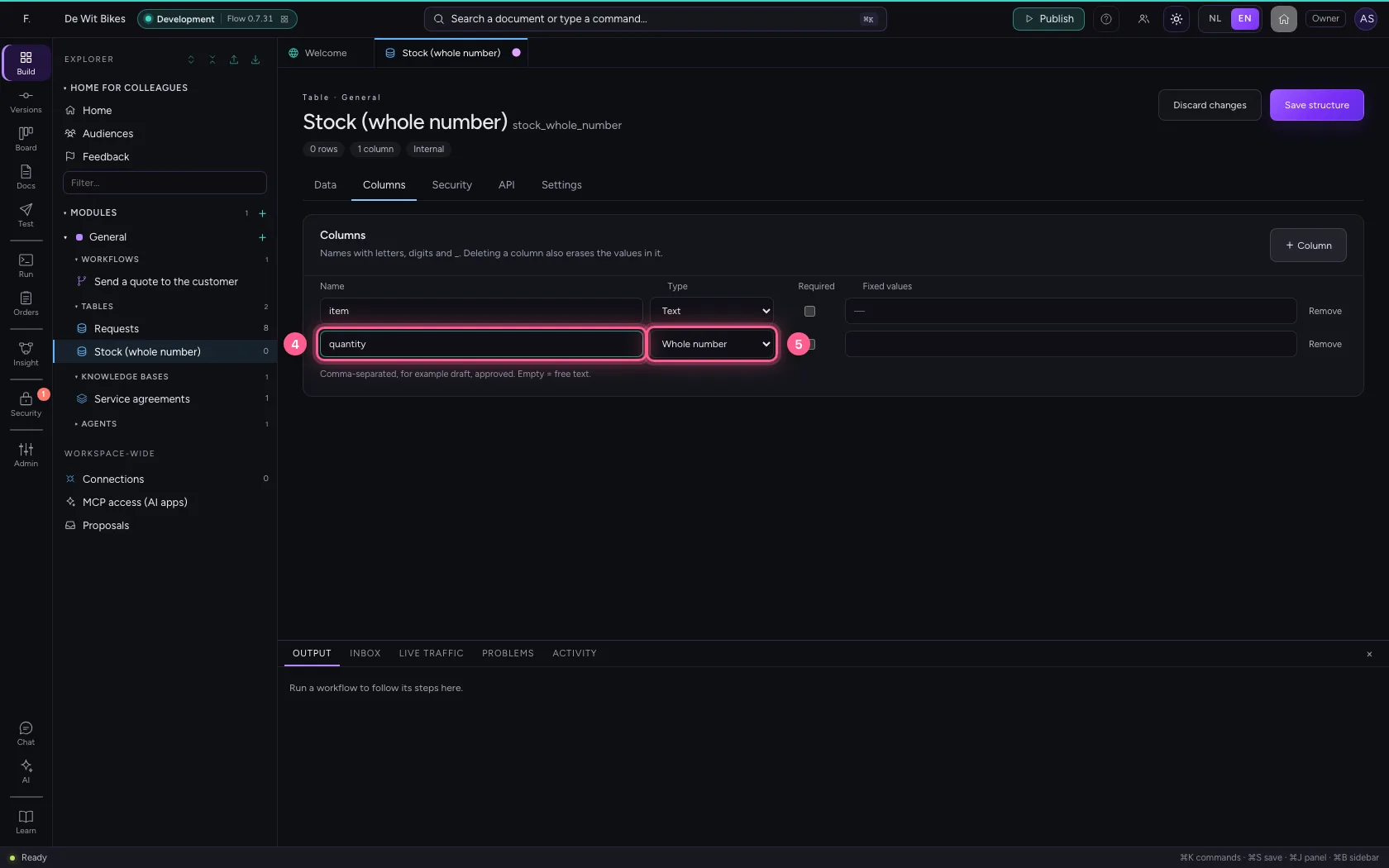
Open the table, go to Columns, click + Column and choose Whole number under Type.

  1. Click the table ‘Stock (whole number)’
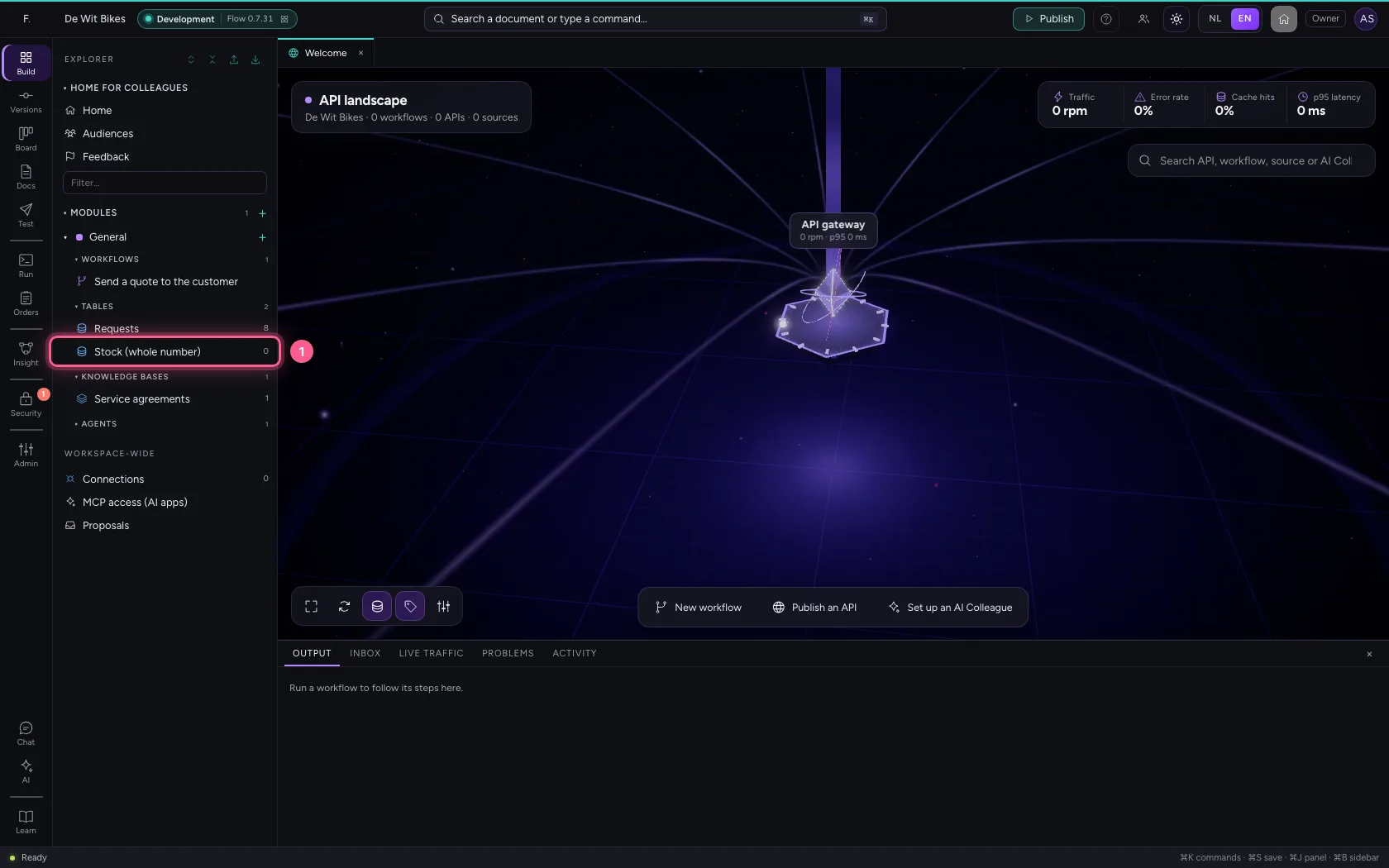
Add a Whole number column · Click the table ‘Stock (whole number)’
  1. Click Columns
Add a Whole number column · Click Columns
  1. Click + Column
Add a Whole number column · Click + Column
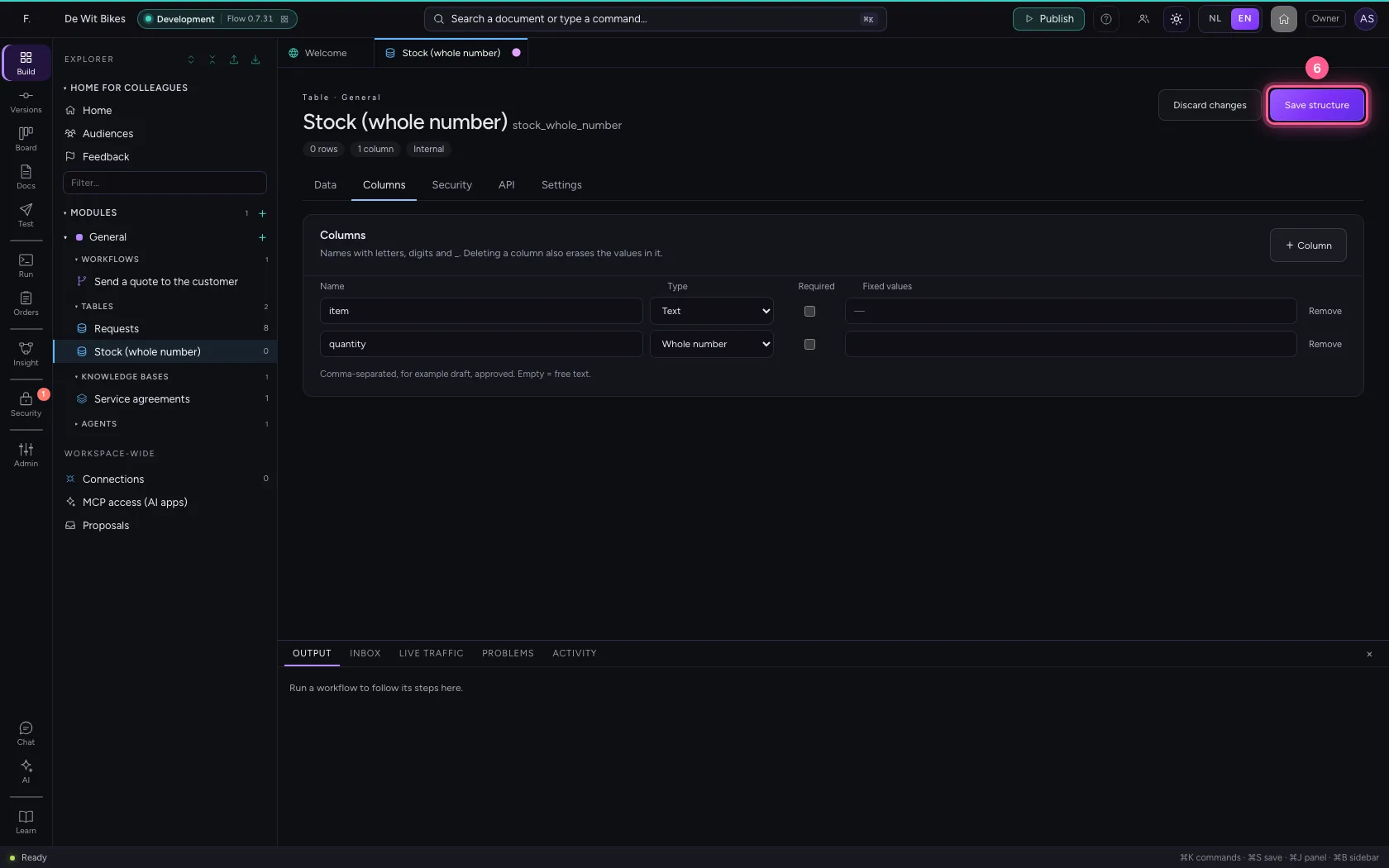
  1. In Name, type quantity
  2. In Type, choose Whole number
Add a Whole number column · In Name, type quantity; In Type, choose Whole number
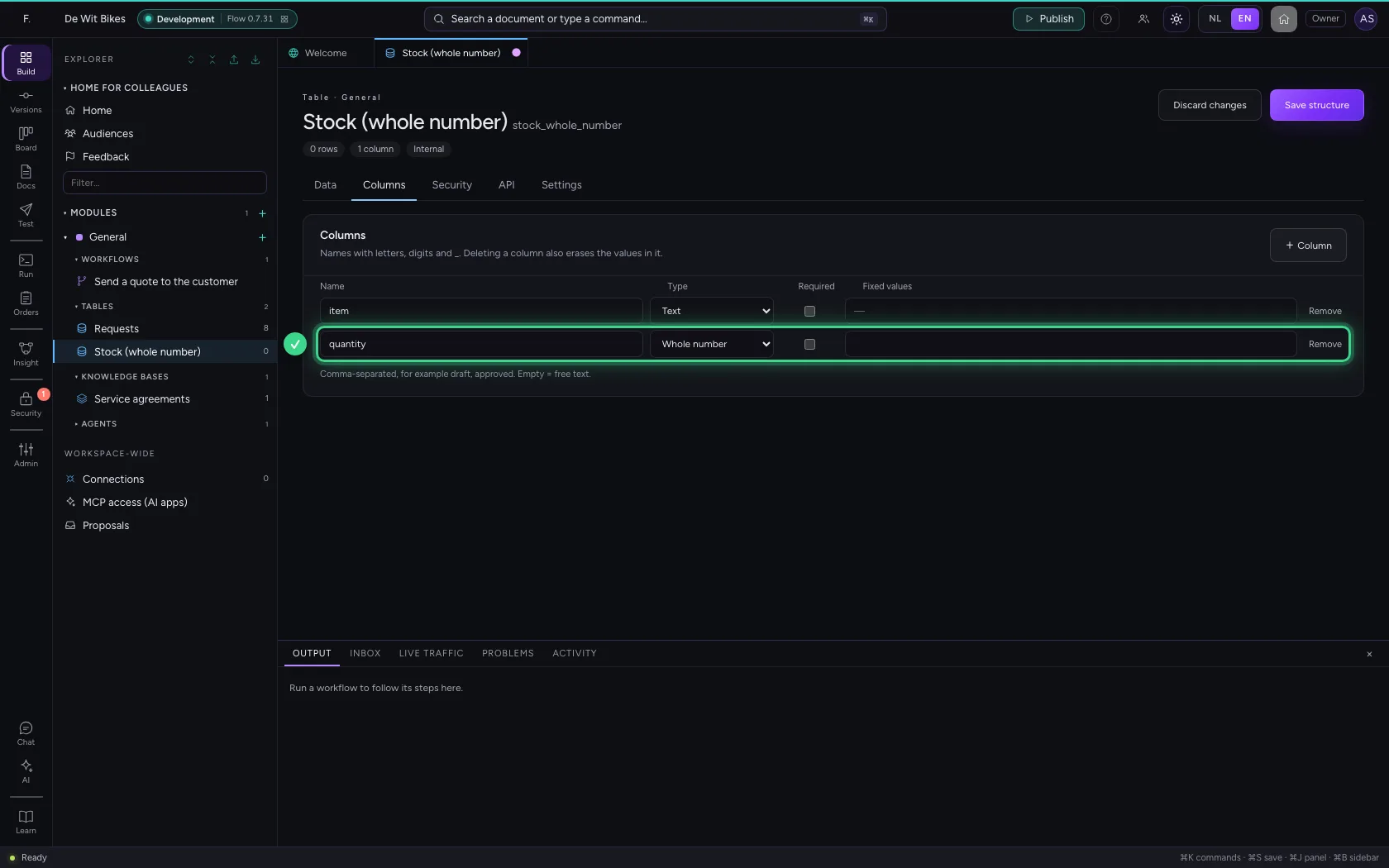
Add a Whole number column · The column quantity, of type Whole number.
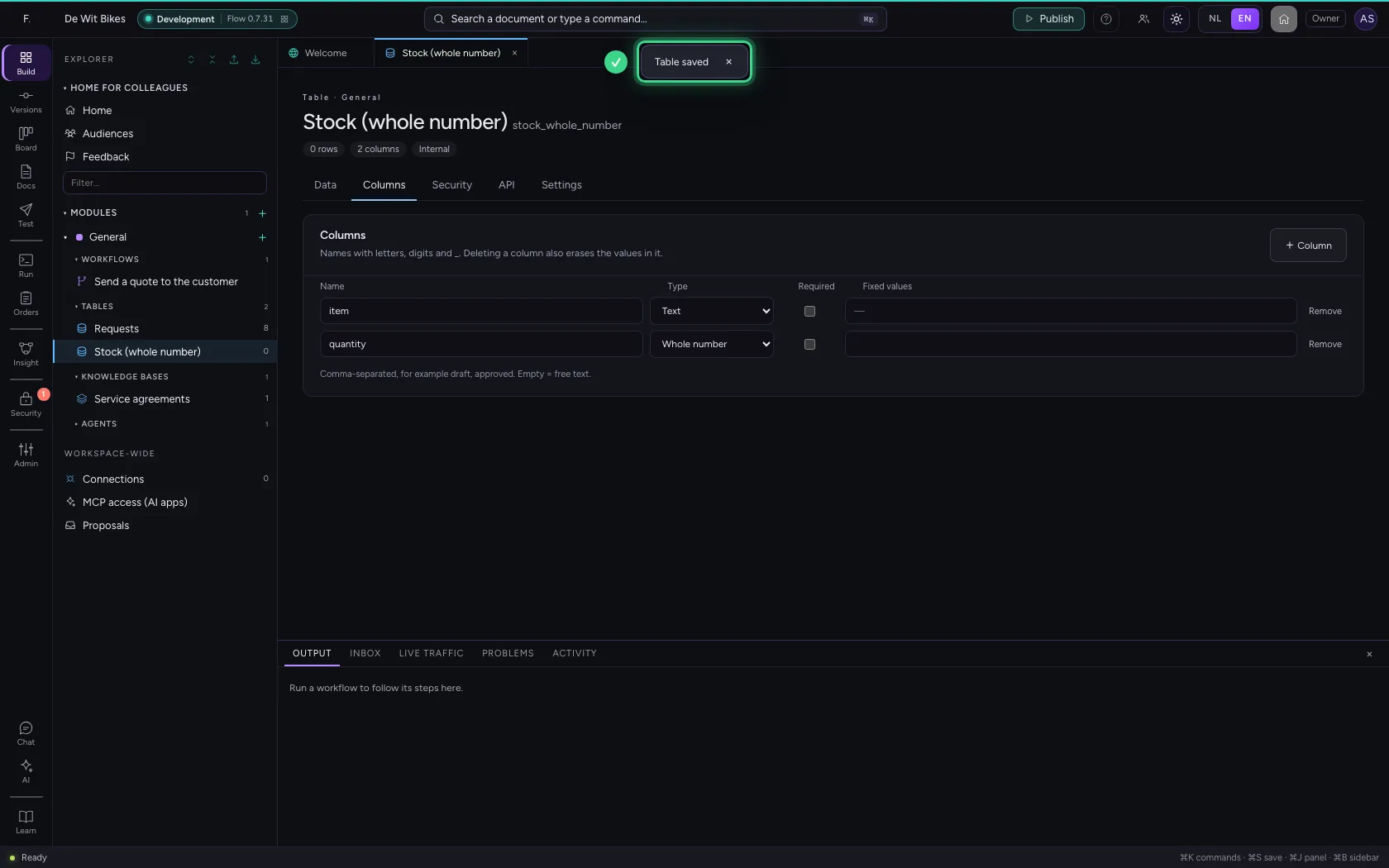
  1. Click Save structure
Add a Whole number column · Click Save structure
Add a Whole number column · The notice Table saved.
Step 3 / 4

Fill in a quantity

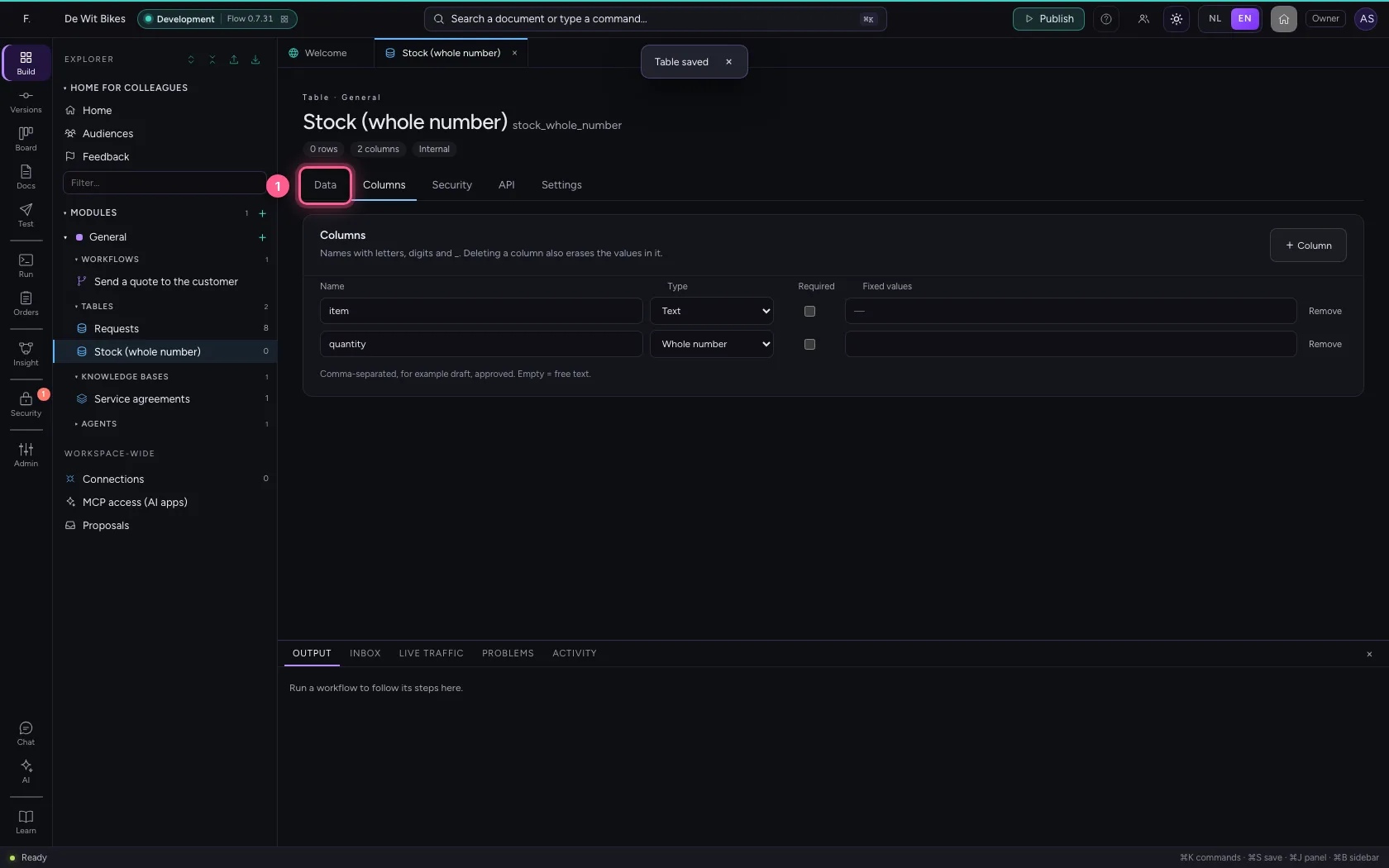
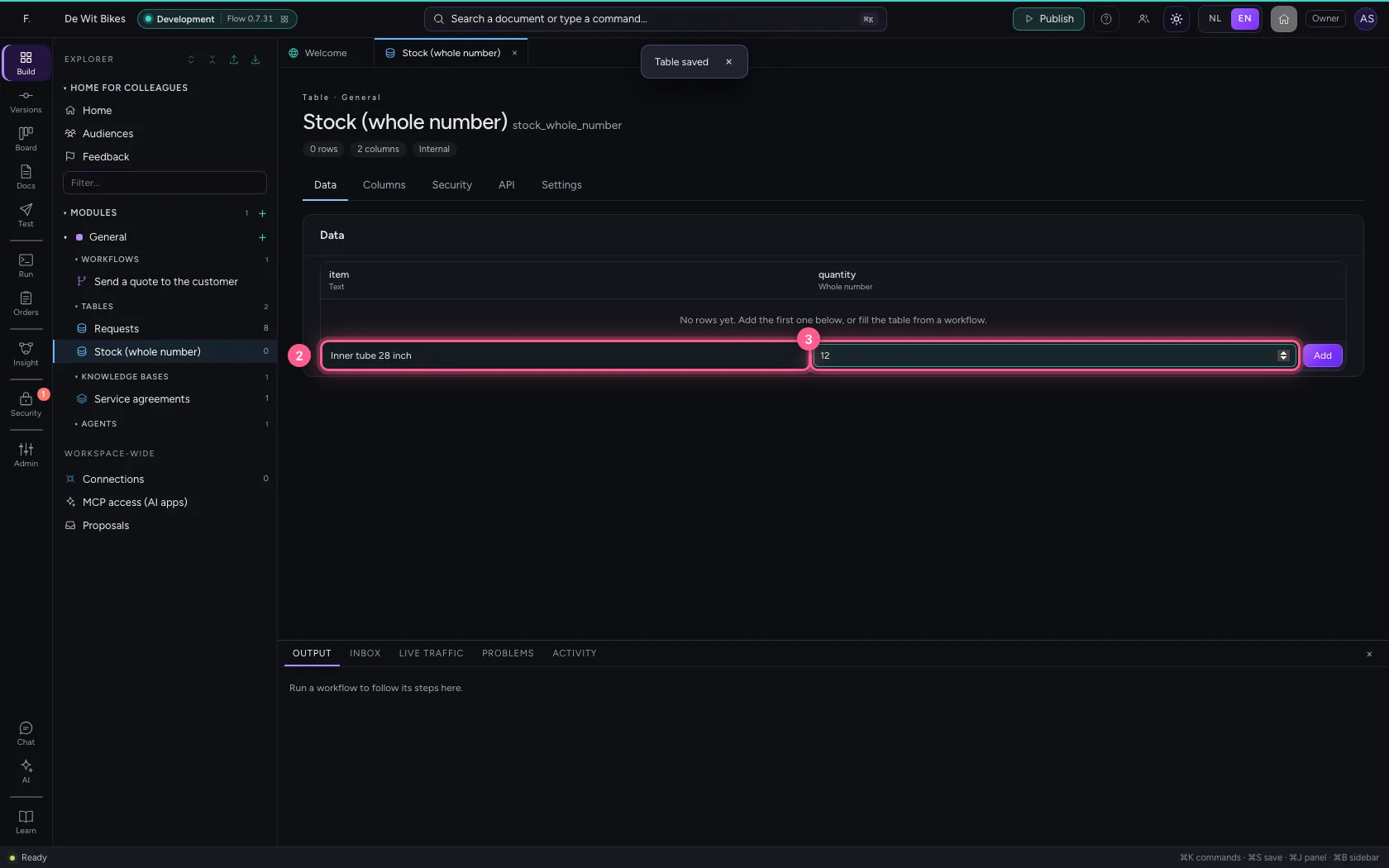
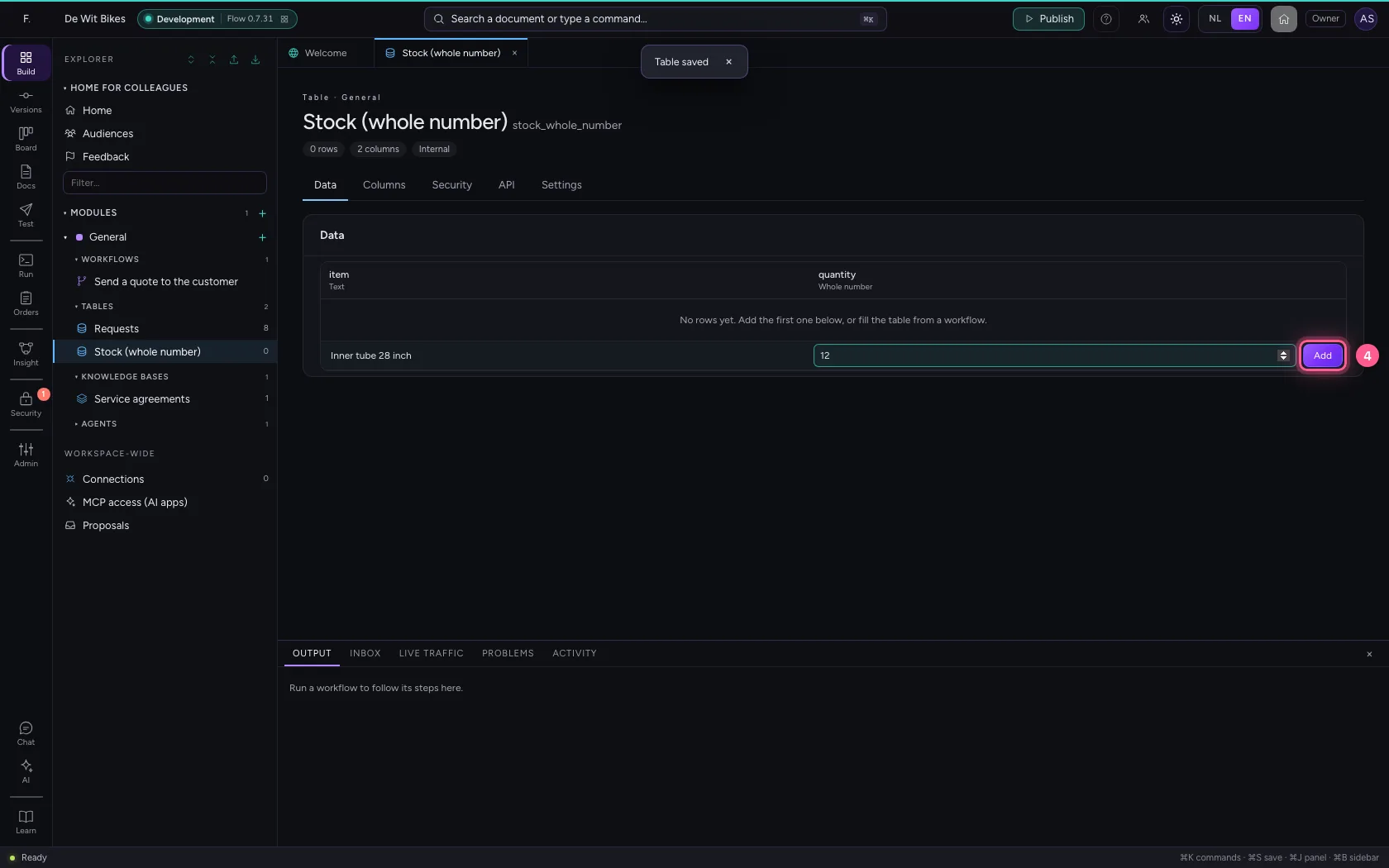
Under Data, fill in the quantity and click Add.

  1. Click Data
Fill in a quantity · Click Data
  1. In item, type Inner tube 28 inch
  2. In quantity, type 12
Fill in a quantity · In item, type Inner tube 28 inch; In quantity, type 12
  1. Click Add
Fill in a quantity · Click Add
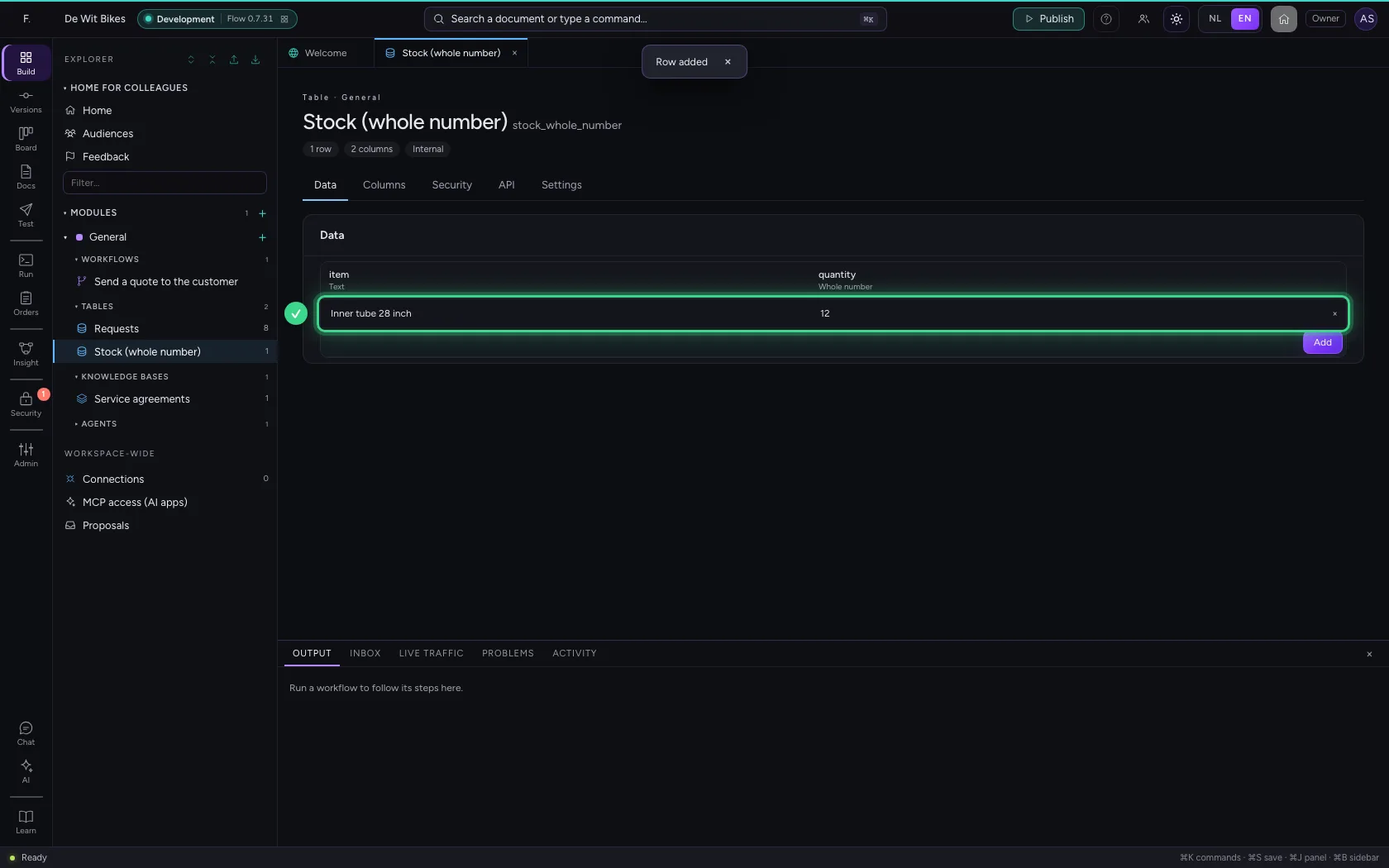
Fill in a quantity · Twelve inner tubes in stock.
Step 4 / 4

Half a quantity is not possible

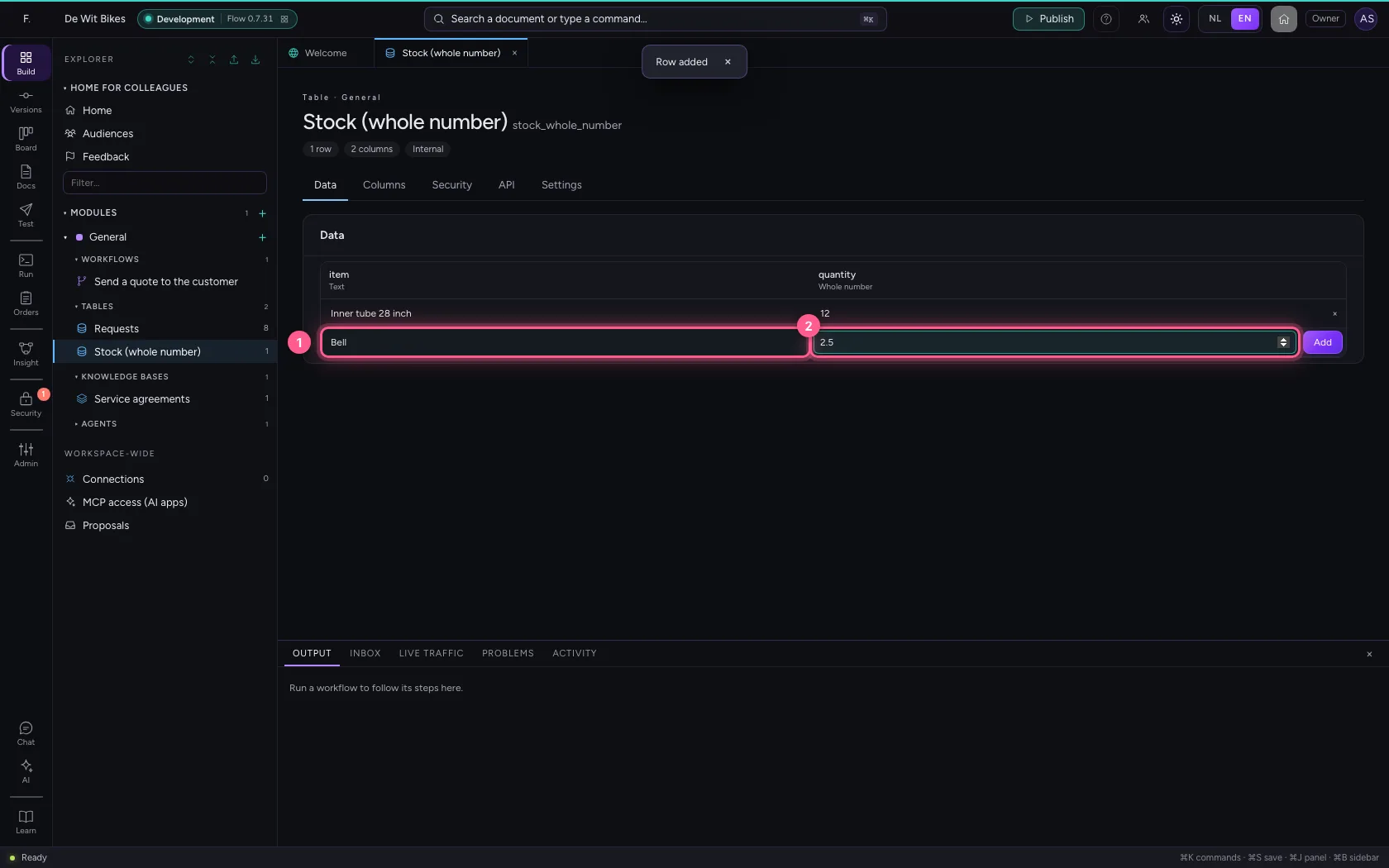
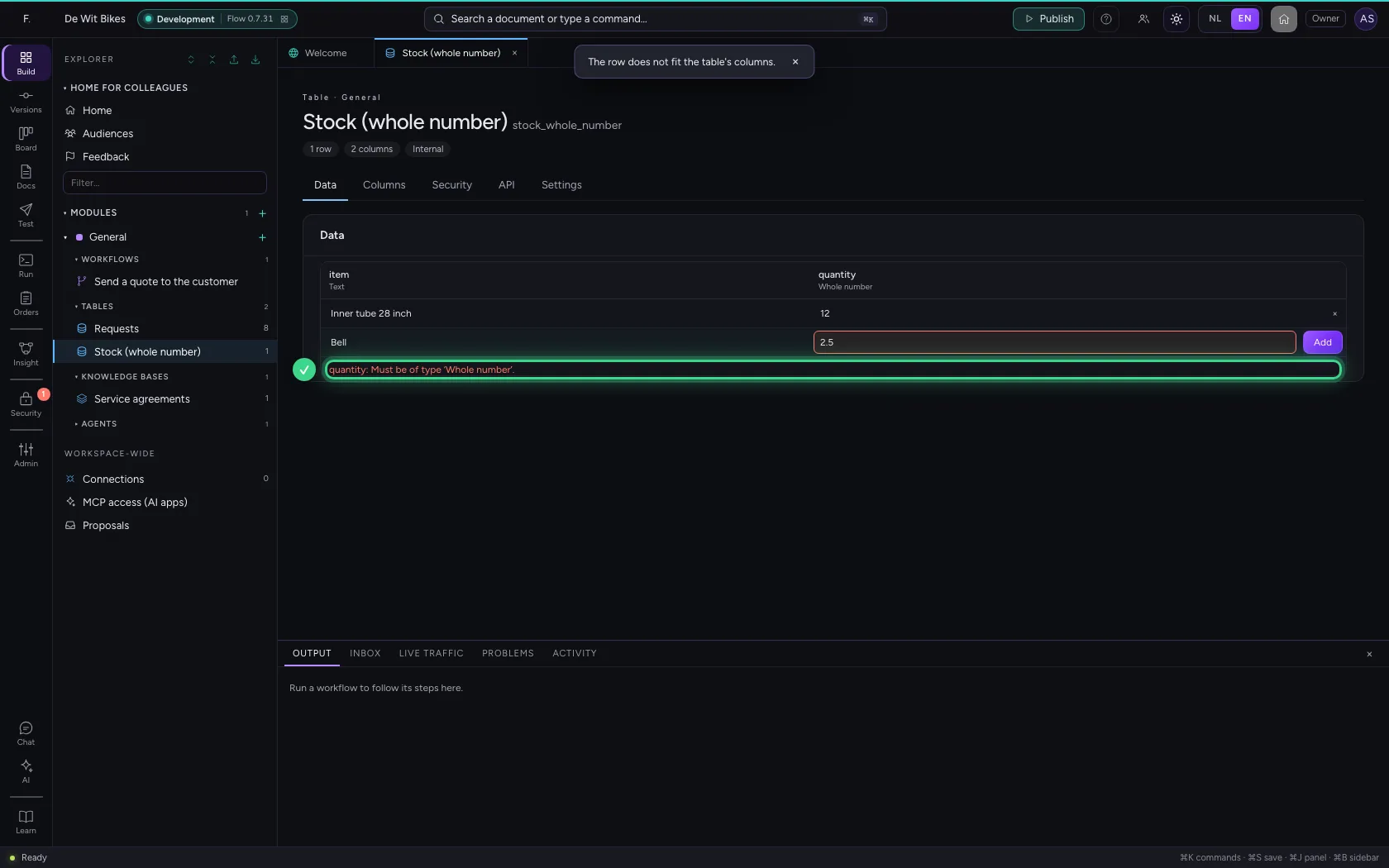
Try a row with 2.5. The field lets you type it, but Flow checks every row and refuses it: below the table it says which column does not fit. That way a half quantity never gets into your stock, not through a workflow or your API either.

  1. In item, type Bell
  2. In quantity, type 2.5
Half a quantity is not possible · In item, type Bell; In quantity, type 2.5
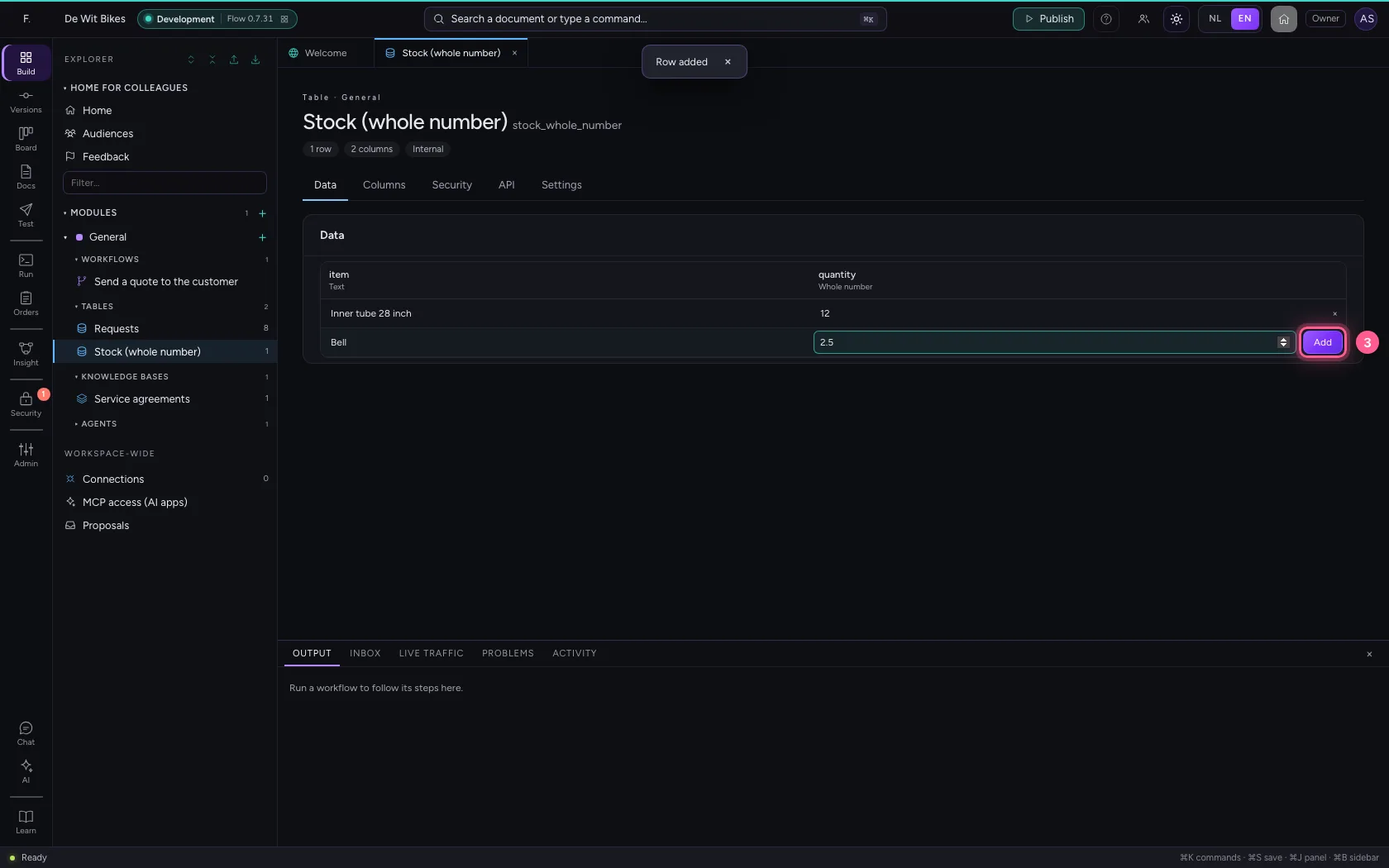
  1. Click Add
Half a quantity is not possible · Click Add
Half a quantity is not possible · quantity: Must be of type integer.

This guide was carried out step by step on 22 Oct 2026 by an automated test on Flow (version 3e563176).