Two people in one table
- Step 1 · Open your development environment
- Step 2 · Open the table
- Step 3 · Your colleague adds a row and removes one
- Step 4 · You see it at once, and who did it
- Step 5 · The row you were changing is removed
- Step 6 · Put your change back
- Step 7 · Your colleague changes the columns
- Step 8 · Your table adapts
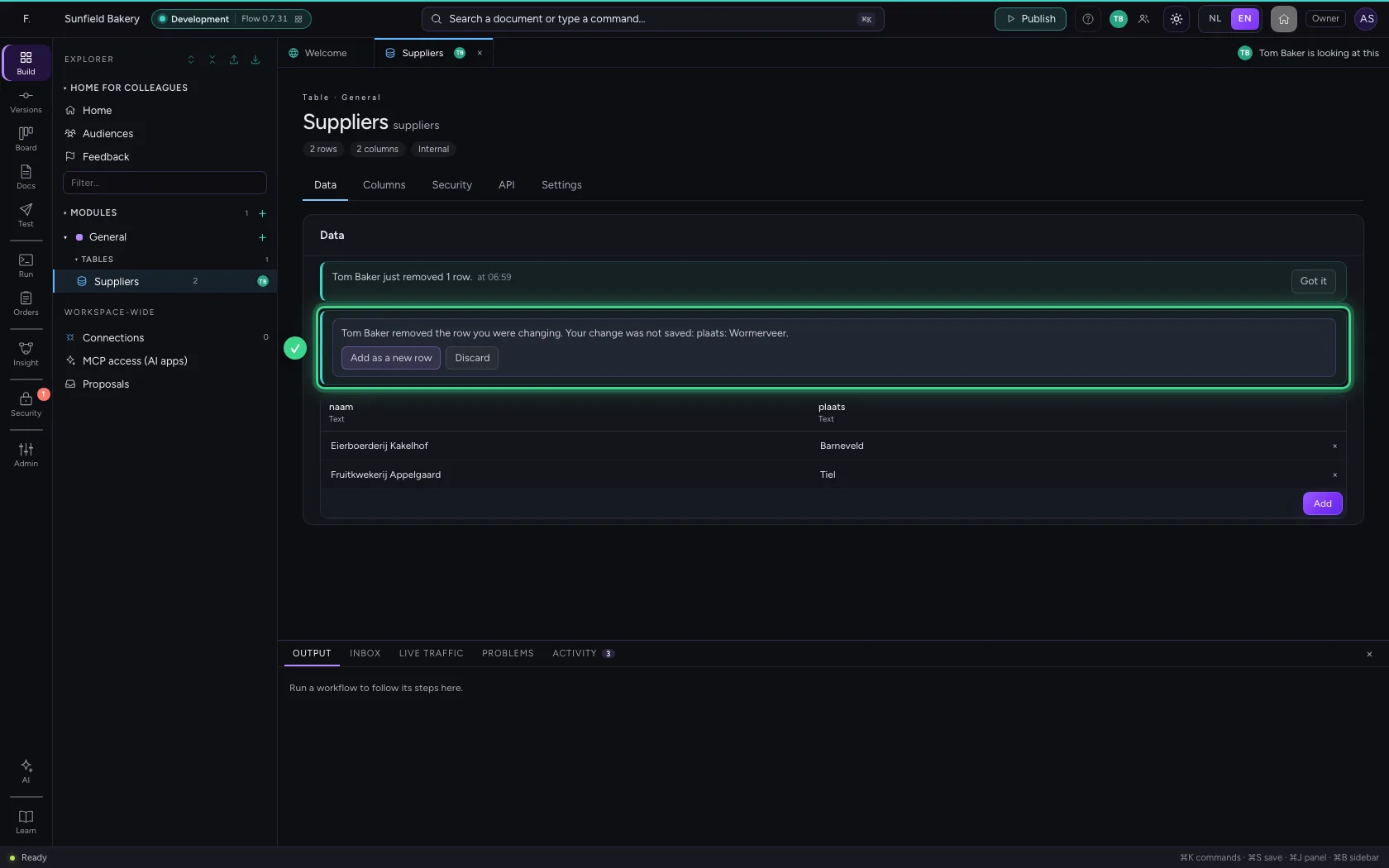
When a colleague works in the same table at the same time, you see it at once. When they add or remove rows, your table follows by itself and one calm line says who did what. When your colleague removes the very row you were changing, you do not lose your change: Flow says so and puts it back as a new row with one click. And when someone changes the columns, your table adapts and you see what changed. When you both change the same field, Flow asks at that field which value stays (see Building together in Flow).
Open your development environment
In the portal, under Environments, click Development, and there Open. Flow opens in a new tab and you are signed in straight away.
- Click Development

- Click Open ↗

Open the table
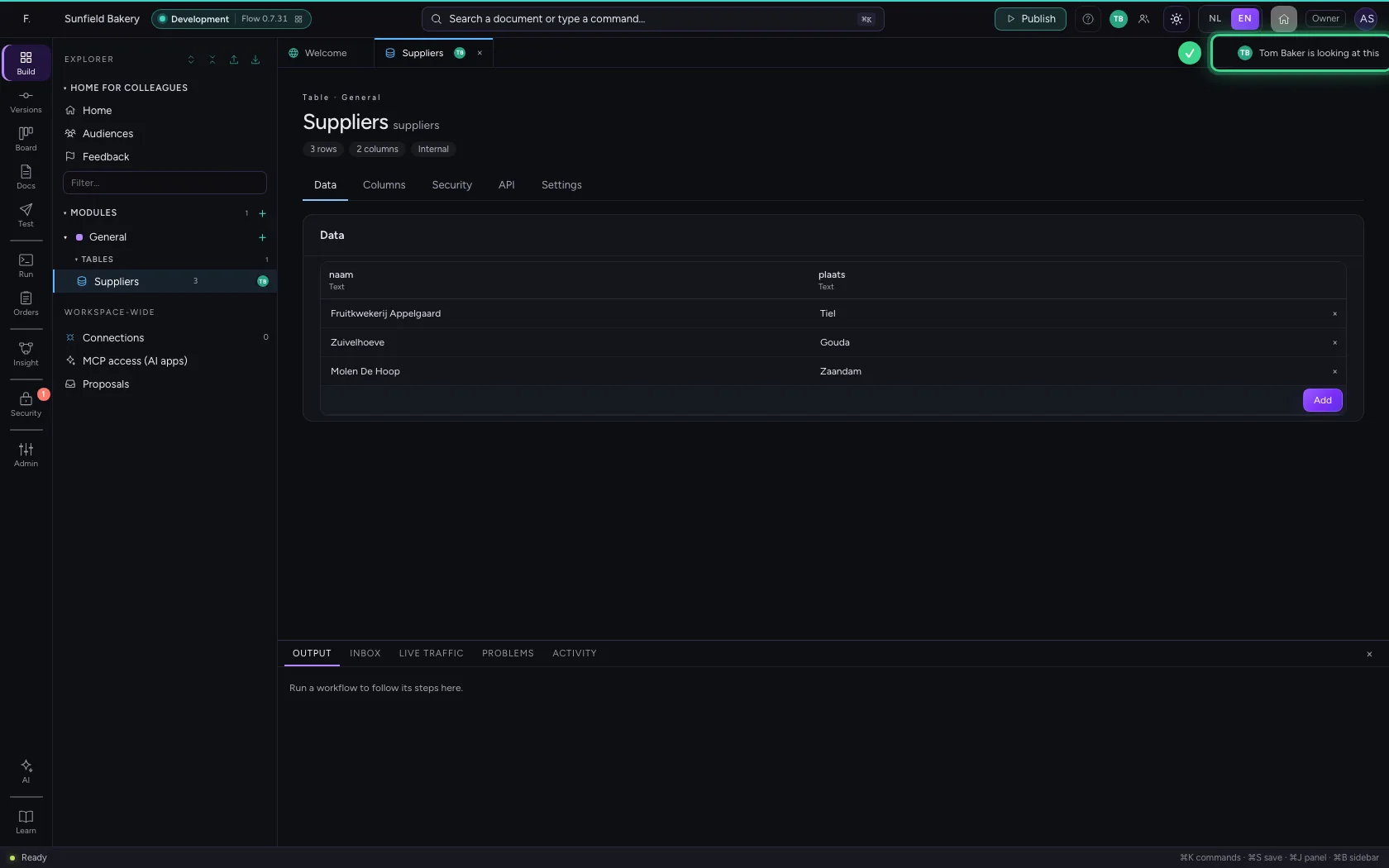
Your colleague has the table open too. Above the table it says so in words, and the explorer shows the number of rows.
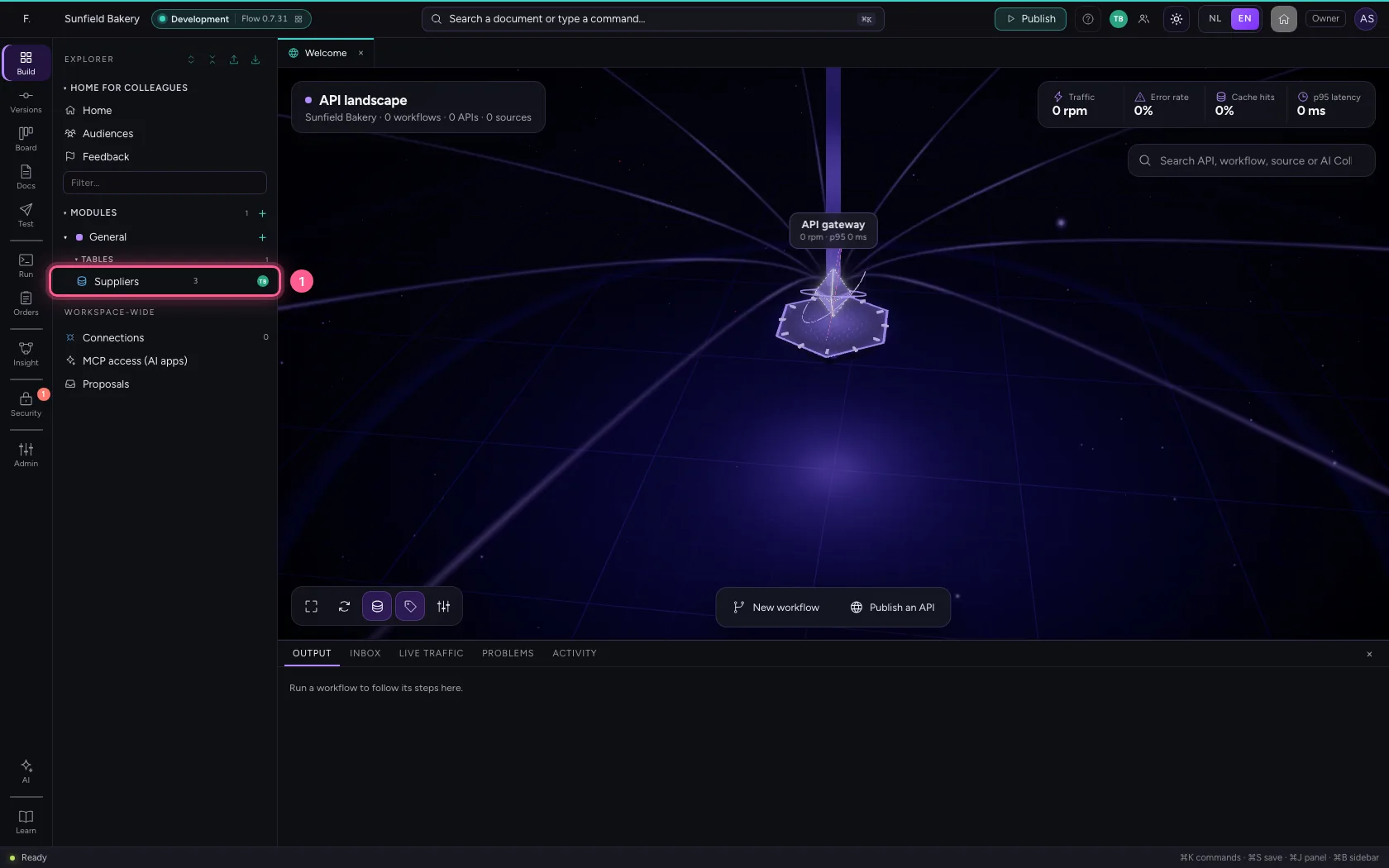
- Click the table ‘Suppliers’
Your colleague adds a row and removes one
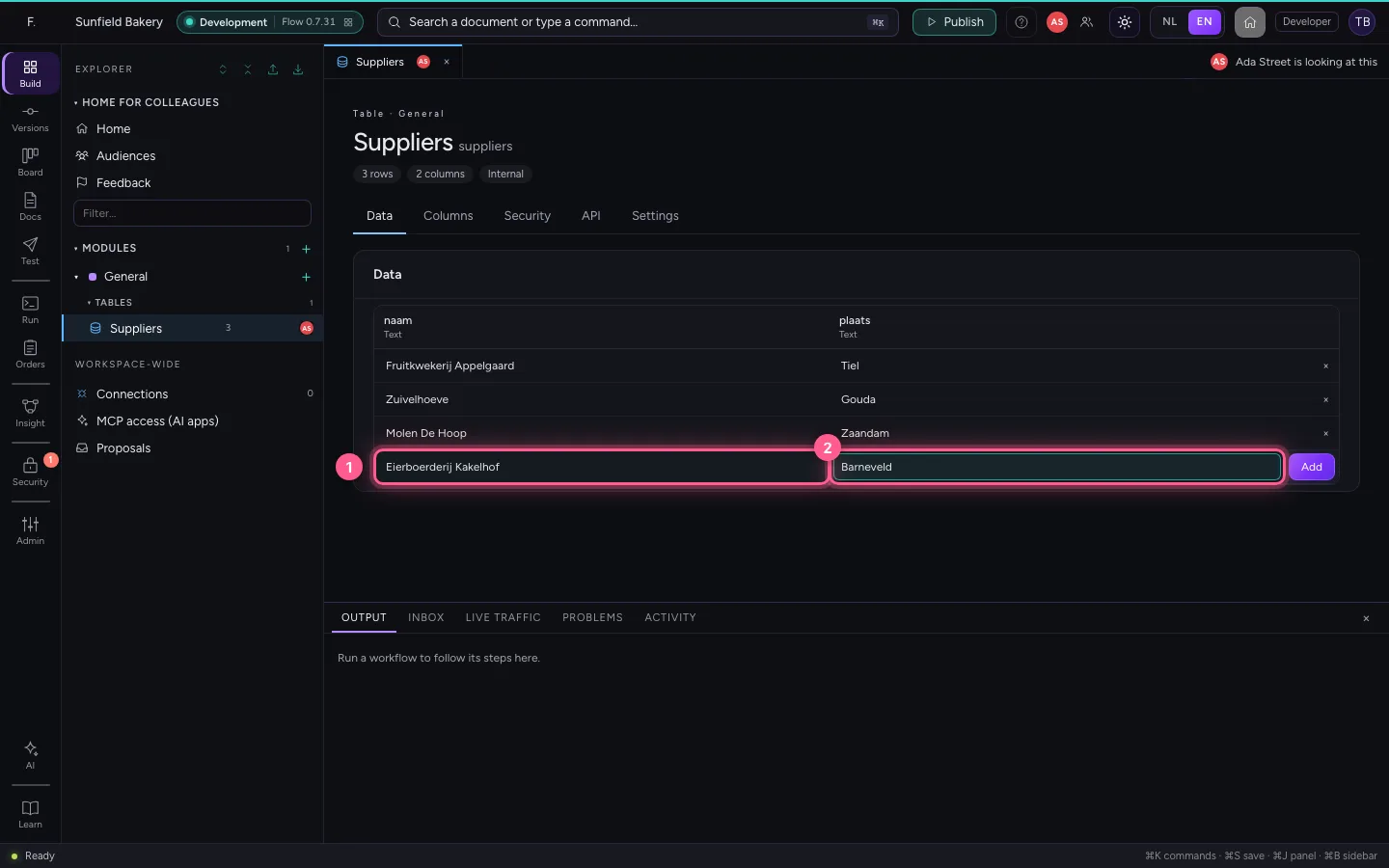
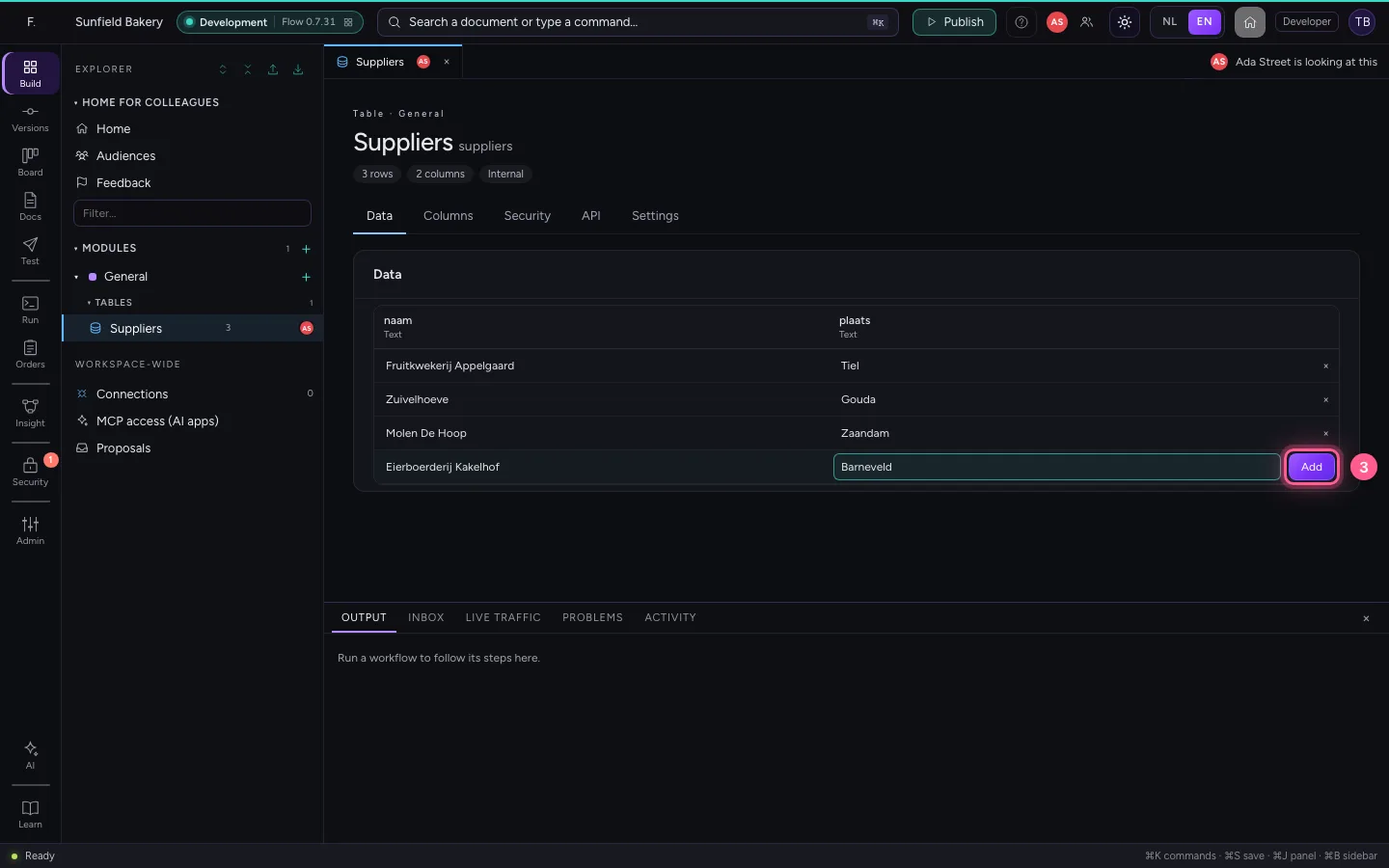
This is Tom Baker's screen. He adds a supplier and removes another one.
- In naam, type
Eierboerderij Kakelhof - In plaats, type
Barneveld
- Click Add
- Click × at Zuivelhoeve
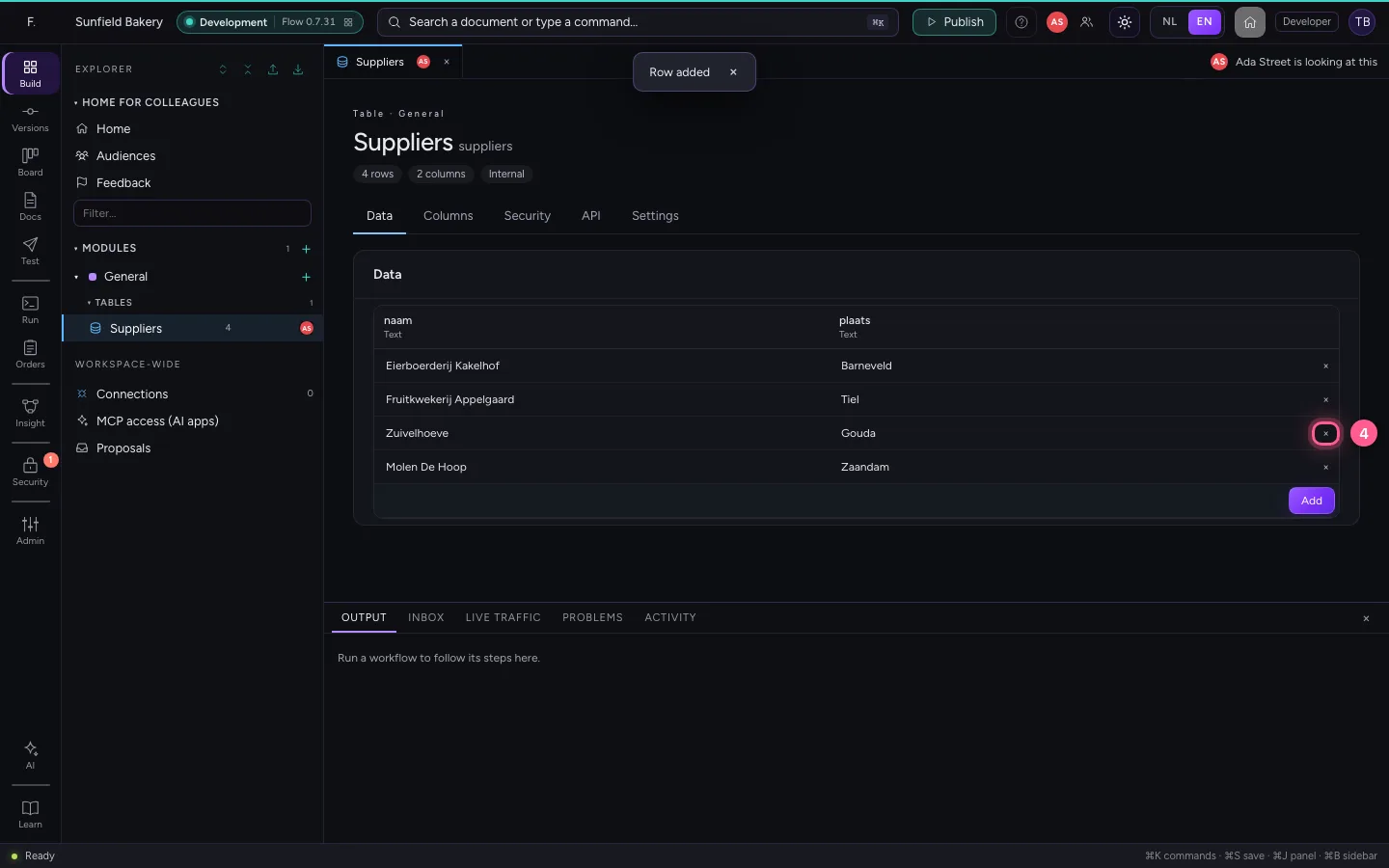
- Click Delete

You see it at once, and who did it
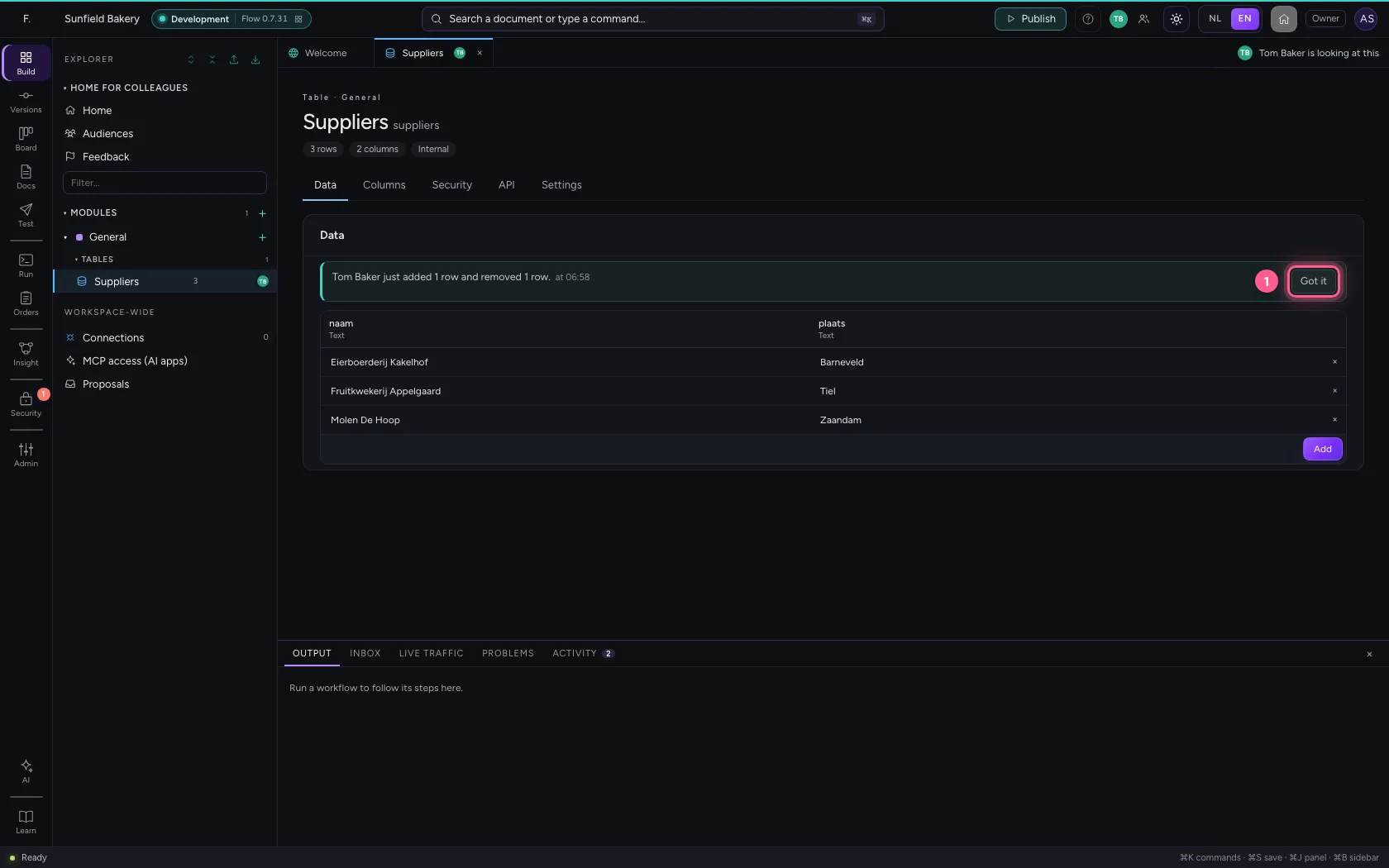
Your table follows by itself: the new row is there, the removed one is gone. One calm line says who did what and when; Got it puts it away. The explorer counts along at once too.
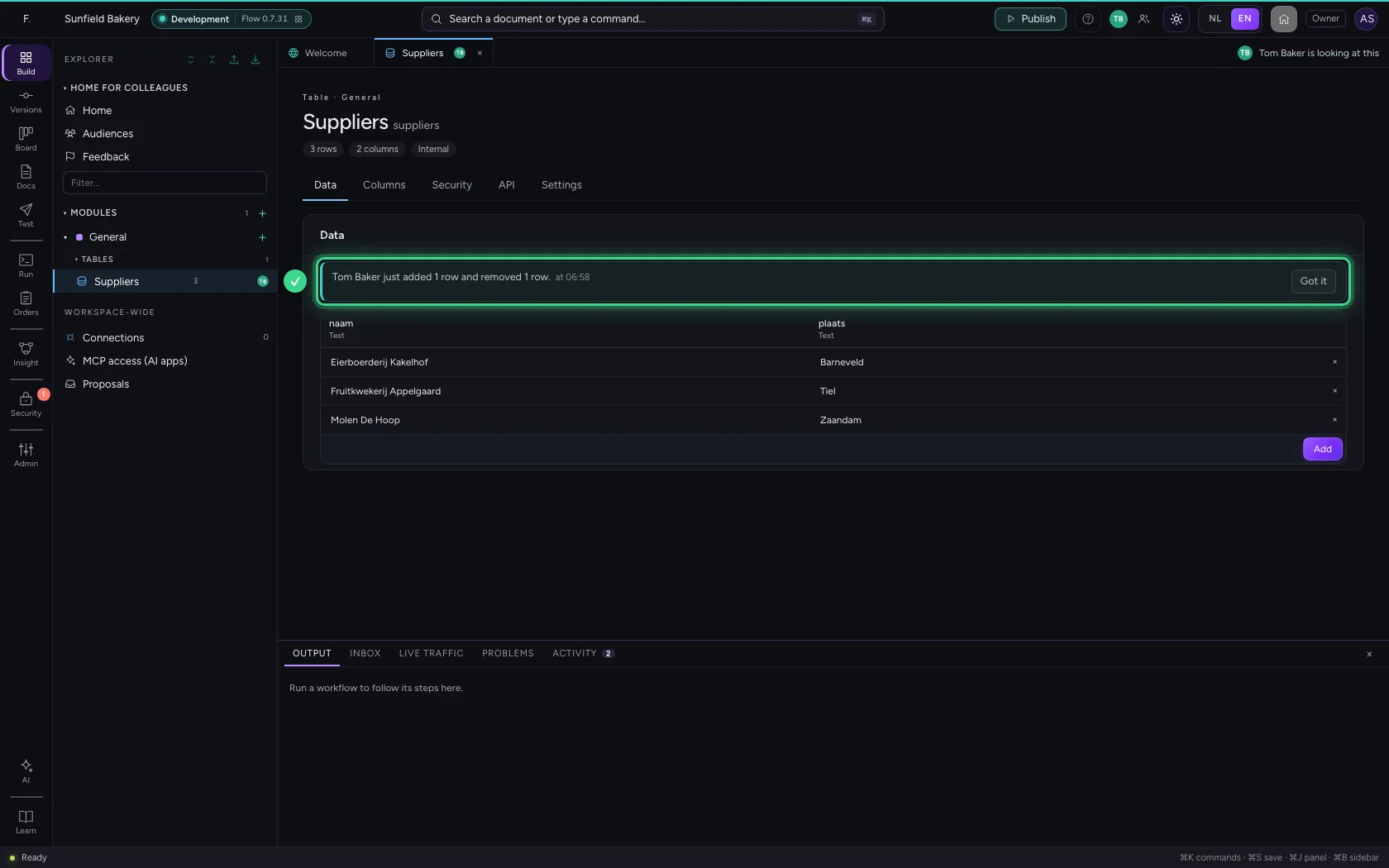
- Click Got it
The row you were changing is removed
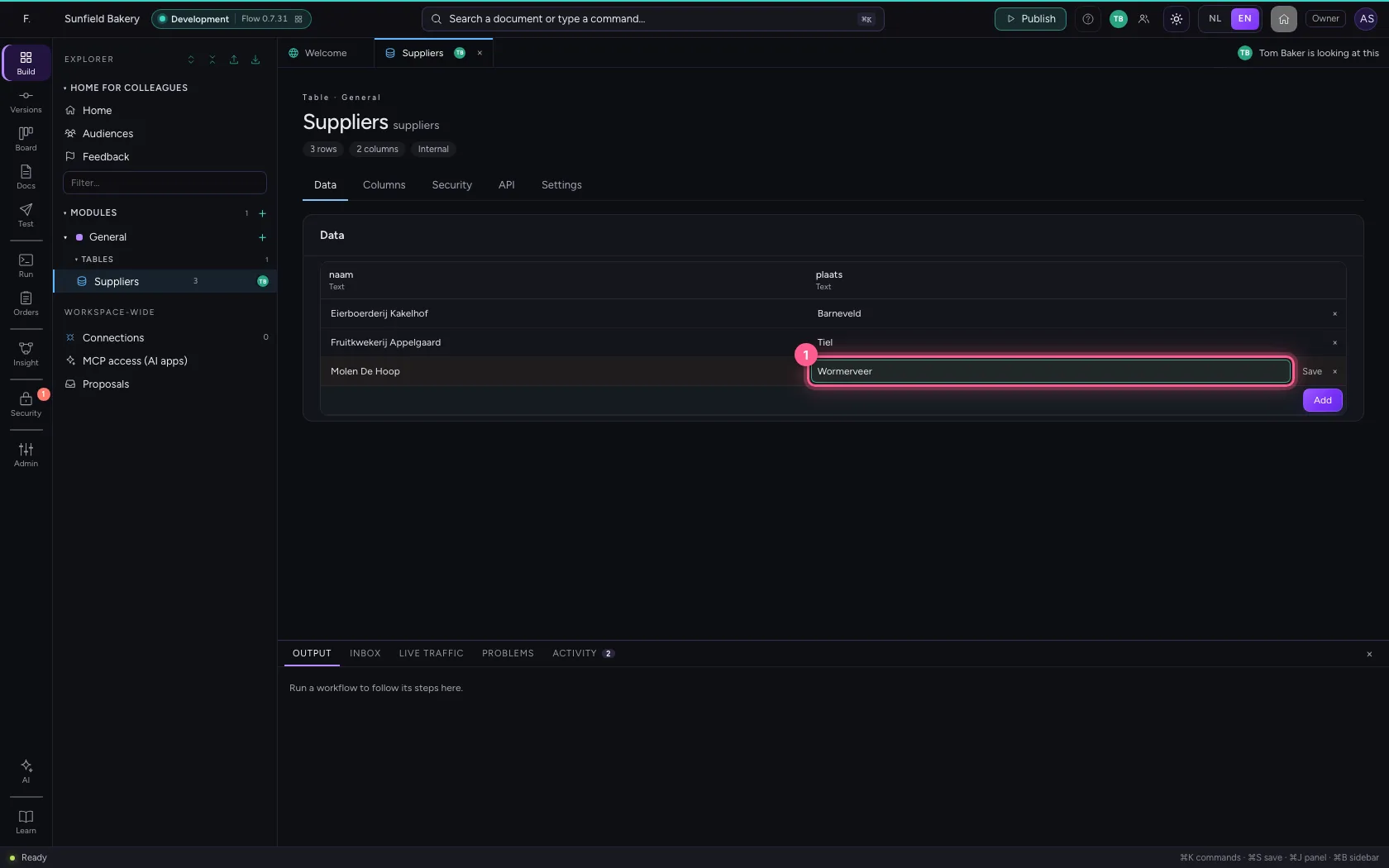
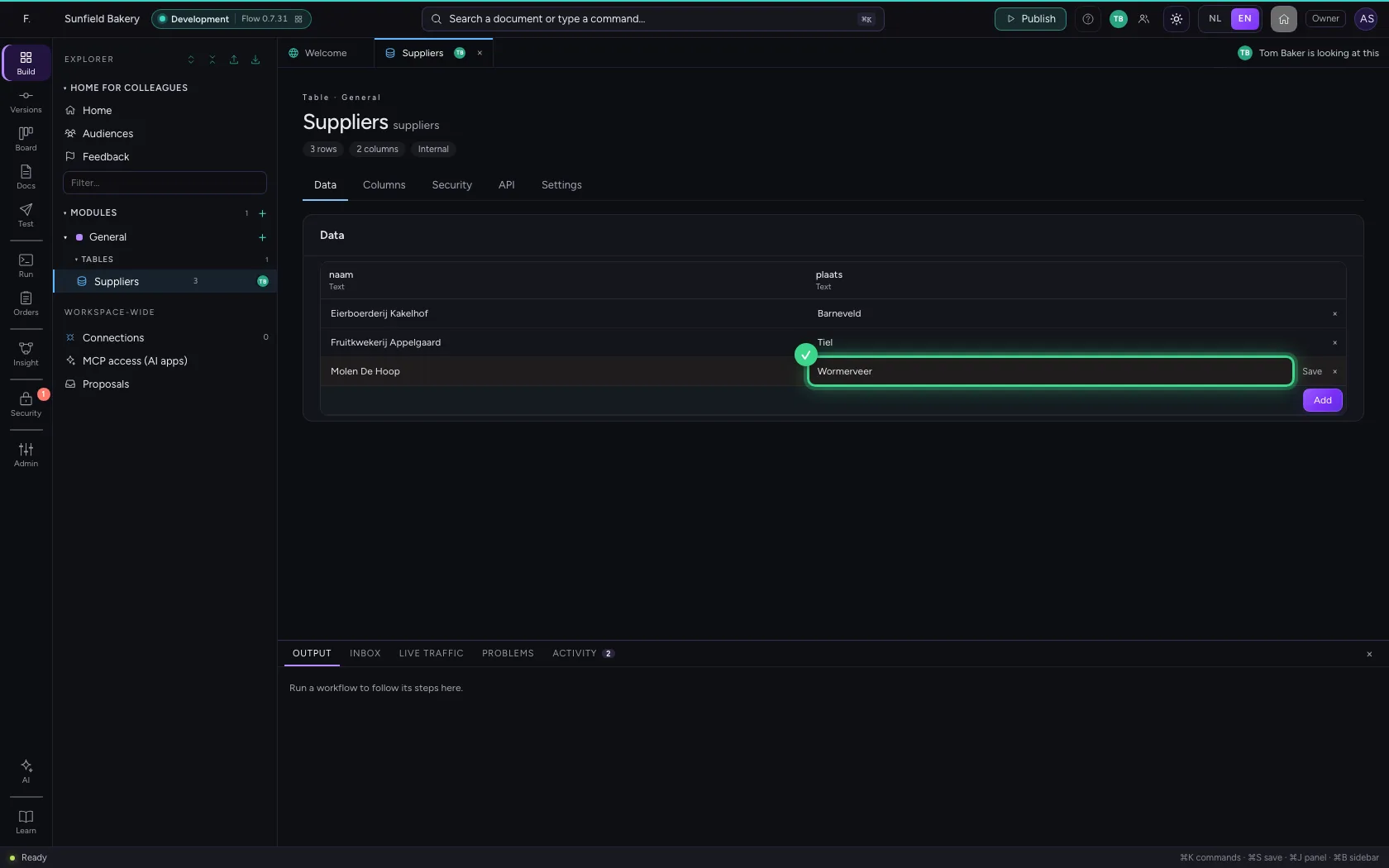
You change the place of Molen De Hoop. At that moment Tom Baker removes that row. Your change does not just vanish: Flow says who removed the row and what was not saved.
- In plaats, type
Wormerveer
Put your change back
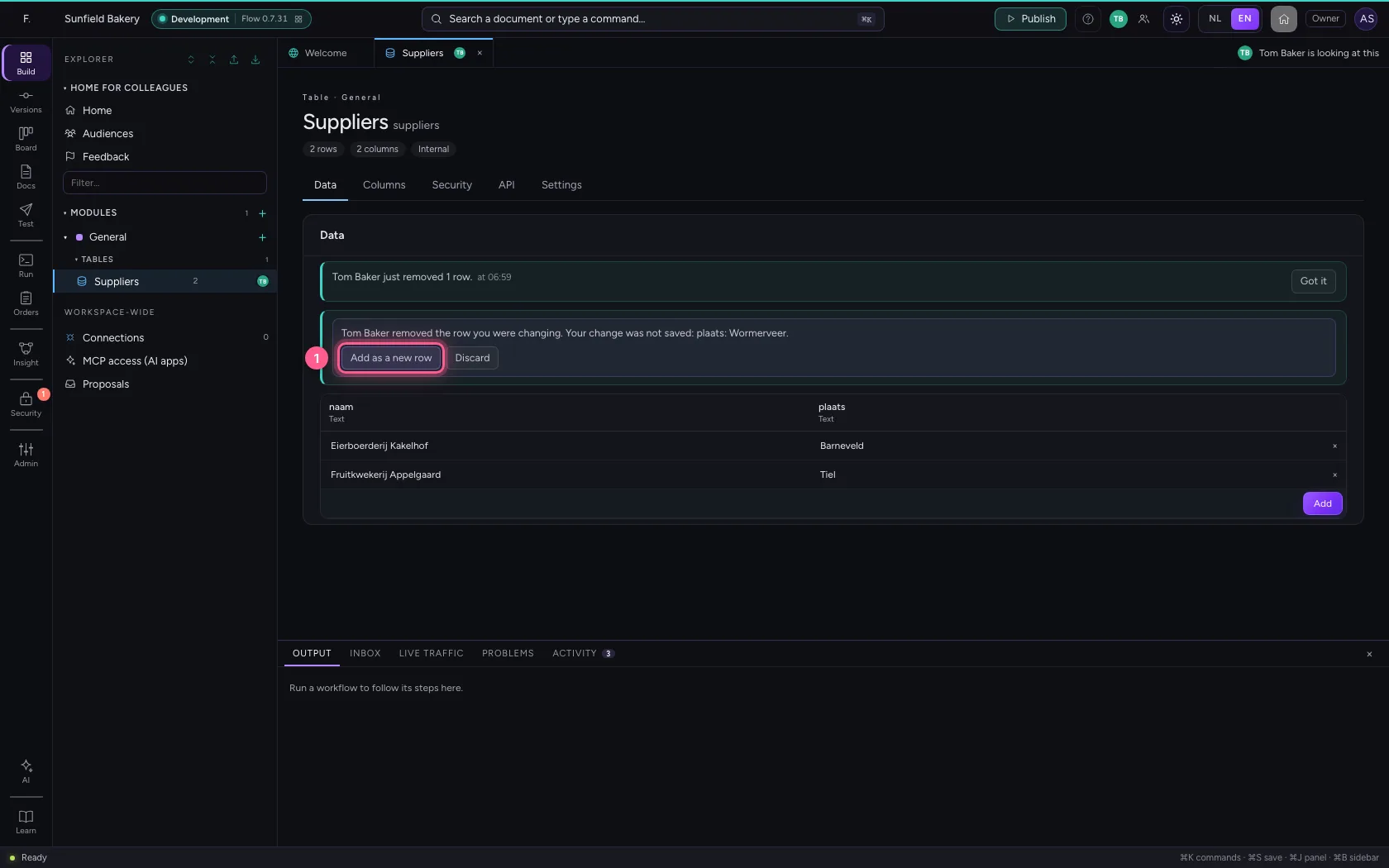
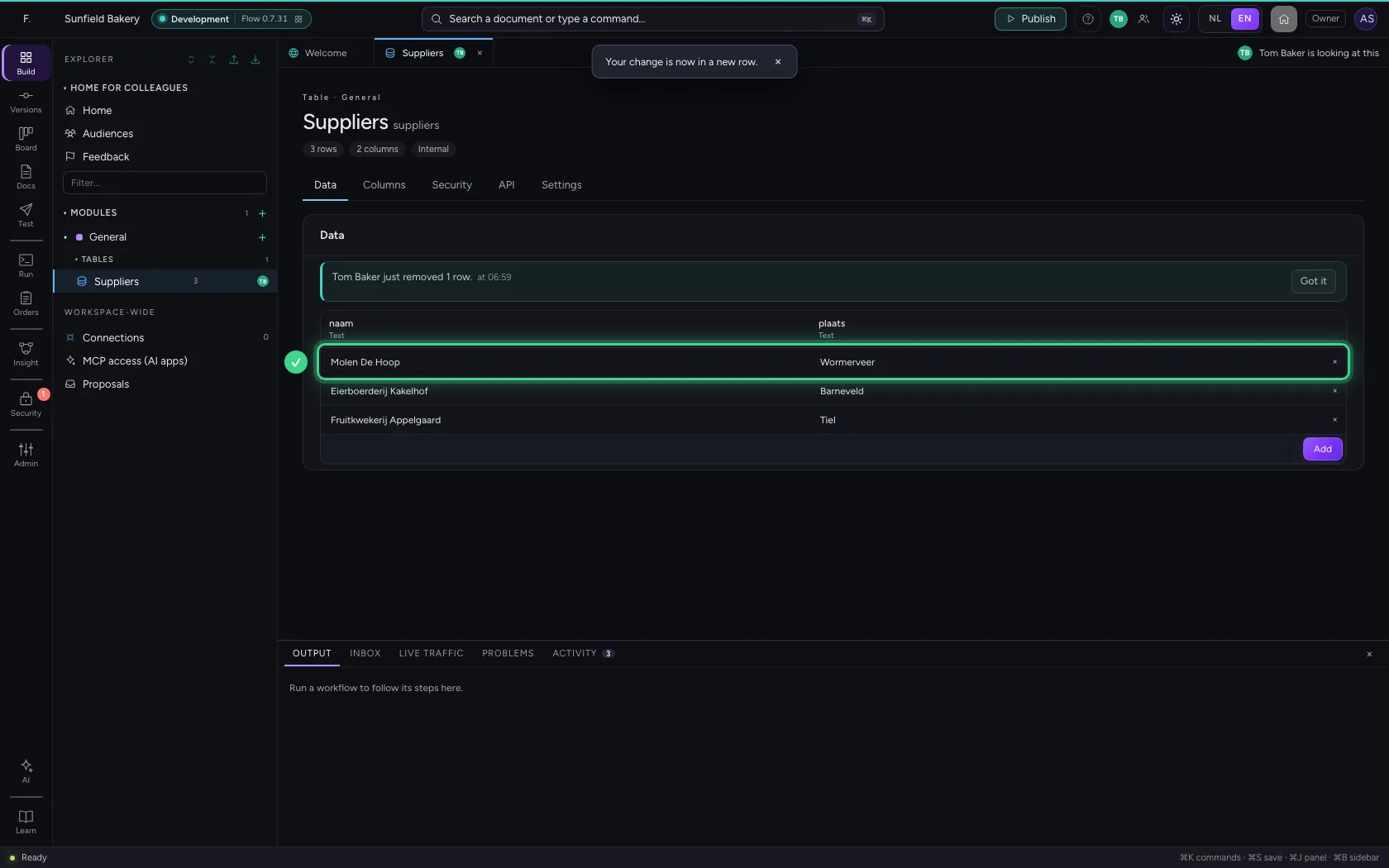
Add as a new row puts the row back as it was, with your change in it. Discard leaves it out.
- Click Add as a new row
Your colleague changes the columns
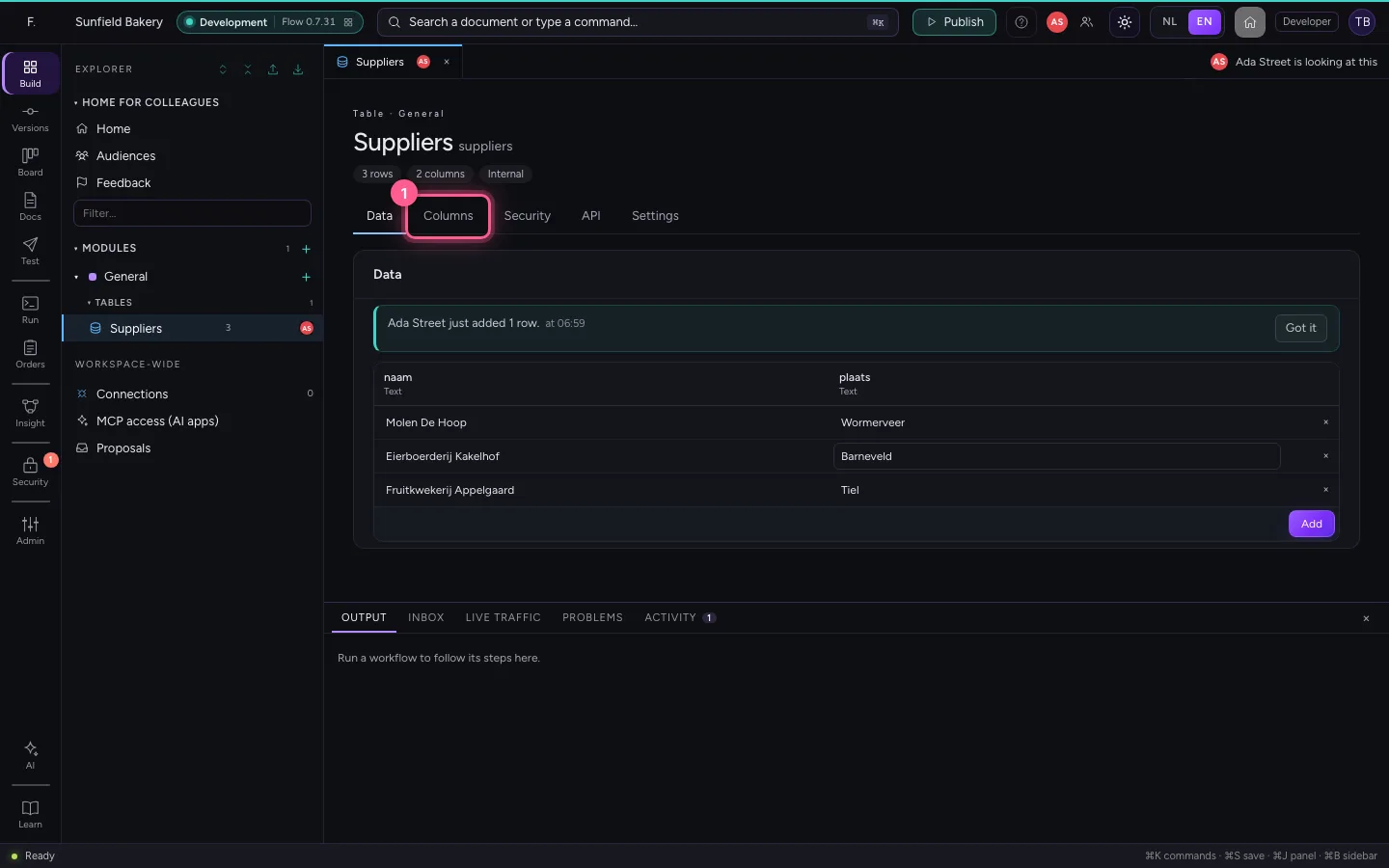
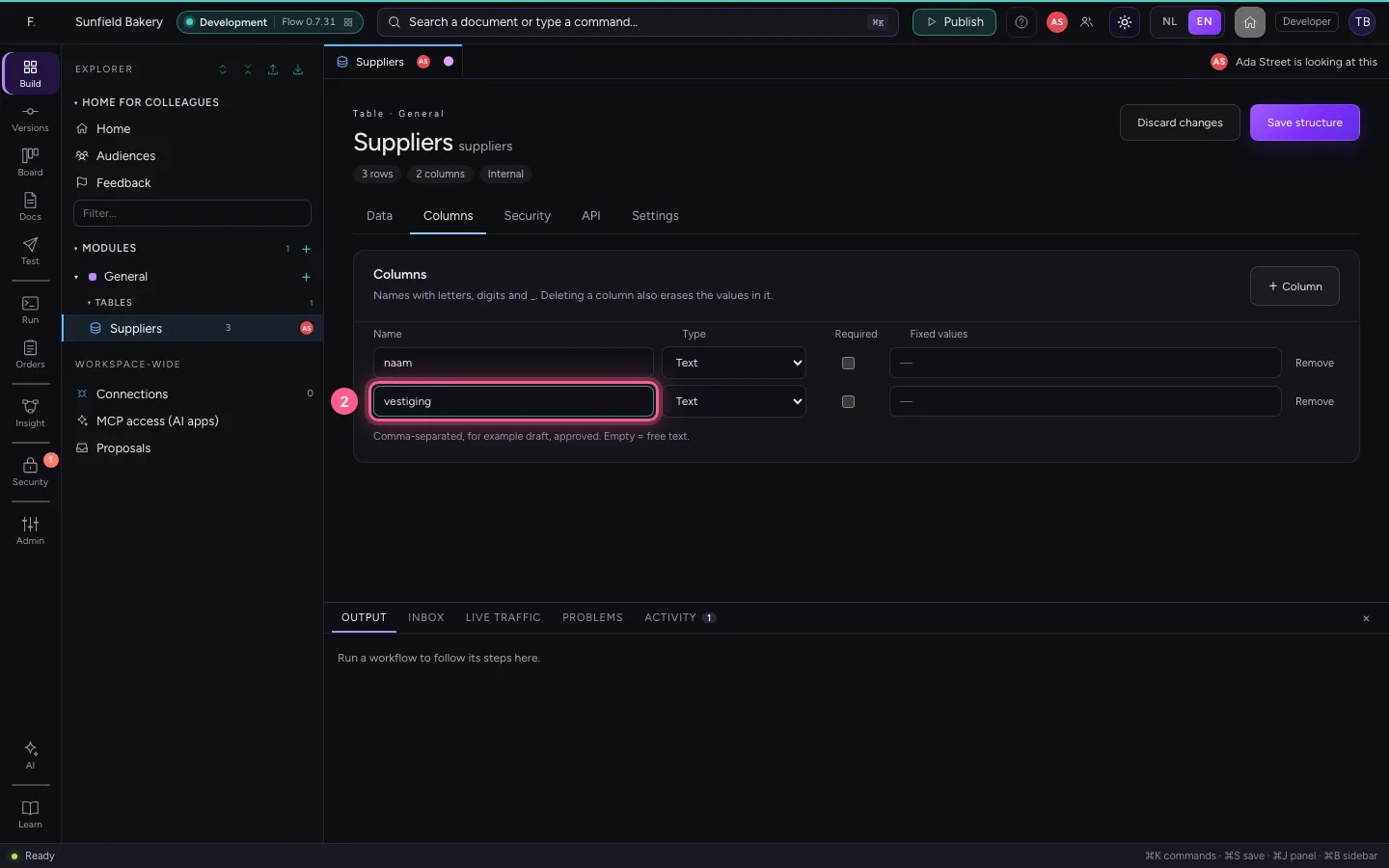
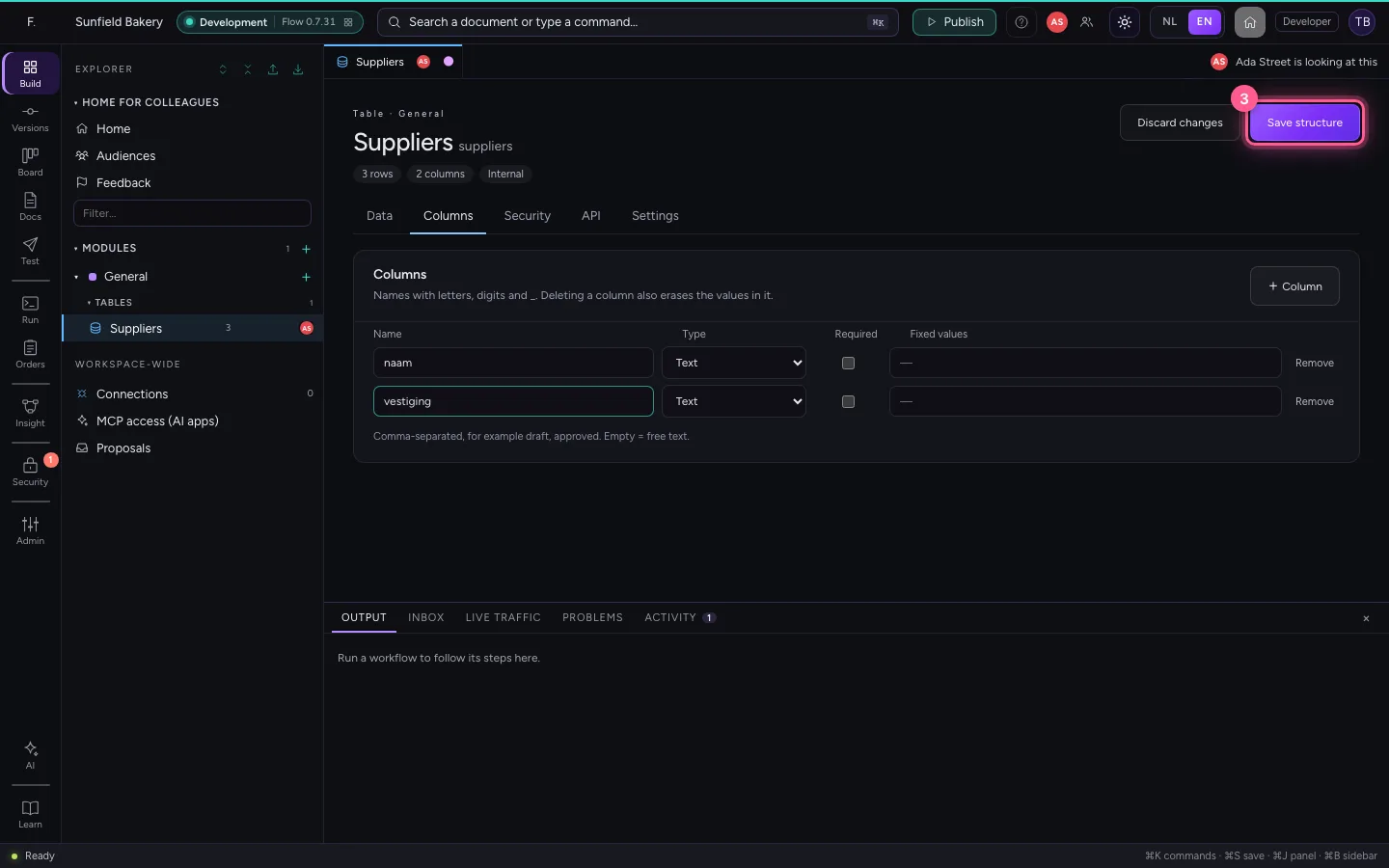
On Tom Baker's screen: on the Columns tab plaats becomes vestiging, and he saves the structure.
- Click Columns
- In Name, type
vestiging
- Click Save structure
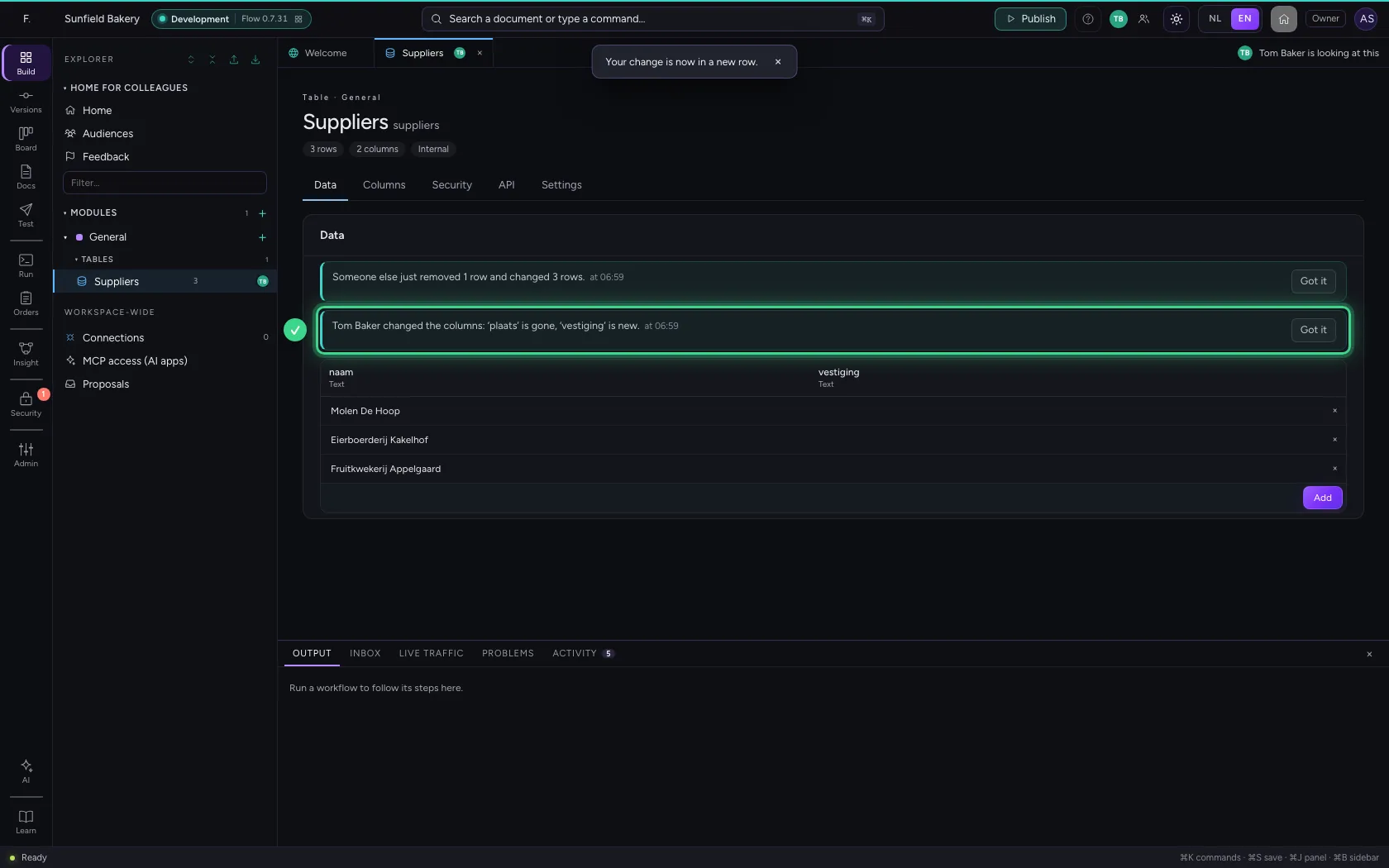
Your table adapts
At once you see the new column, and a line says what changed in the columns. Had you typed something in a column that is gone, it says that too: it was not saved.
This guide was carried out step by step on 22 Oct 2026 by an automated test on Flow (version 3e563176).