Making a quote with the AI team
- Step 1 · Open Governance from the portal
- Step 2 · Create a client
- Step 3 · Start a new quote
- Step 4 · Let the AI team write a first version
- Step 5 · Go through a proposal and accept it
- Step 6 · Reject what you do not want
- Step 7 · Accept the rest per role
- Step 8 · Tune the hours of a line
- Step 9 · Change something in one sentence
- Step 10 · Look at the quote as the client reads it
- Step 11 · Make the quote final
- Step 12 · Download the PDF
- Step 13 · Keep working in a copy
A quote starts with the client's question. Paste that question into a new quote and six AI Colleagues write a first version: summary, scope, work and hours, risks, planning and why you. Everything they write is a proposal: you accept, adjust or reject. Then you tune the hours in the lines, change something in one sentence, and make the quote final. A final quote is fixed; you keep working in a copy.
Open Governance from the portal
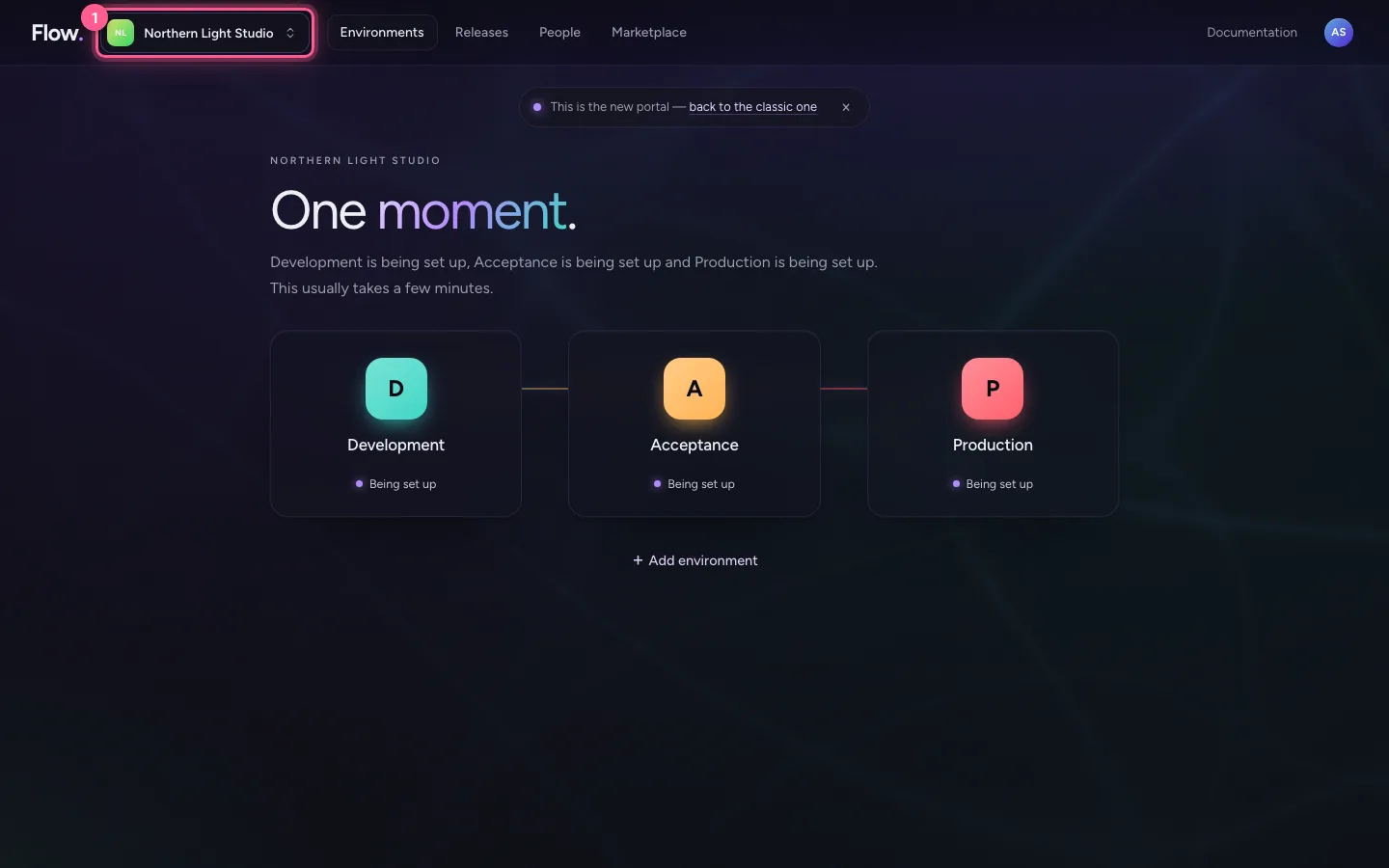
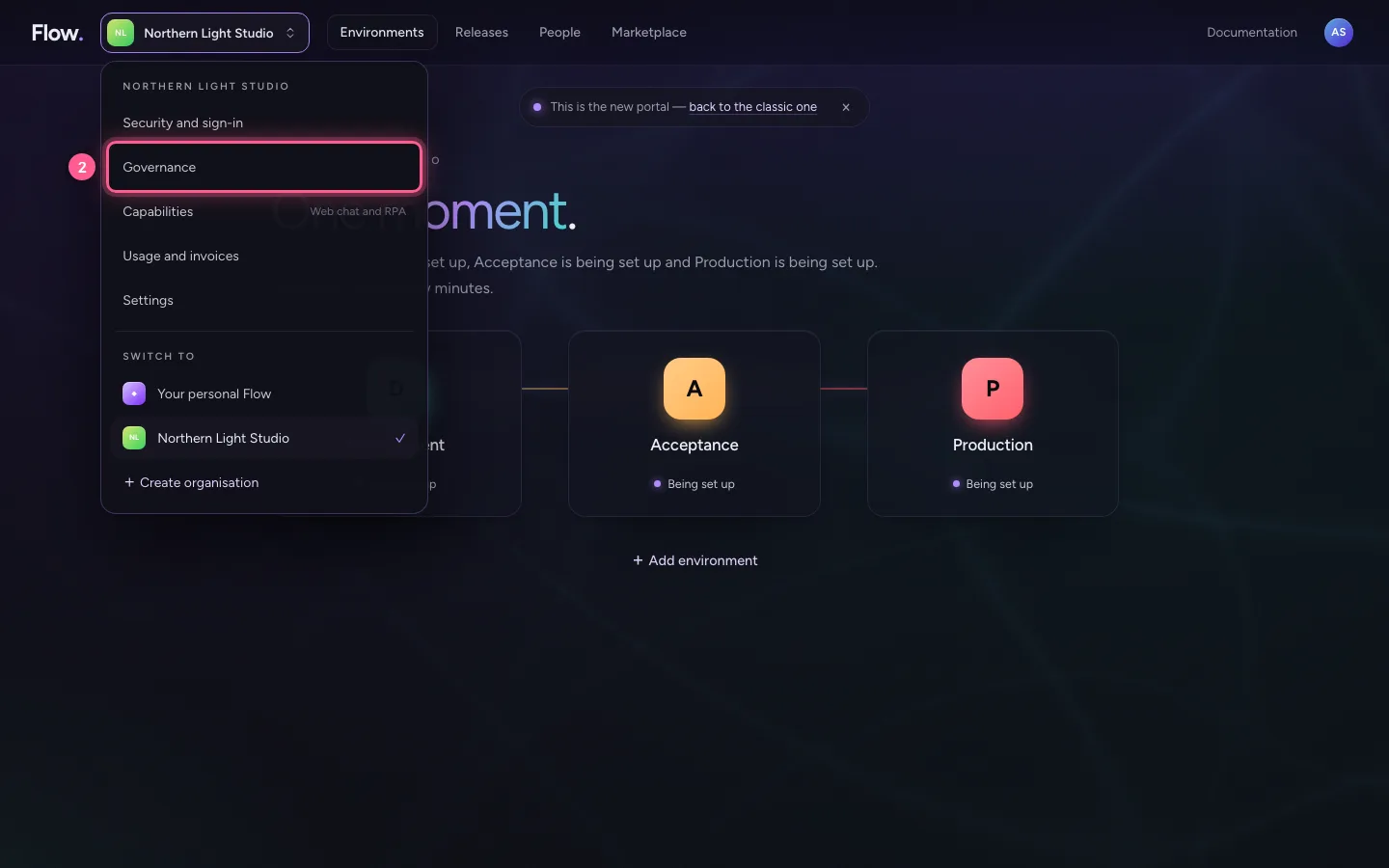
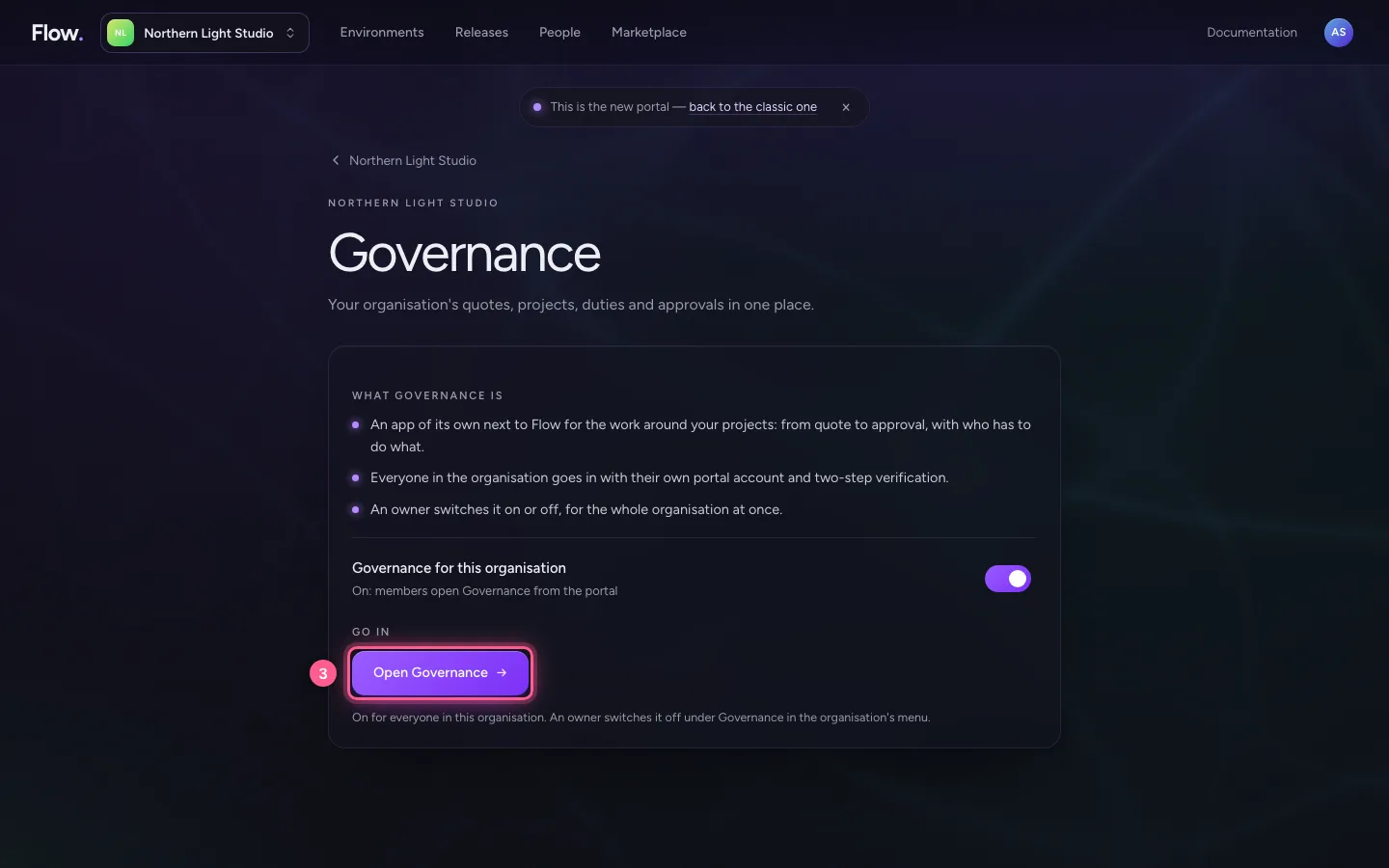
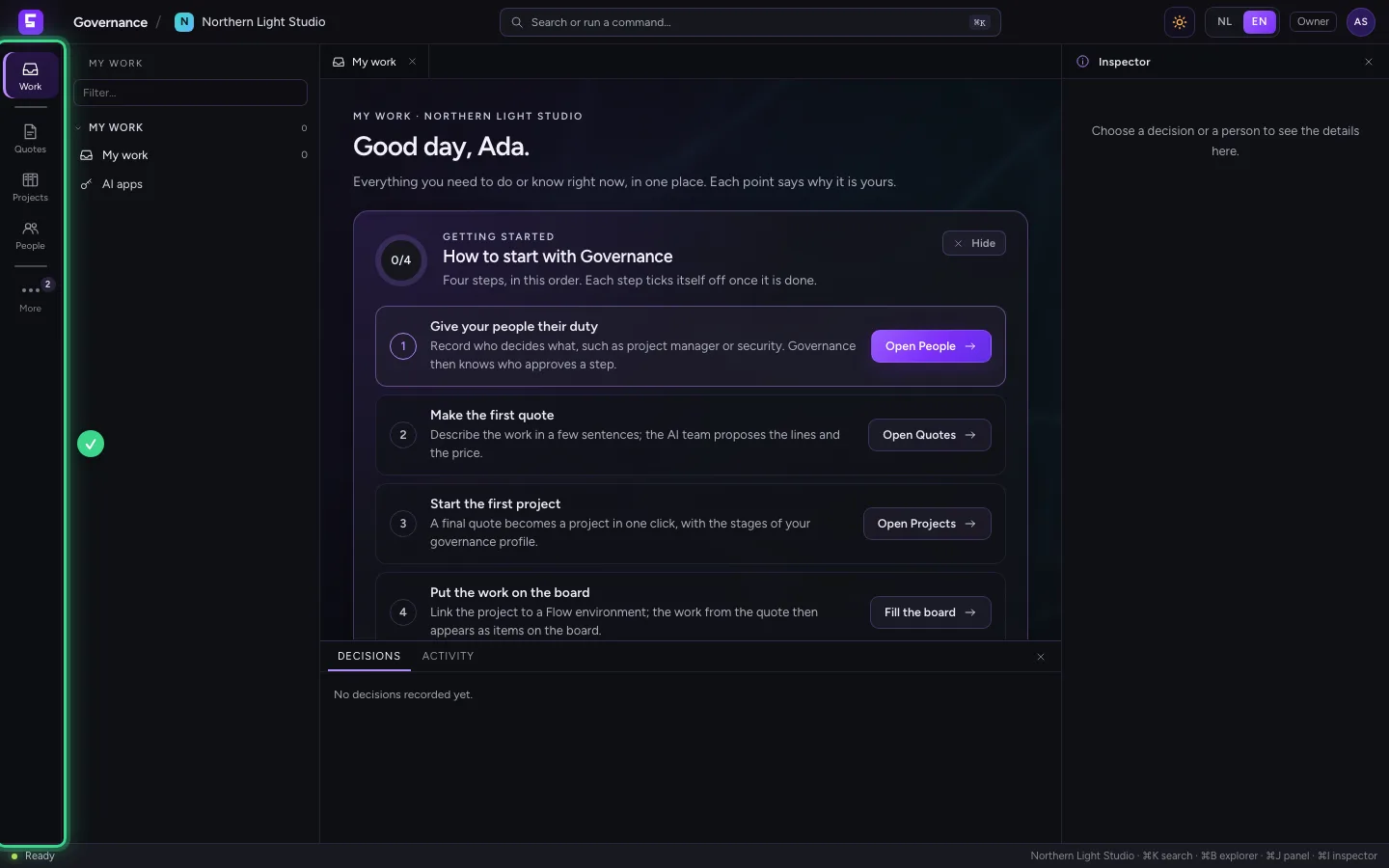
In the portal, click your organisation's name and choose Governance, then Open Governance (the owner switches it on there). Governance opens in the same tab. Click Sign in through the portal: Governance keeps no passwords, the portal knows you already and sends you back. You start at My work.
- Click Northern Light Studio
- Click Governance
- Click Open Governance
- Click Sign in through the portal

Create a client
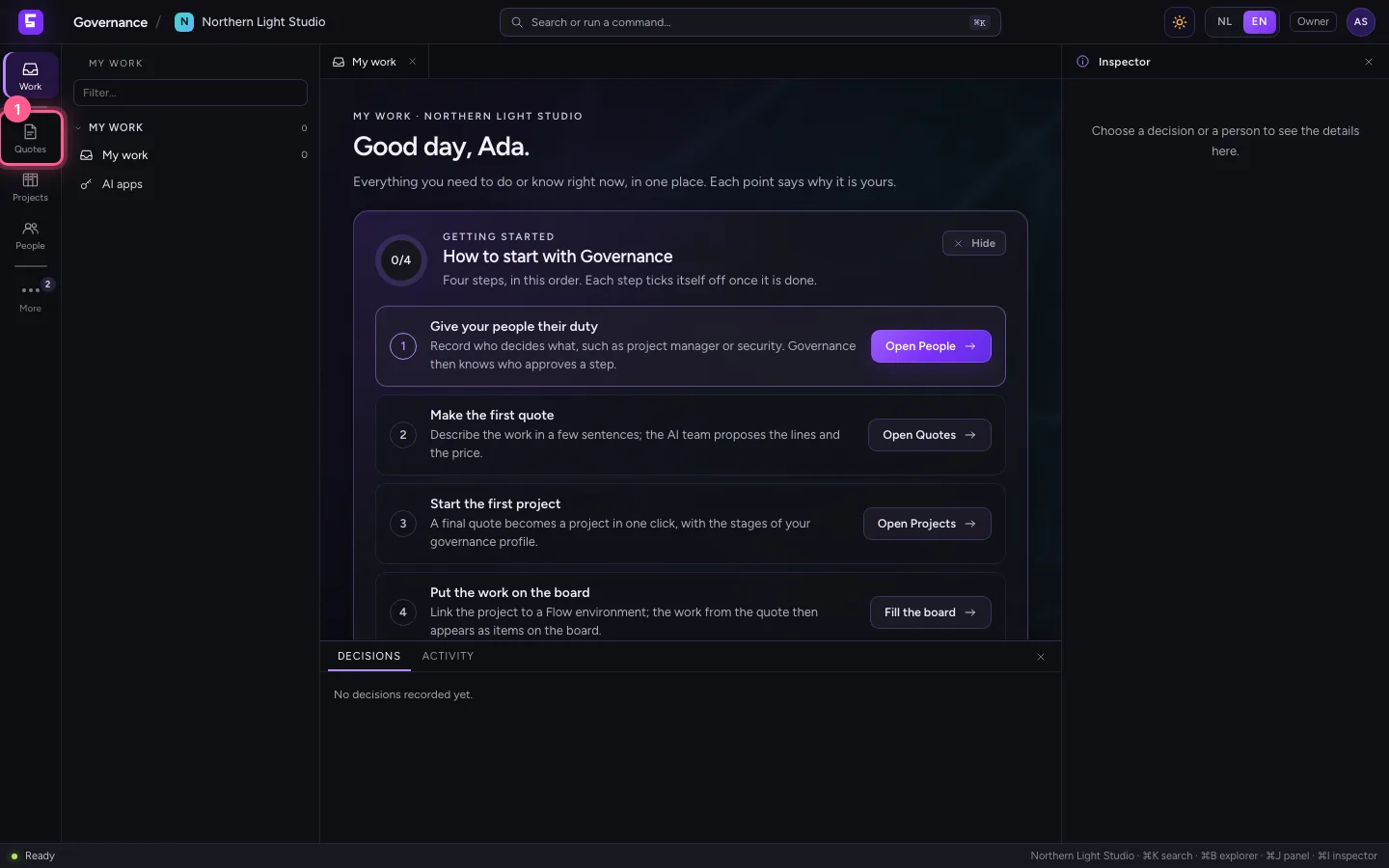
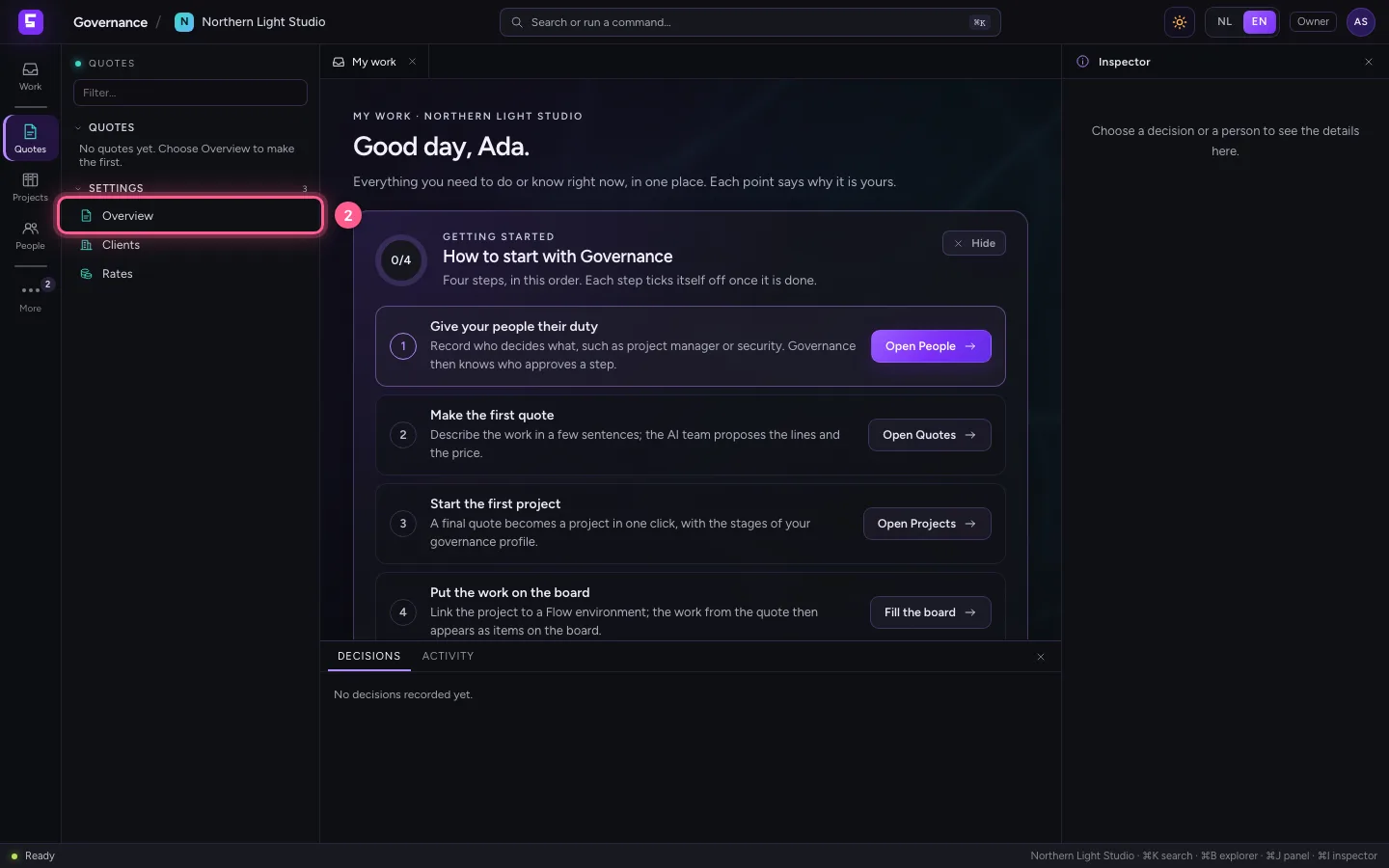
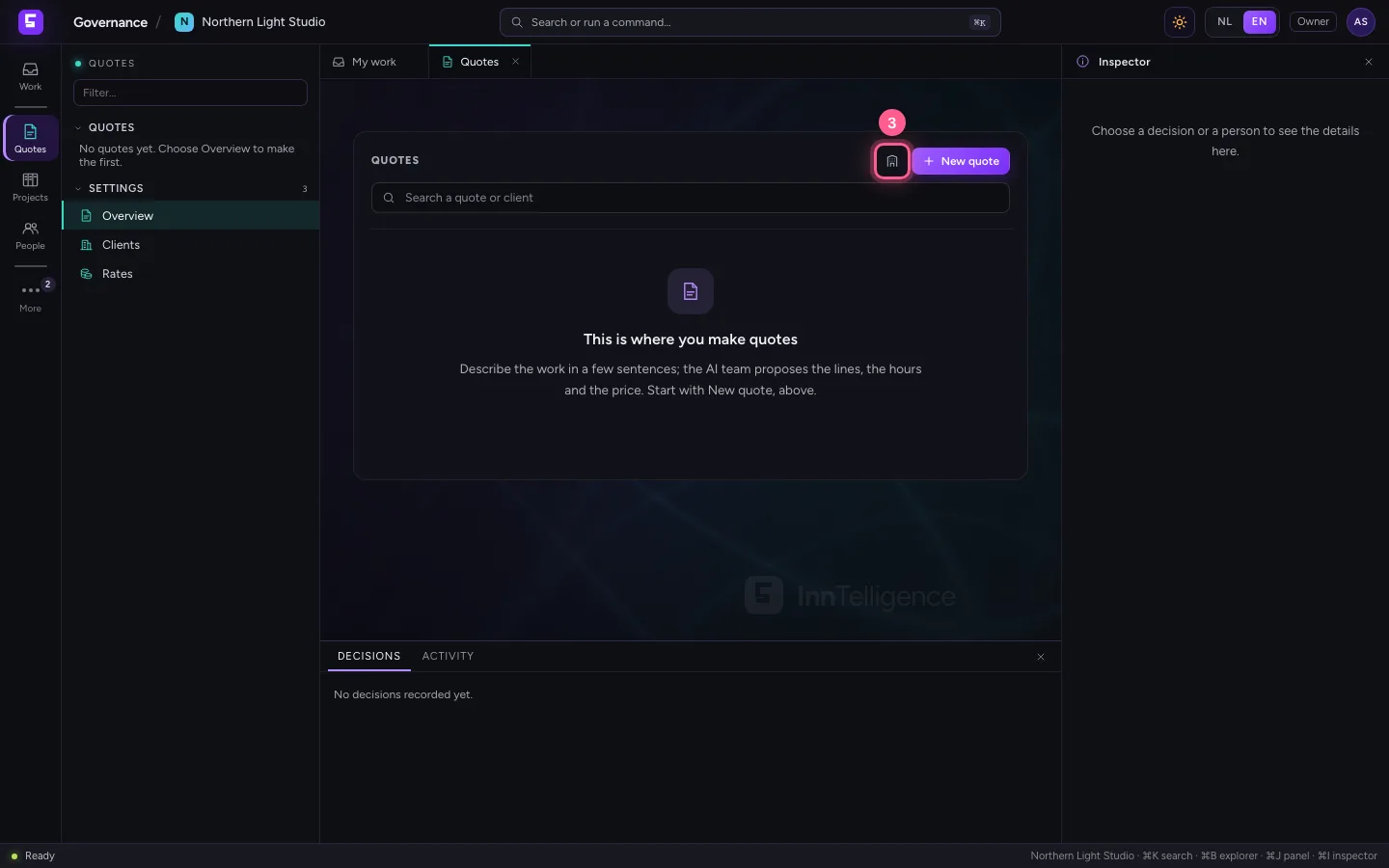
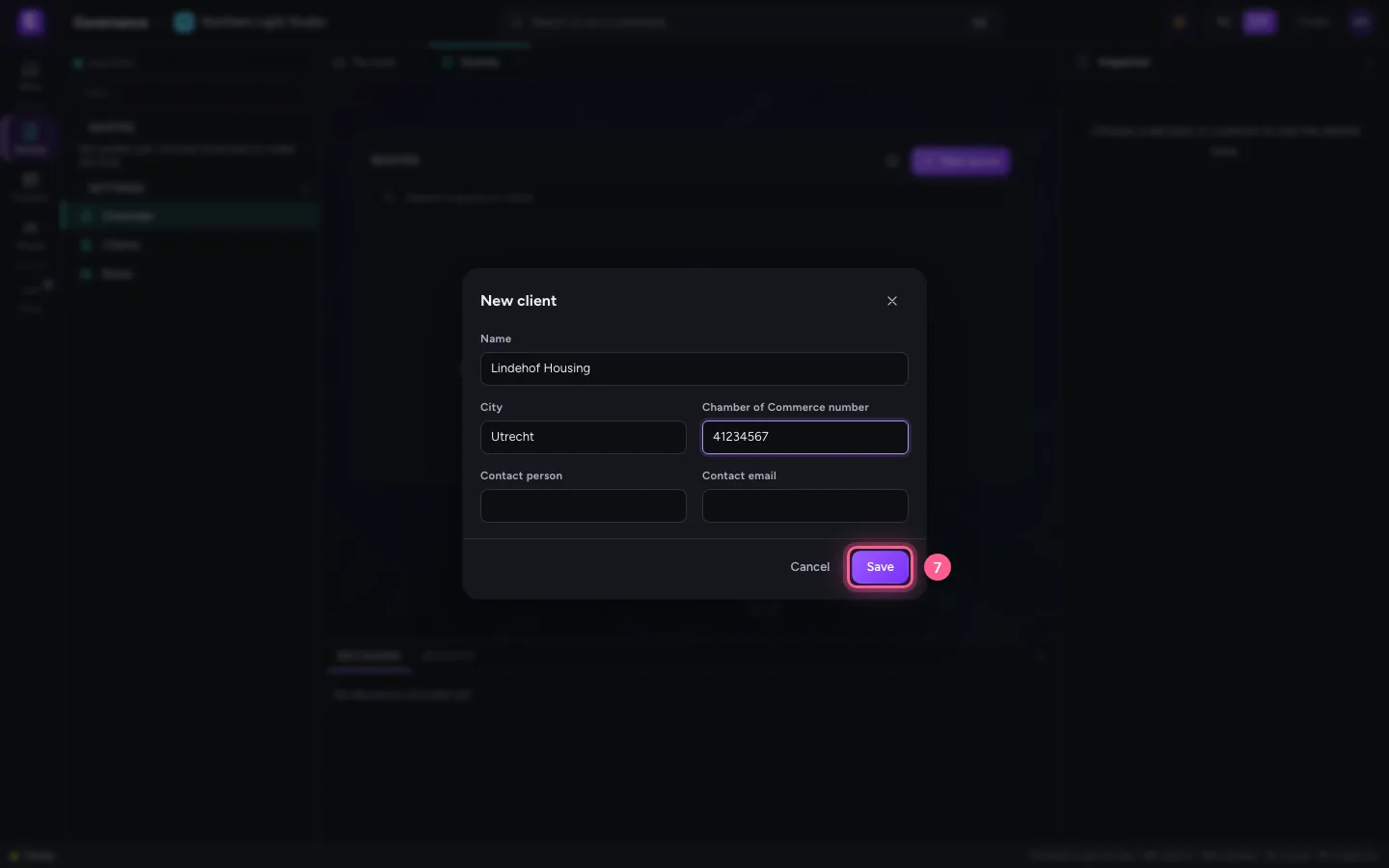
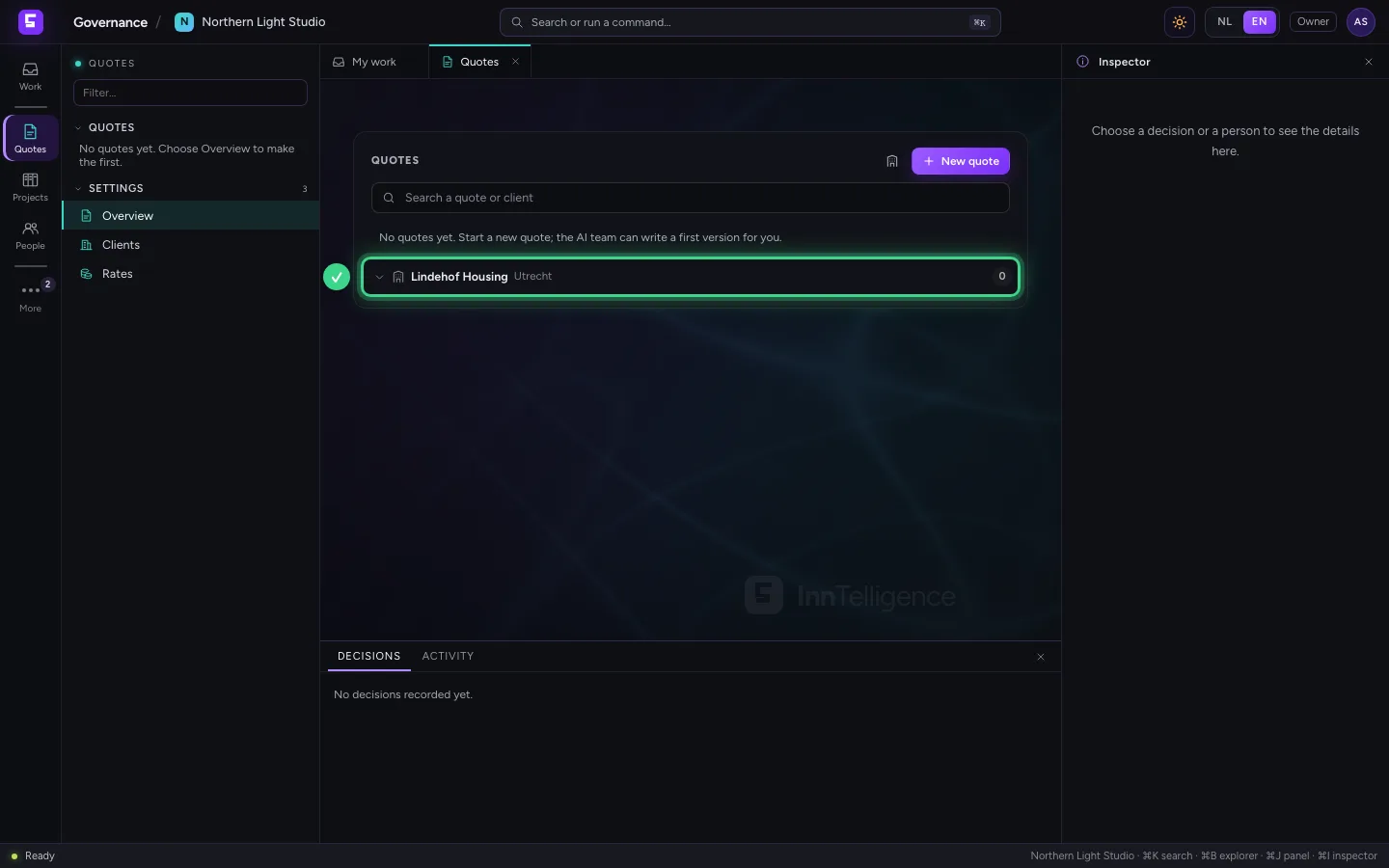
Click Quotes on the left and choose Overview. The building icon next to New quote makes a client: a name is enough, city and Chamber of Commerce number help later in the quote.
- Click Quotes
- Click Overview
- Click New client
- In Name, type
Lindehof Housing - In City, type
Utrecht - In Chamber of Commerce number, type
41234567
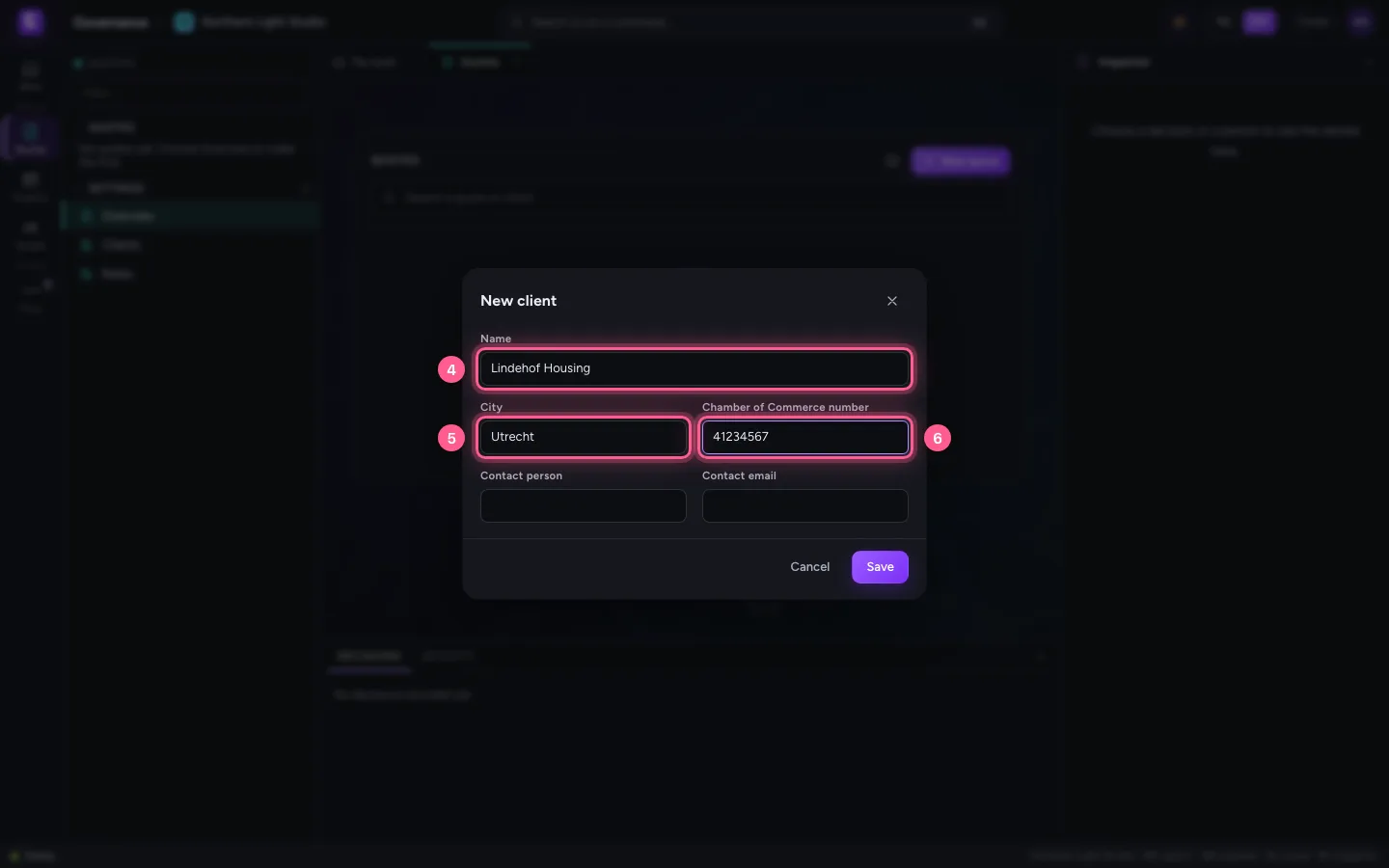
- Click Save
Start a new quote
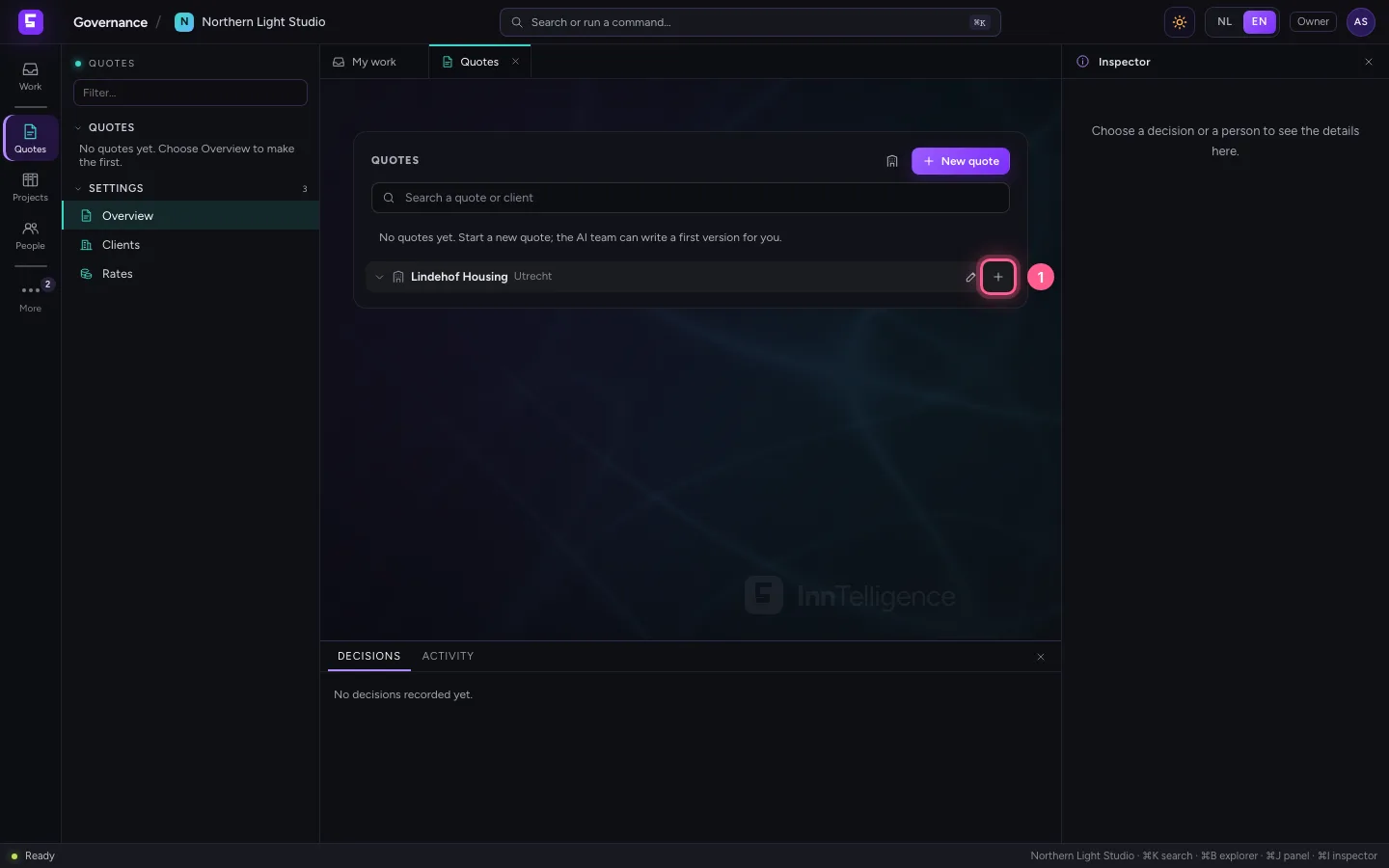
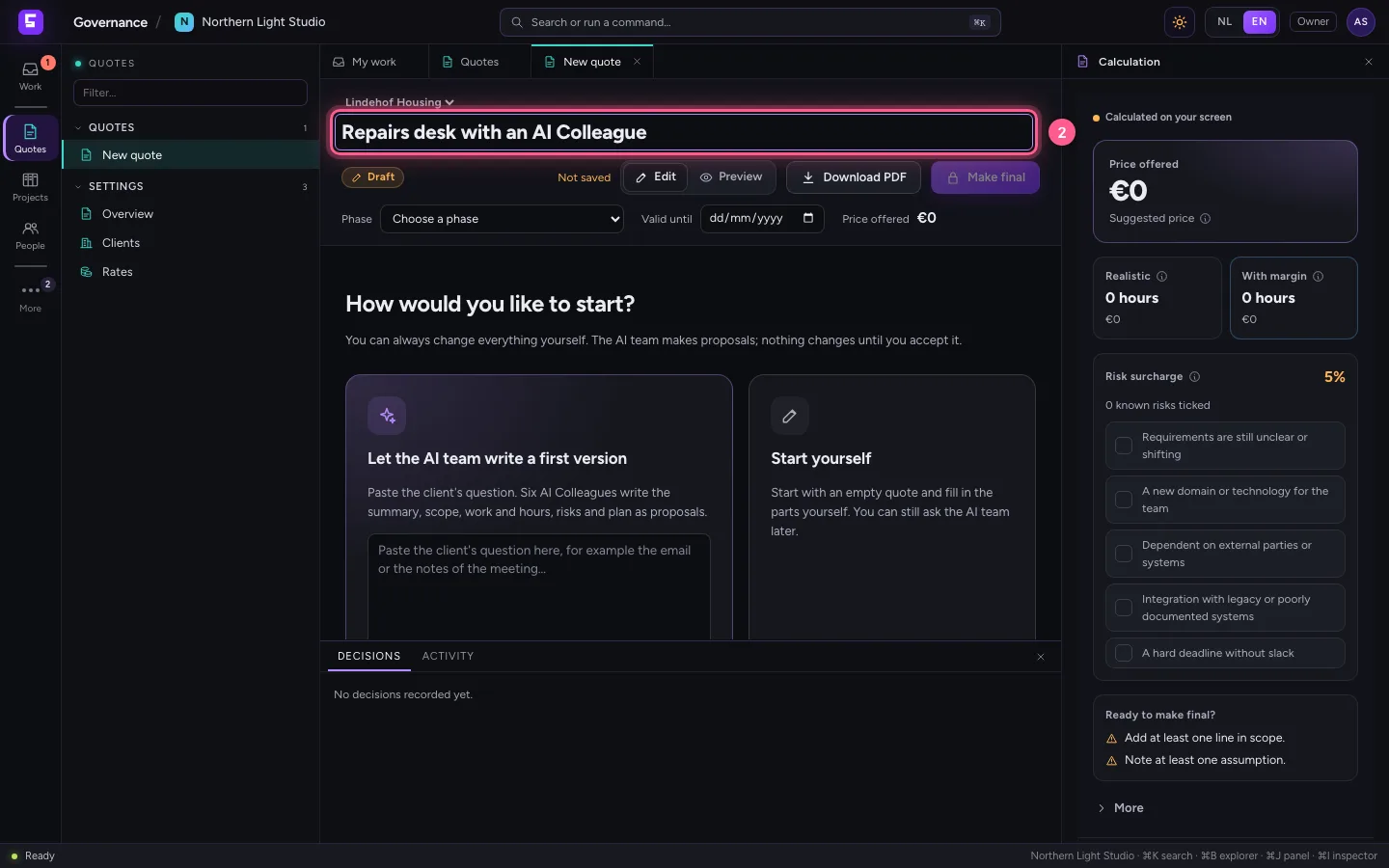
Point at the client and click the plus: a new quote opens in a tab of its own. Give it a title at the top. Then you choose how to start: yourself, with an empty quote, or with the AI team. On the right the inspector works out the price while you work.
- Click New quote for this client
- In Title, type
Repairs desk with an AI Colleague
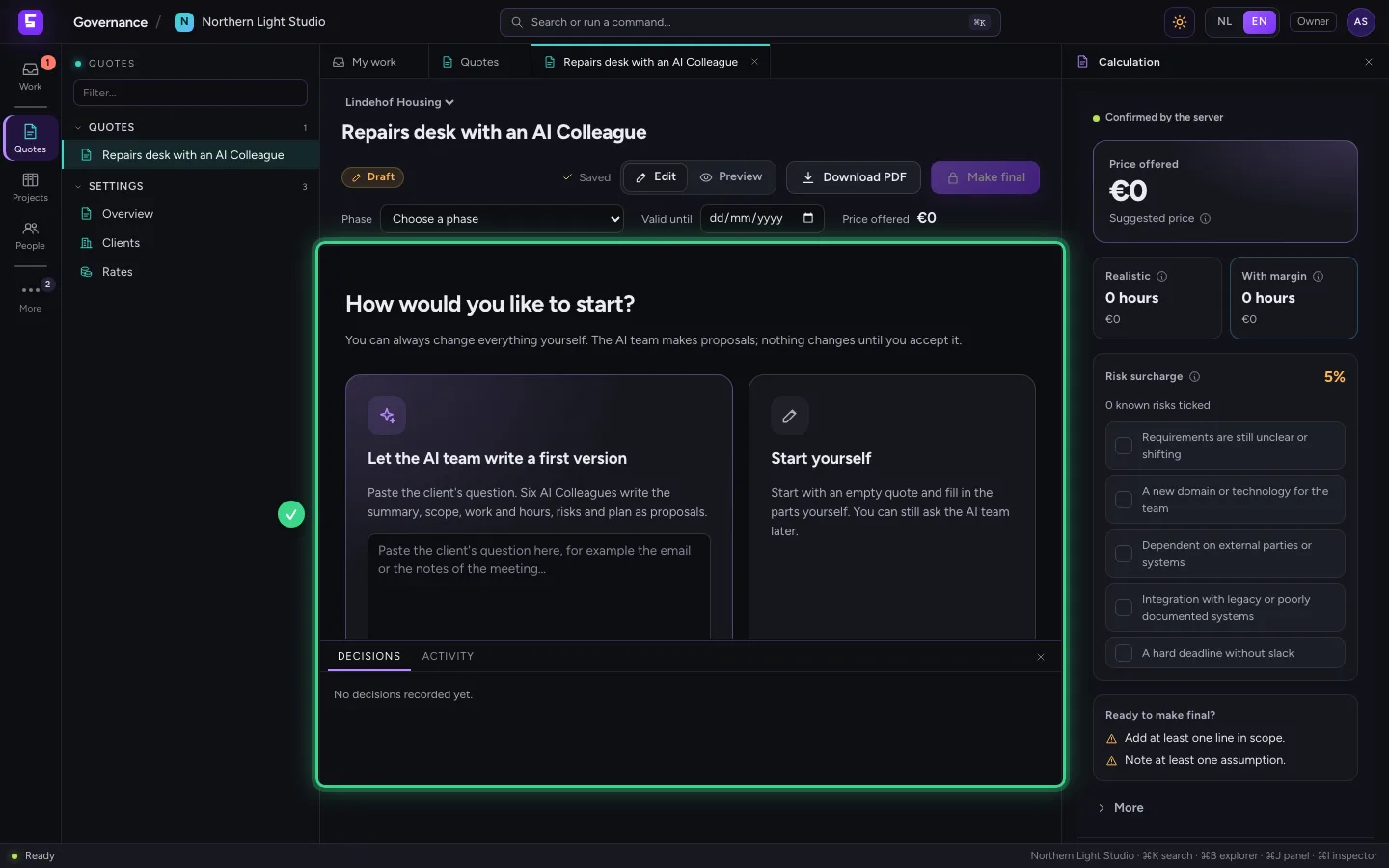
Let the AI team write a first version
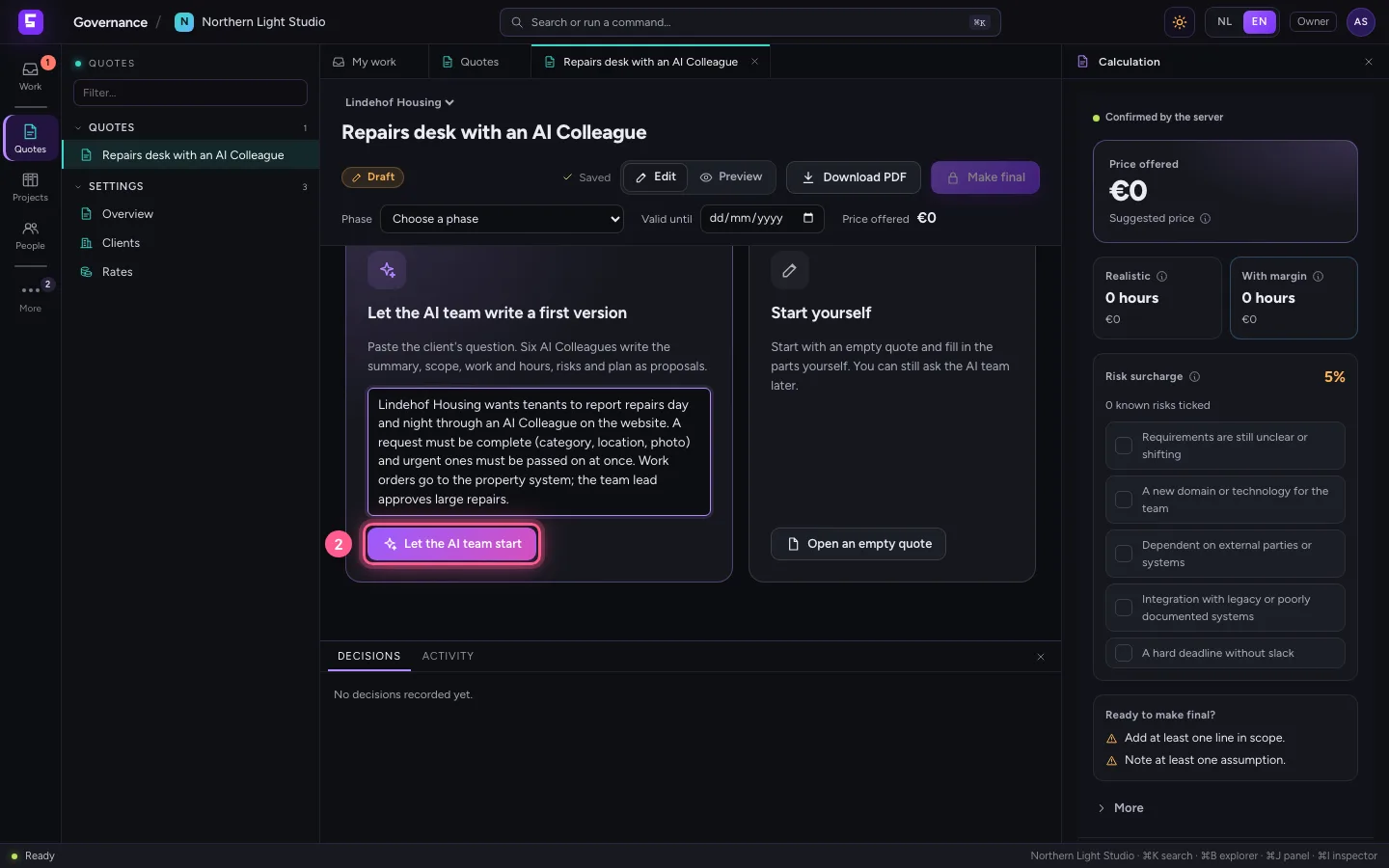
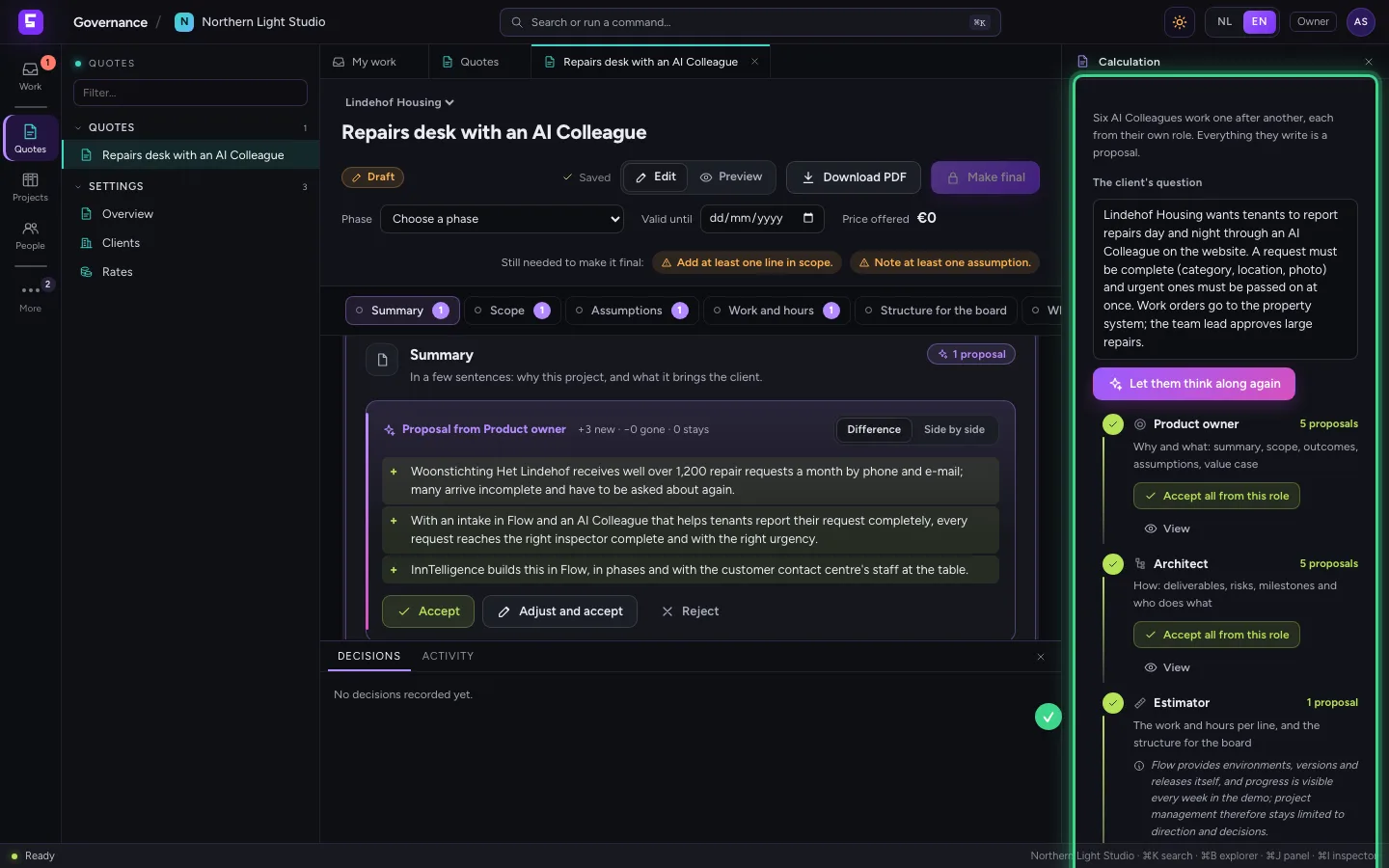
Paste the client's question, for example the e-mail or the notes of the meeting, and click Let the AI team start. Six AI Colleagues work one after another, each from their own role: the product owner (why and what), the architect (how), the estimator (work and hours), the UX designer (moments with the client), quality (when is it done) and the deal lead (why you). In the inspector on the right you see them work.
- In The client's question, type
Lindehof Housing wants tenants to report repairs day and night through an AI Colleague on the website. A request must be complete (category, location, photo) and urgent ones must be passed on at once. Work orders go to the property system; the team lead approves large repairs.
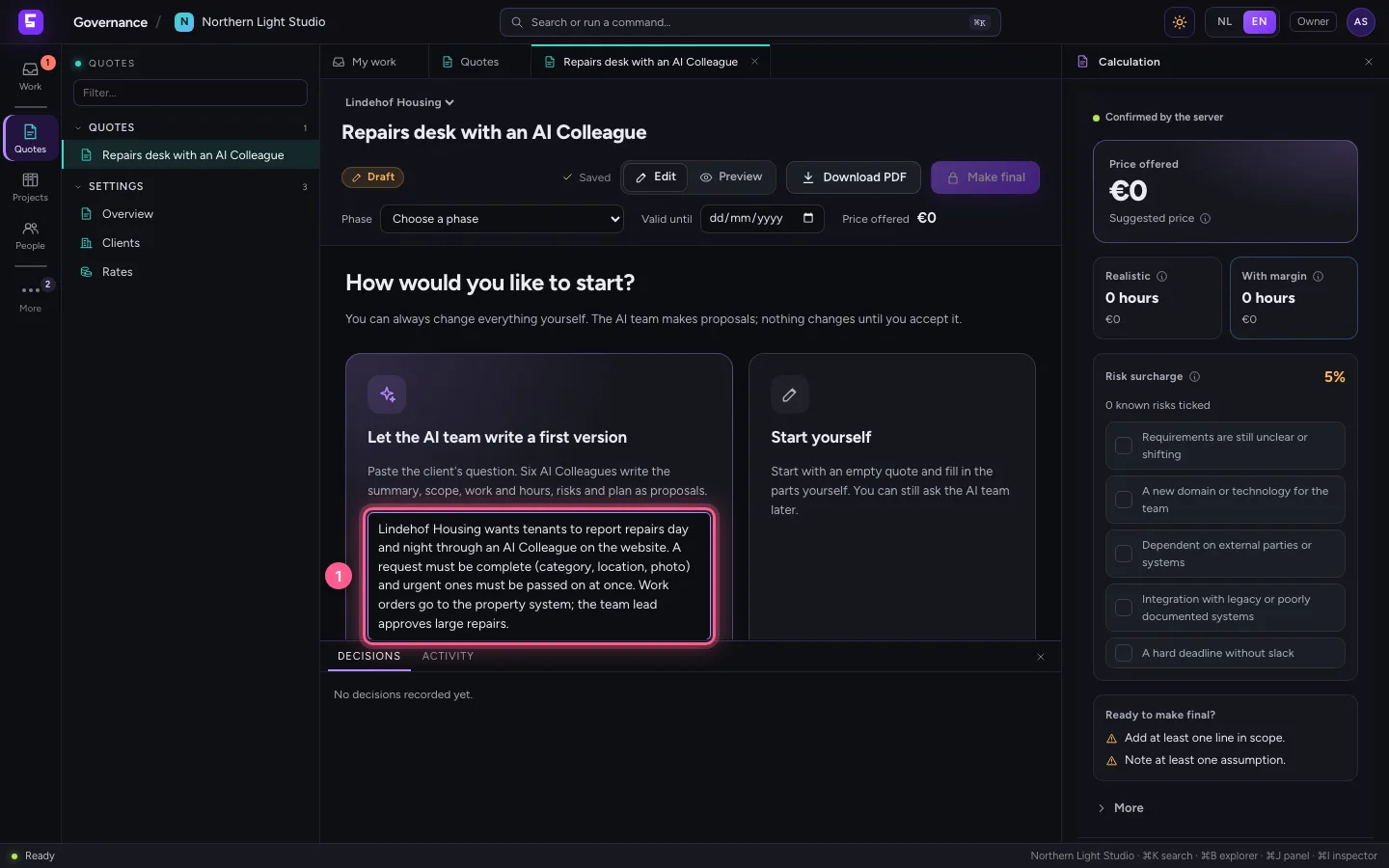
- Click Let the AI team start
Go through a proposal and accept it
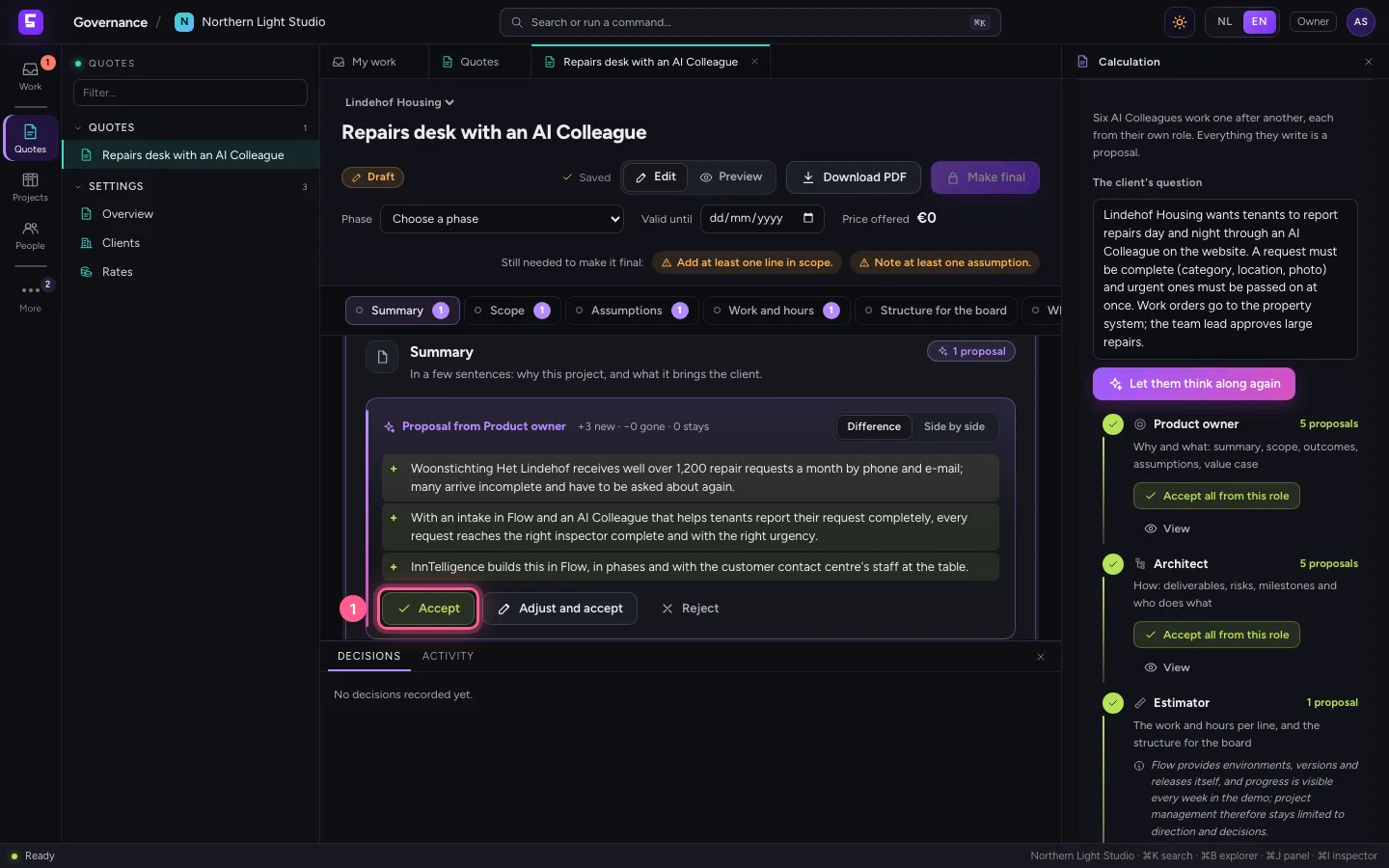
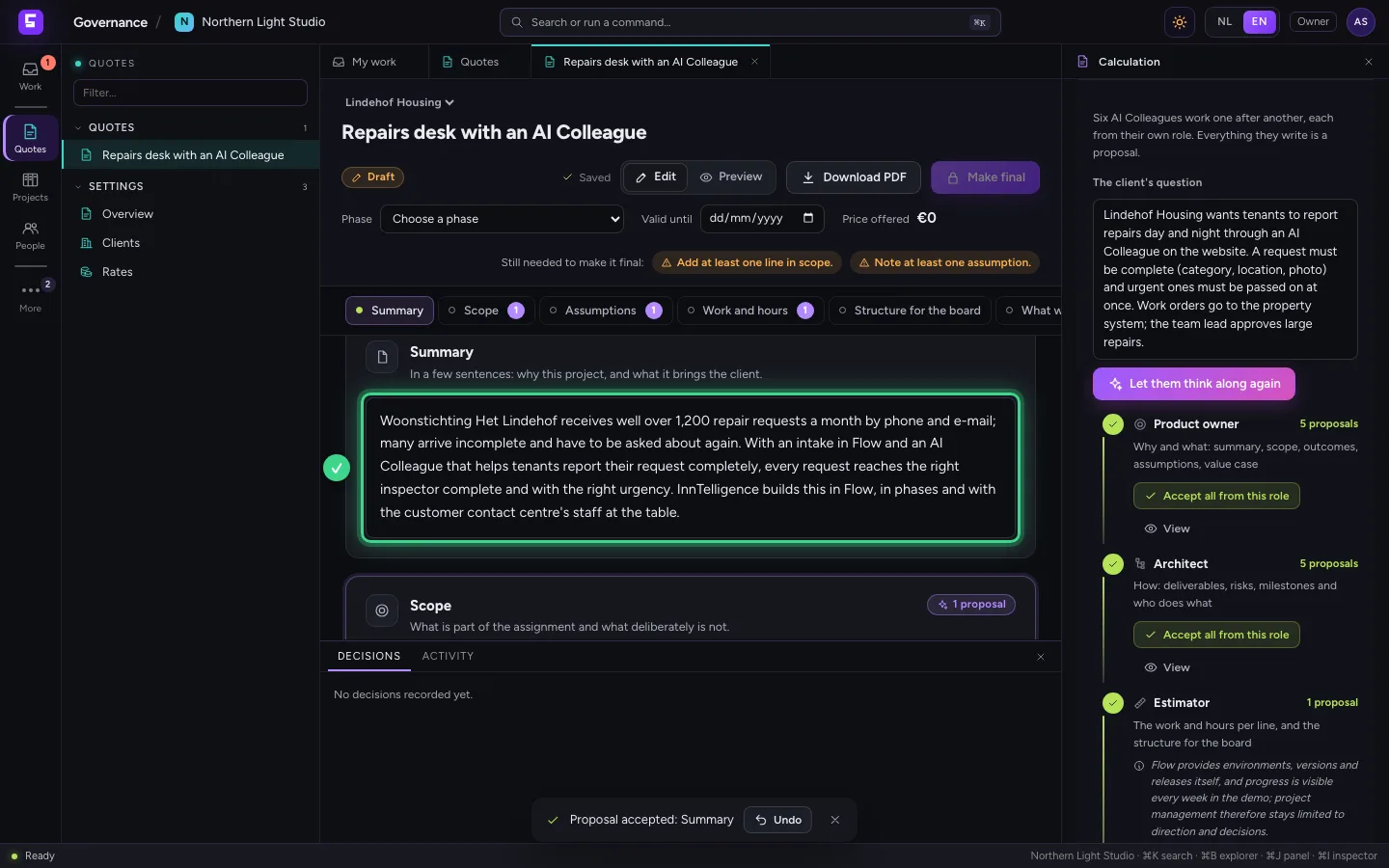
The first proposal is the product owner's summary. Green with a plus is new, red with a minus goes away. Click Accept: the text is in the quote. With Adjust and accept you change it first; every decision can be undone.
- Click Accept
Reject what you do not want
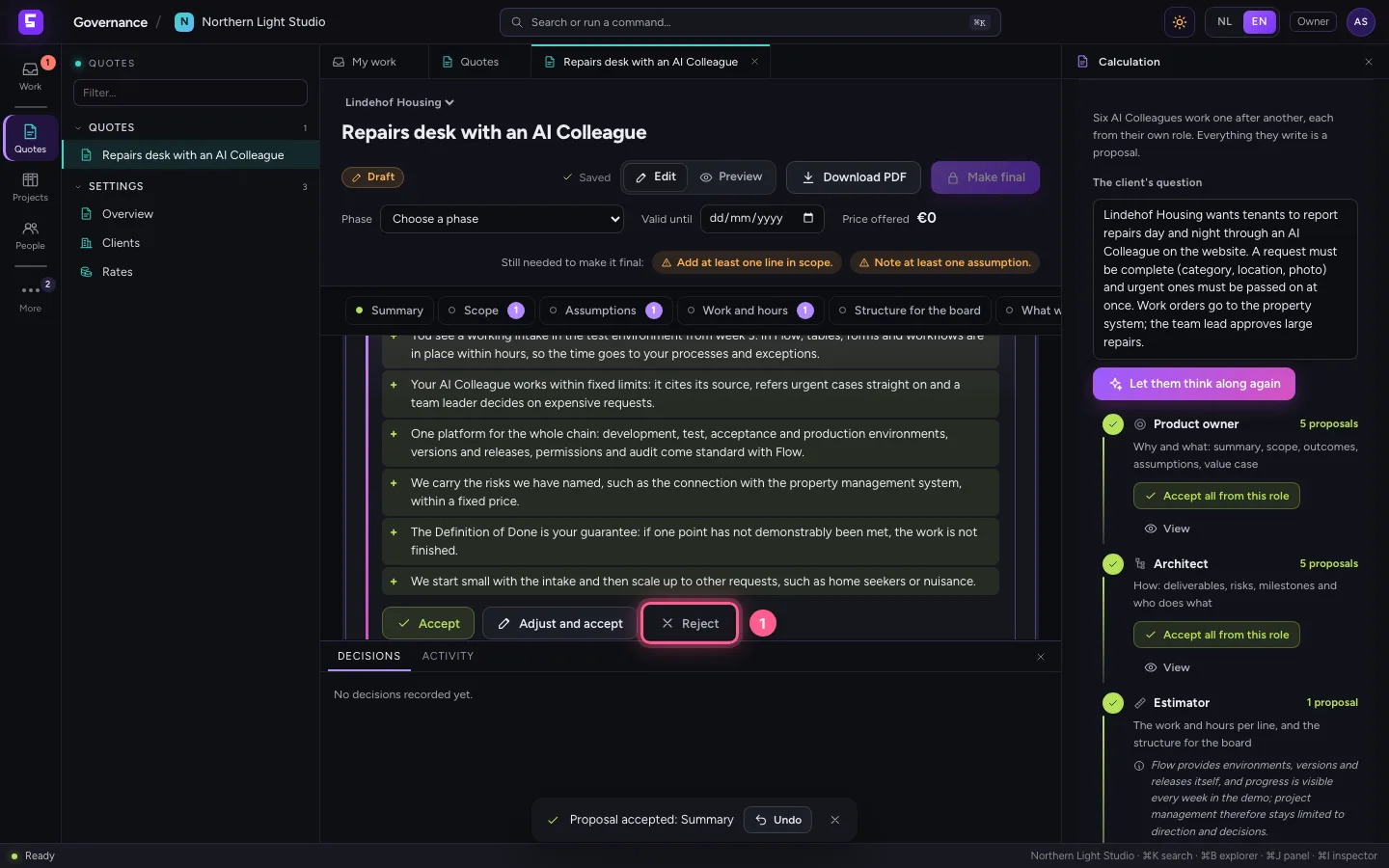
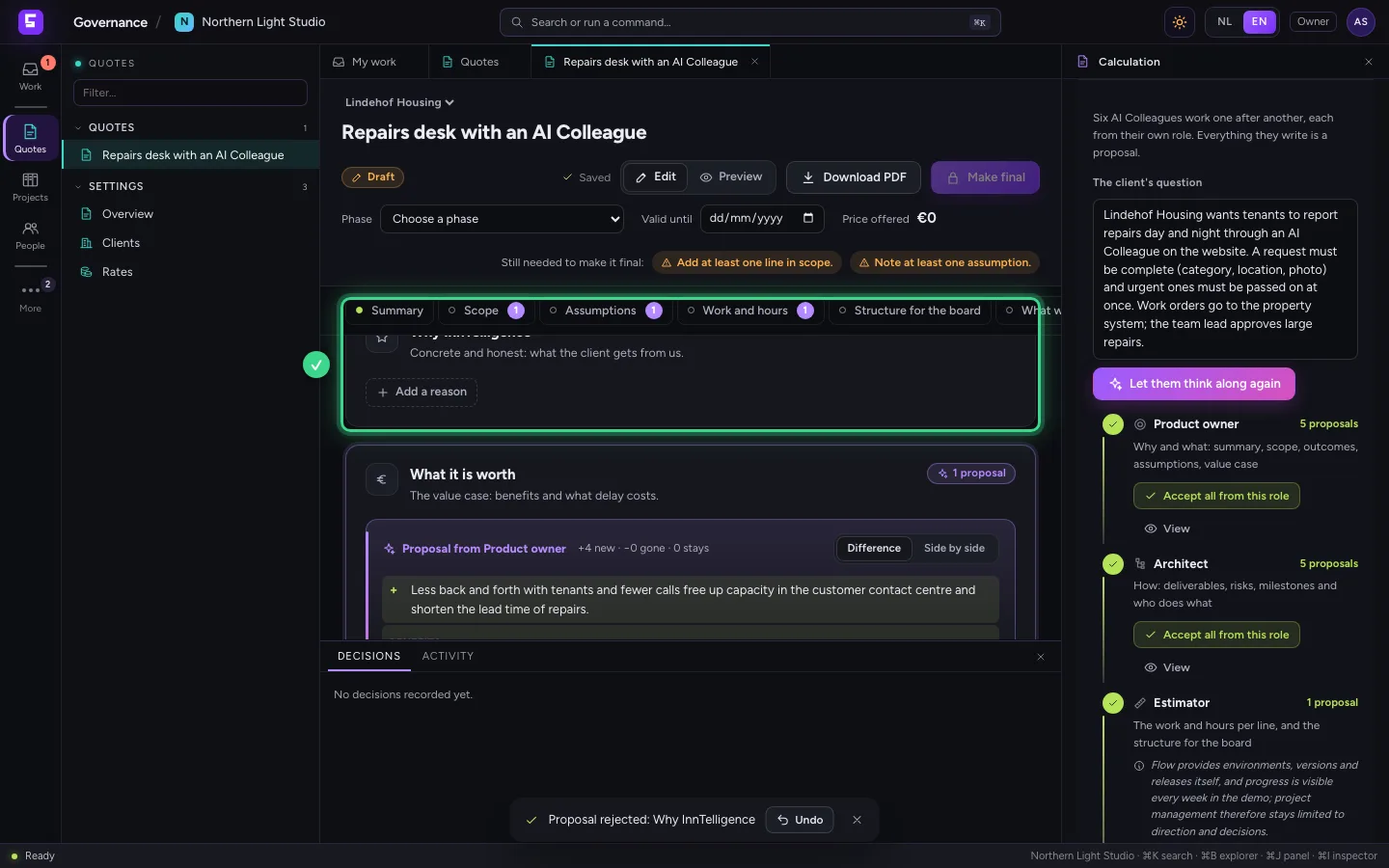
Under Why InnTelligence the deal lead writes reasons. If they are not right yet, click Reject: the part stays empty and you write it yourself later. The decision is recorded, with who and when.
- Click Reject
Accept the rest per role
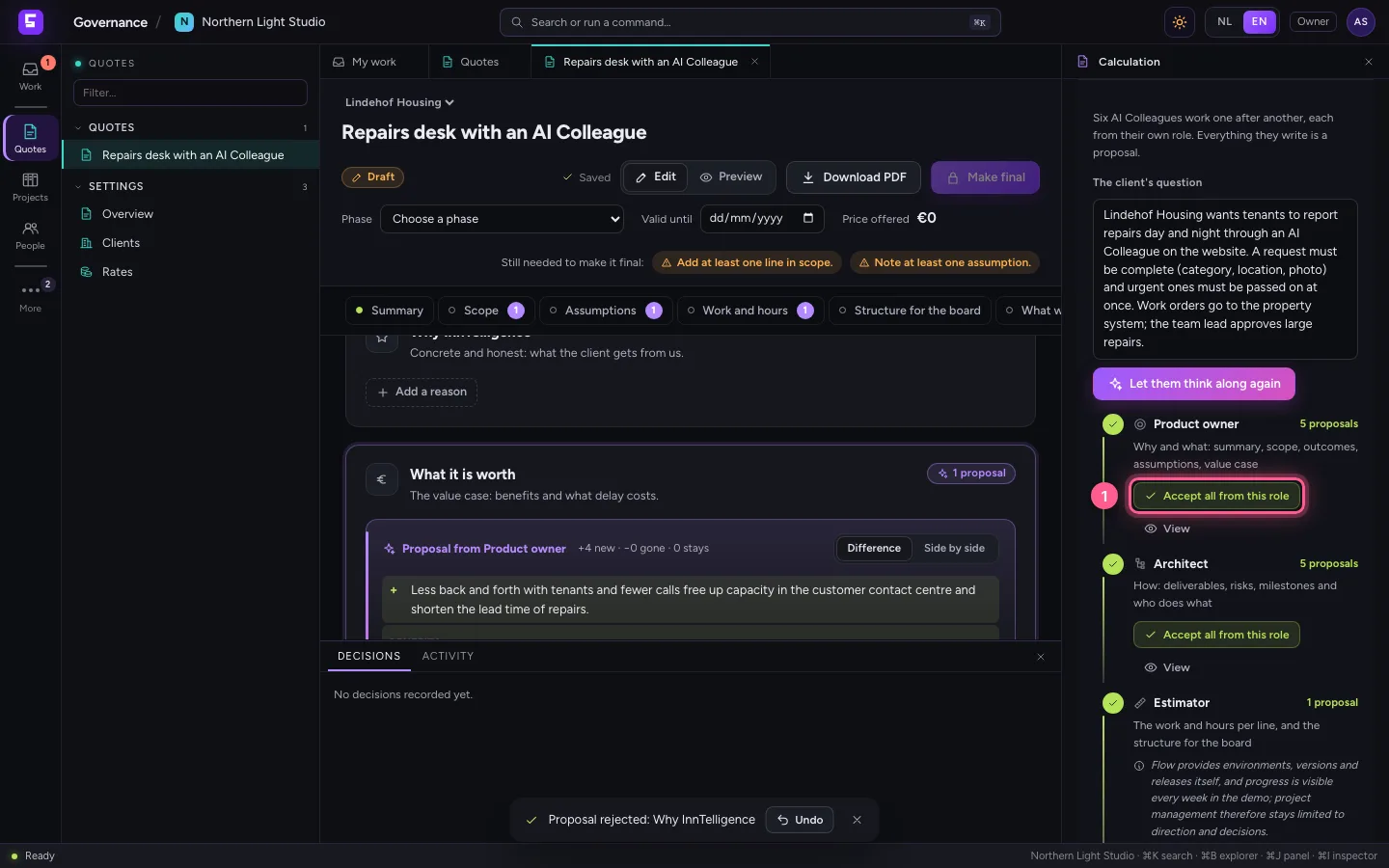
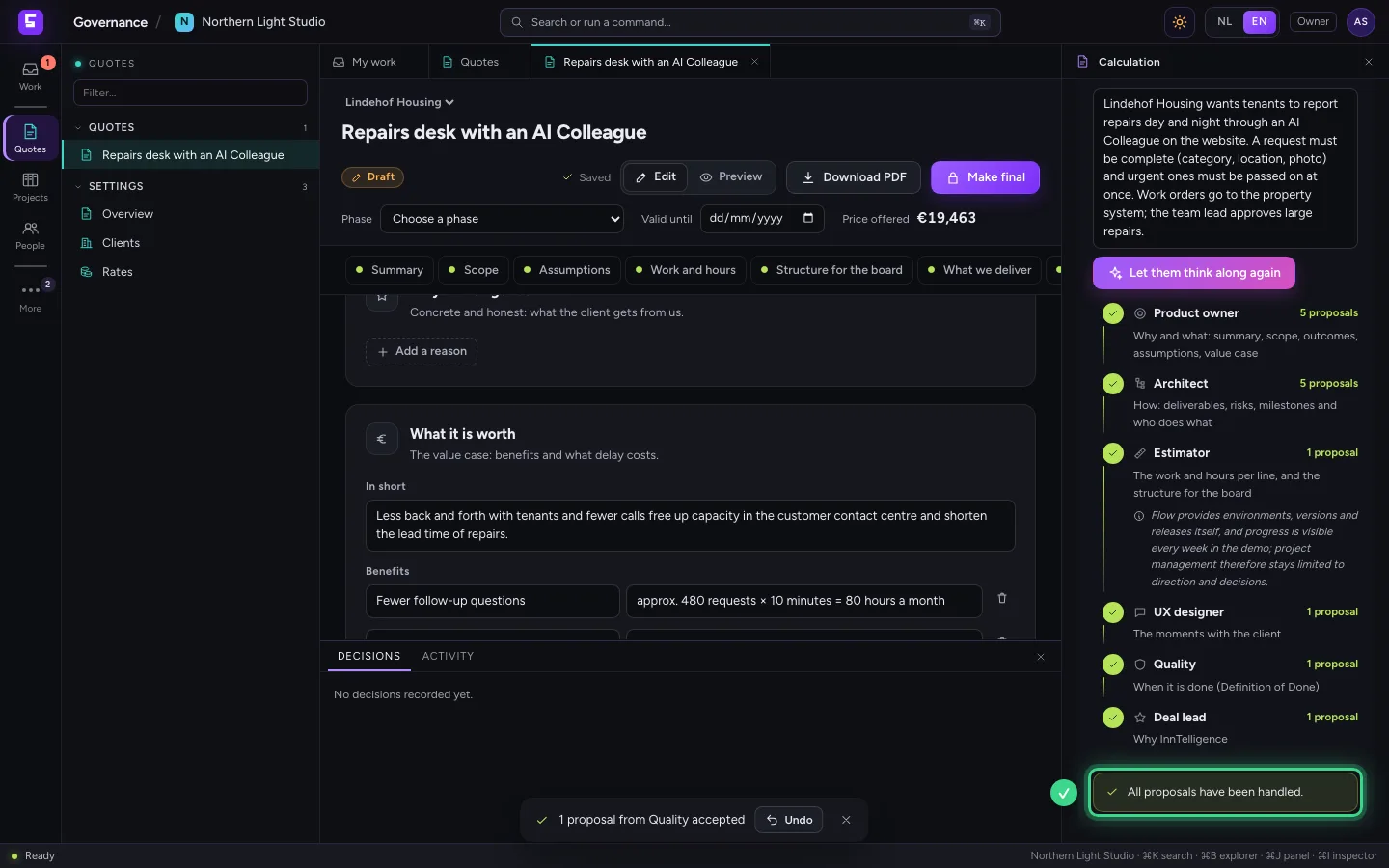
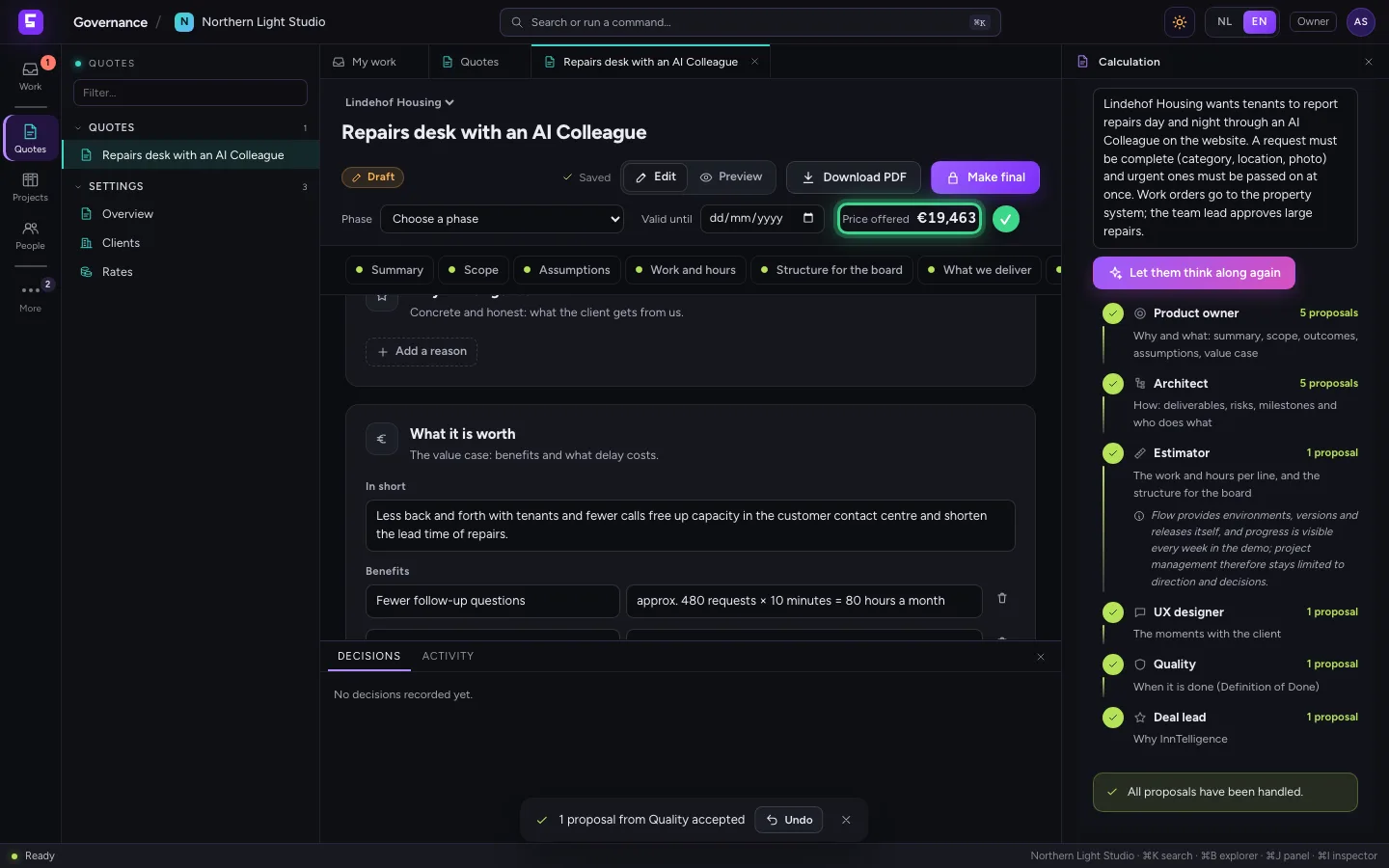
When you trust a role, you take all of its proposals at once: in the inspector each role has Accept all from this role. Then every proposal is handled and the price is at the top right.
- Click Accept all from this role
Tune the hours of a line
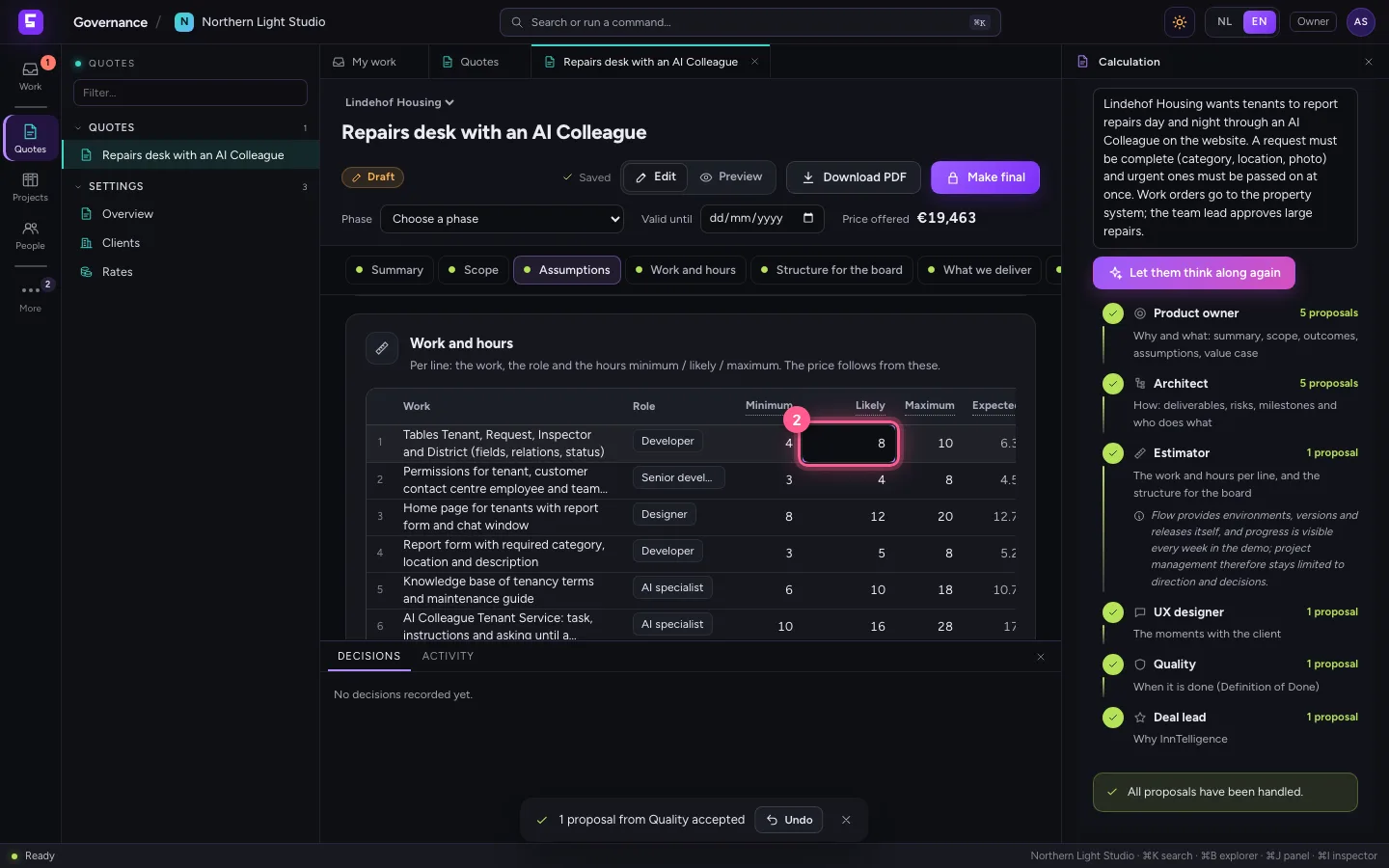
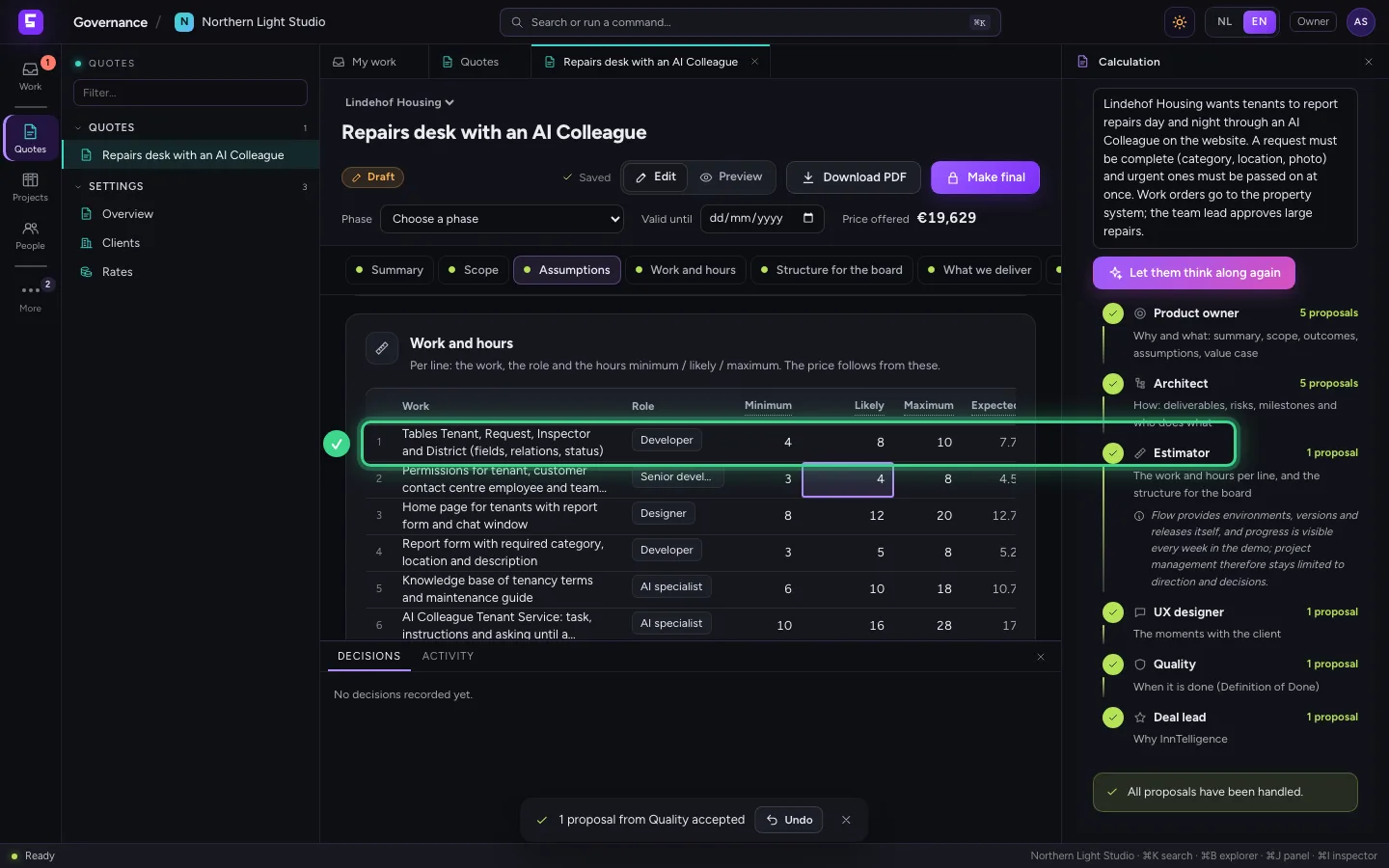
Under Work and hours each line has the work, the role and the hours minimum, likely and maximum. It works like a spreadsheet: double-click a cell, type the hours (12, 12.5 or 1h30) and press Enter. The price follows at once. Minimum must be below likely, and likely below maximum.
- Click Likely, line 1
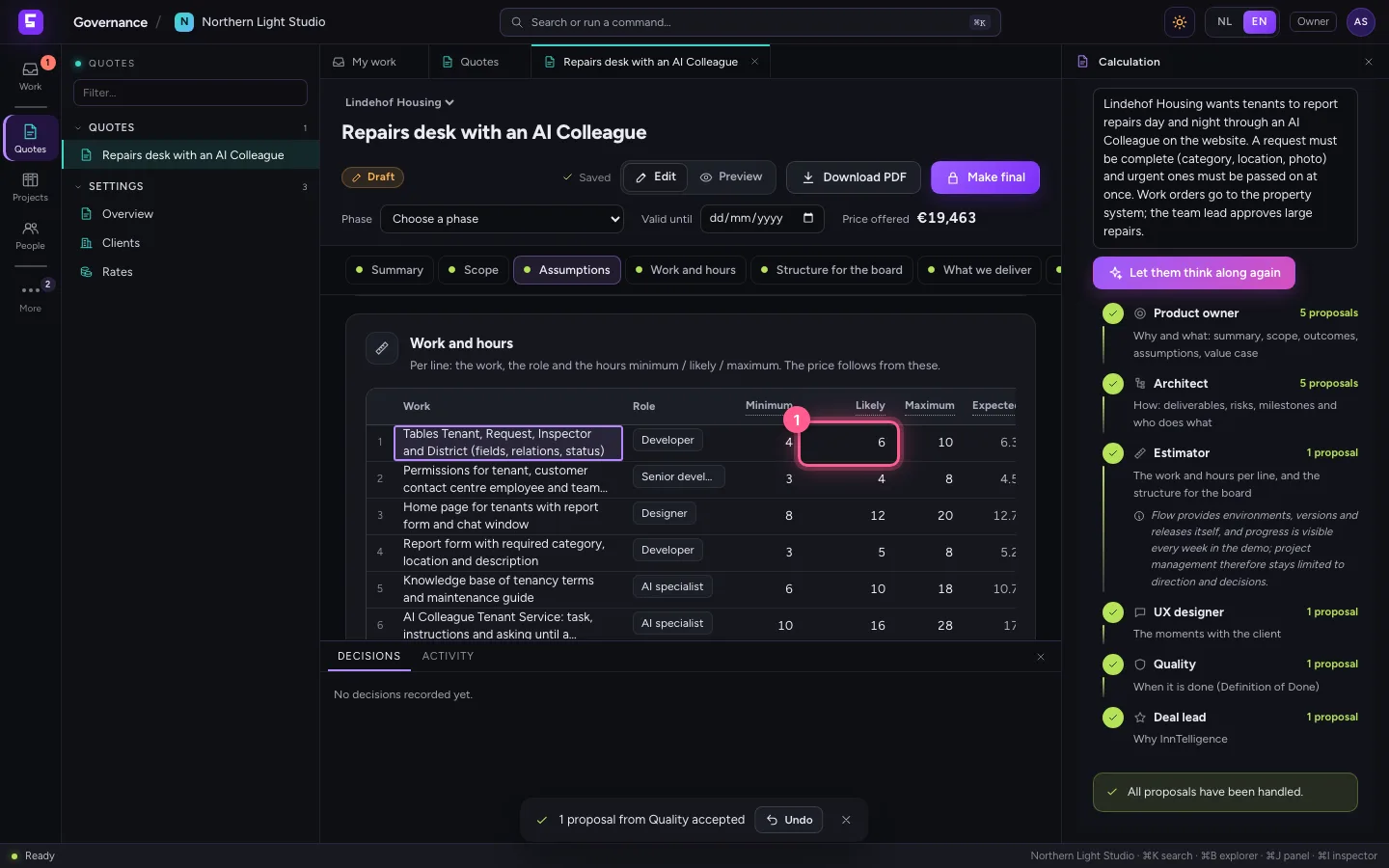
- In Likely, type
8
Change something in one sentence
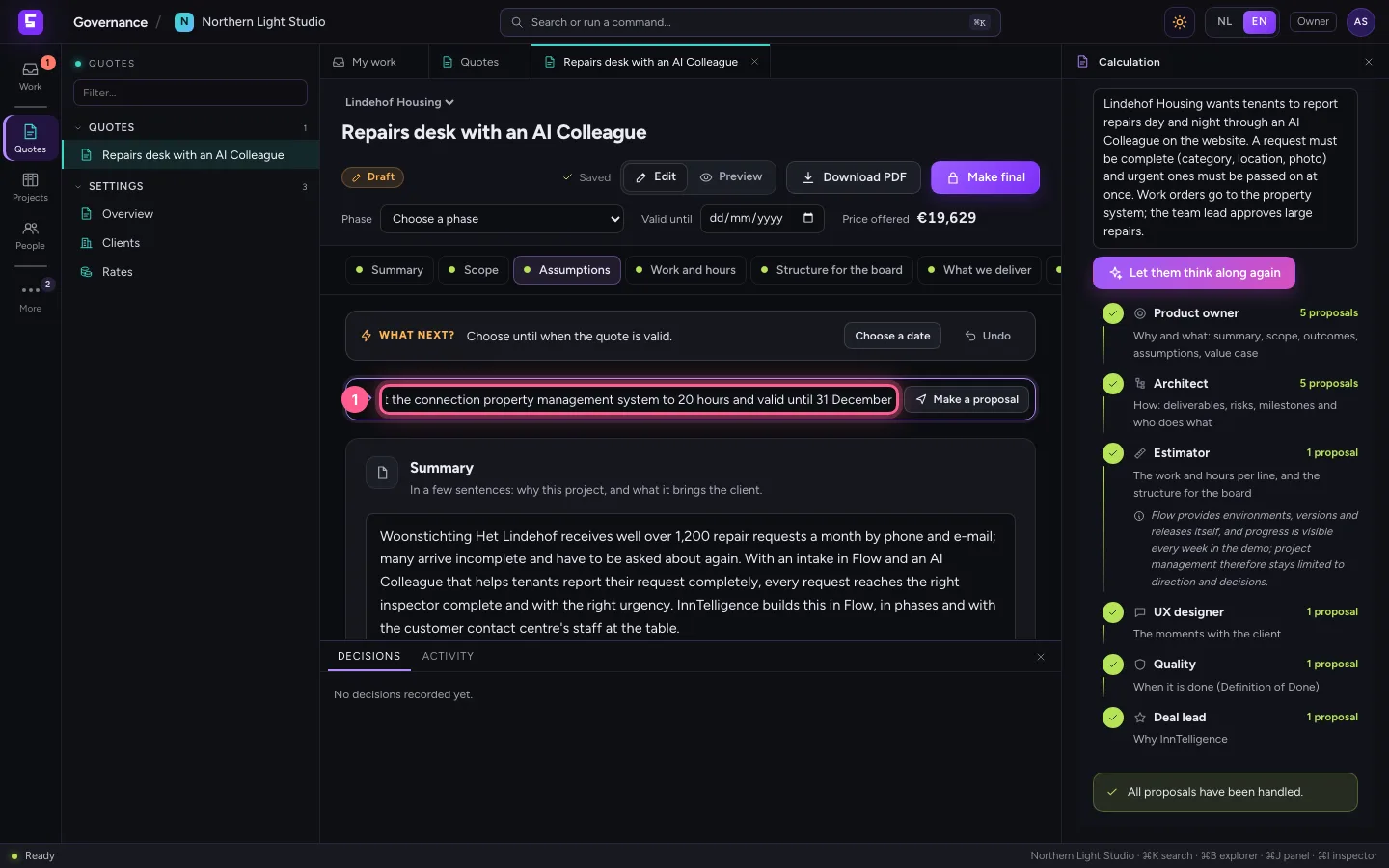
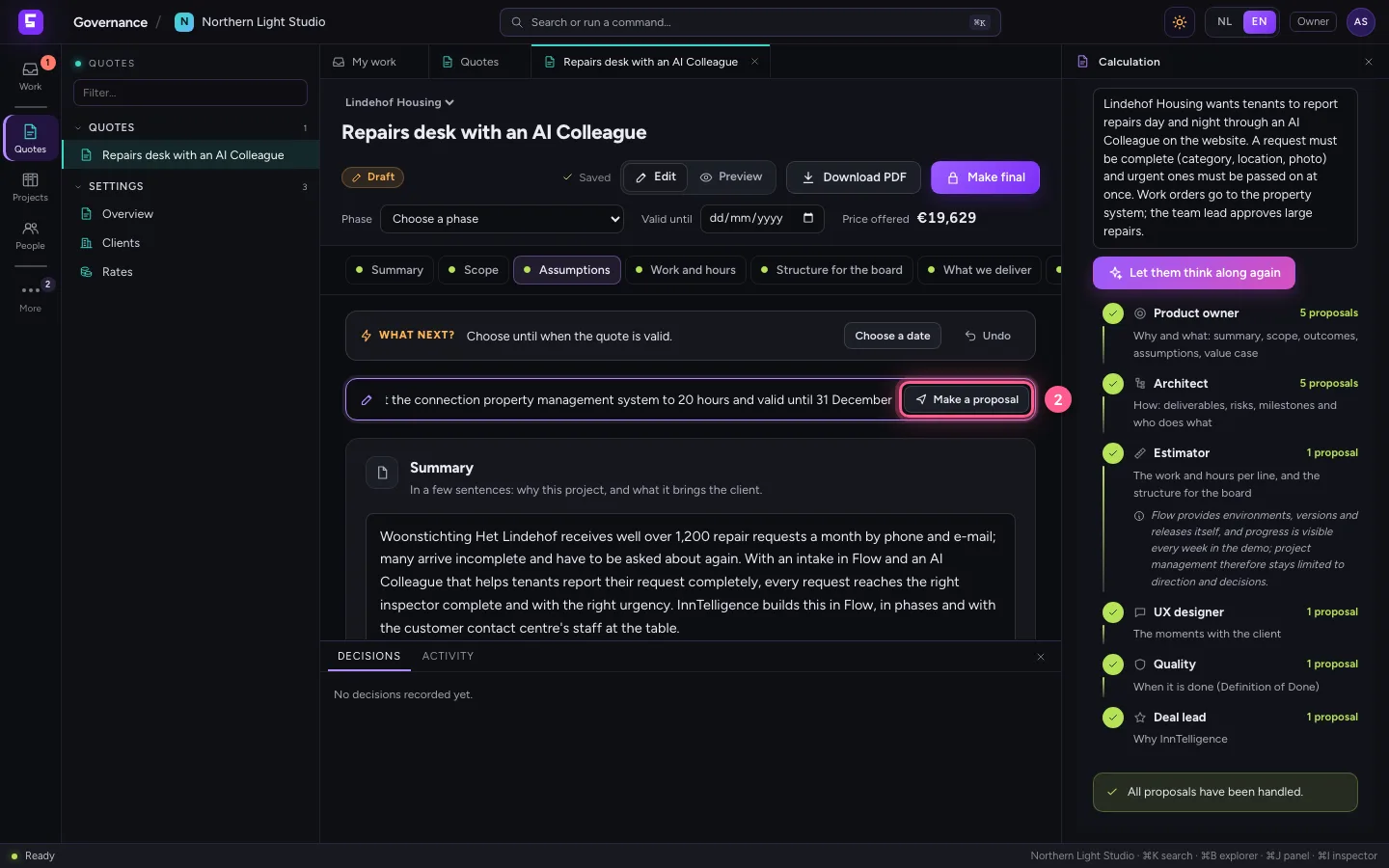
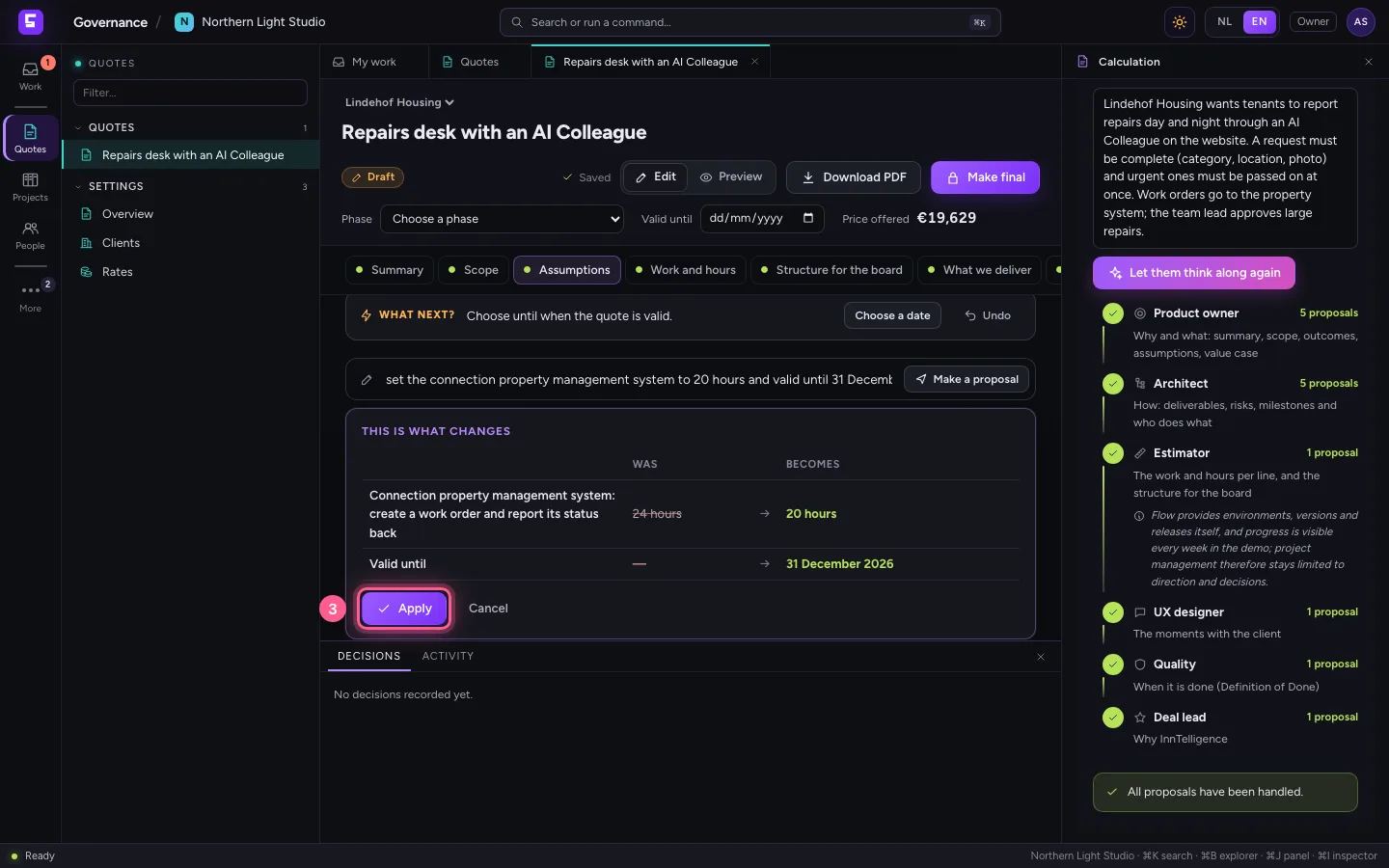
Above the parts is a bar where you change the quote in one sentence, for example the hours of a line and until when the quote is valid. Click Make a proposal: first you see what it was and what it becomes. Only Apply changes the quote.
- In Change in one sentence, type
set the connection property management system to 20 hours and valid until 31 December
- Click Make a proposal
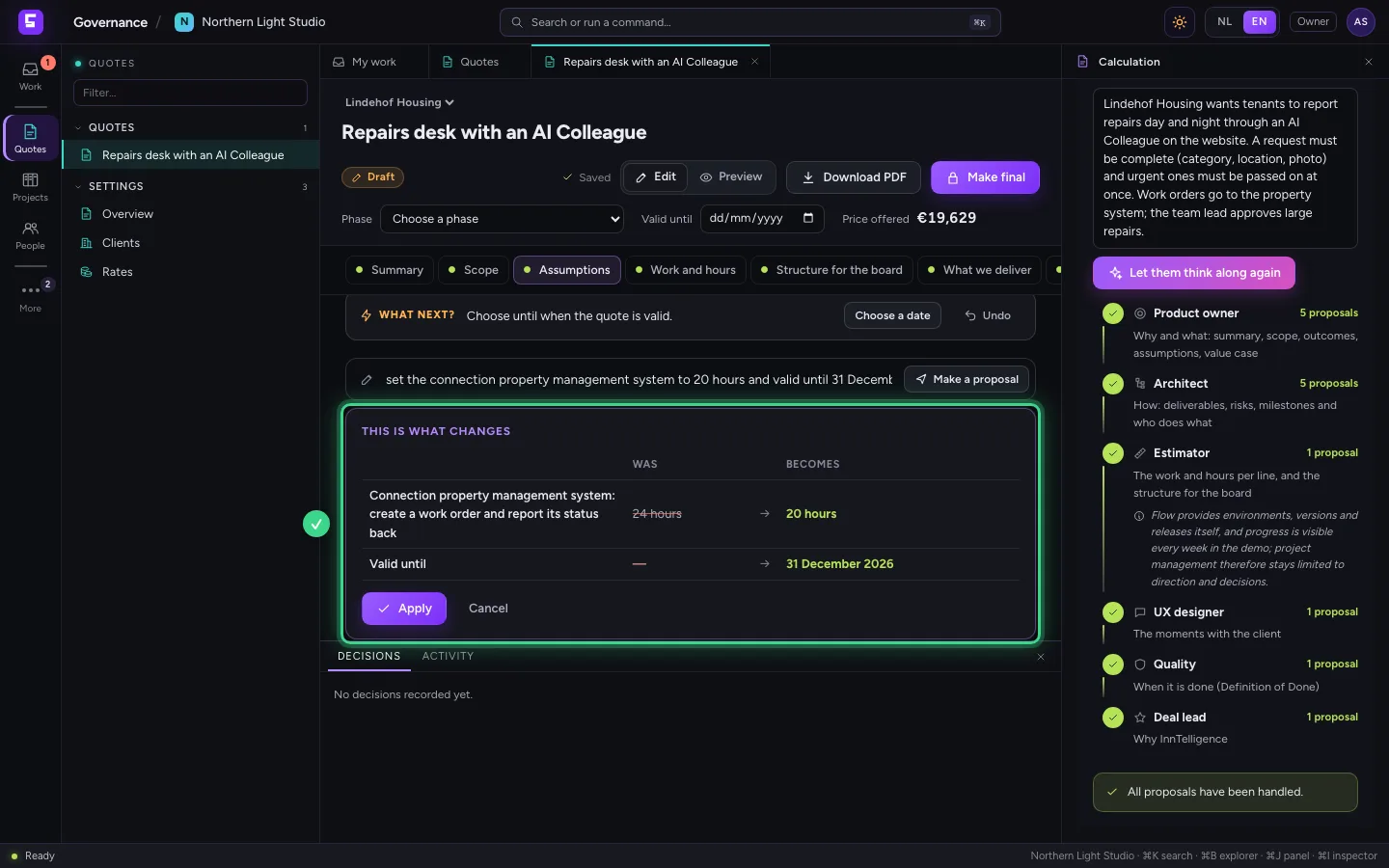
- Click Apply
Look at the quote as the client reads it
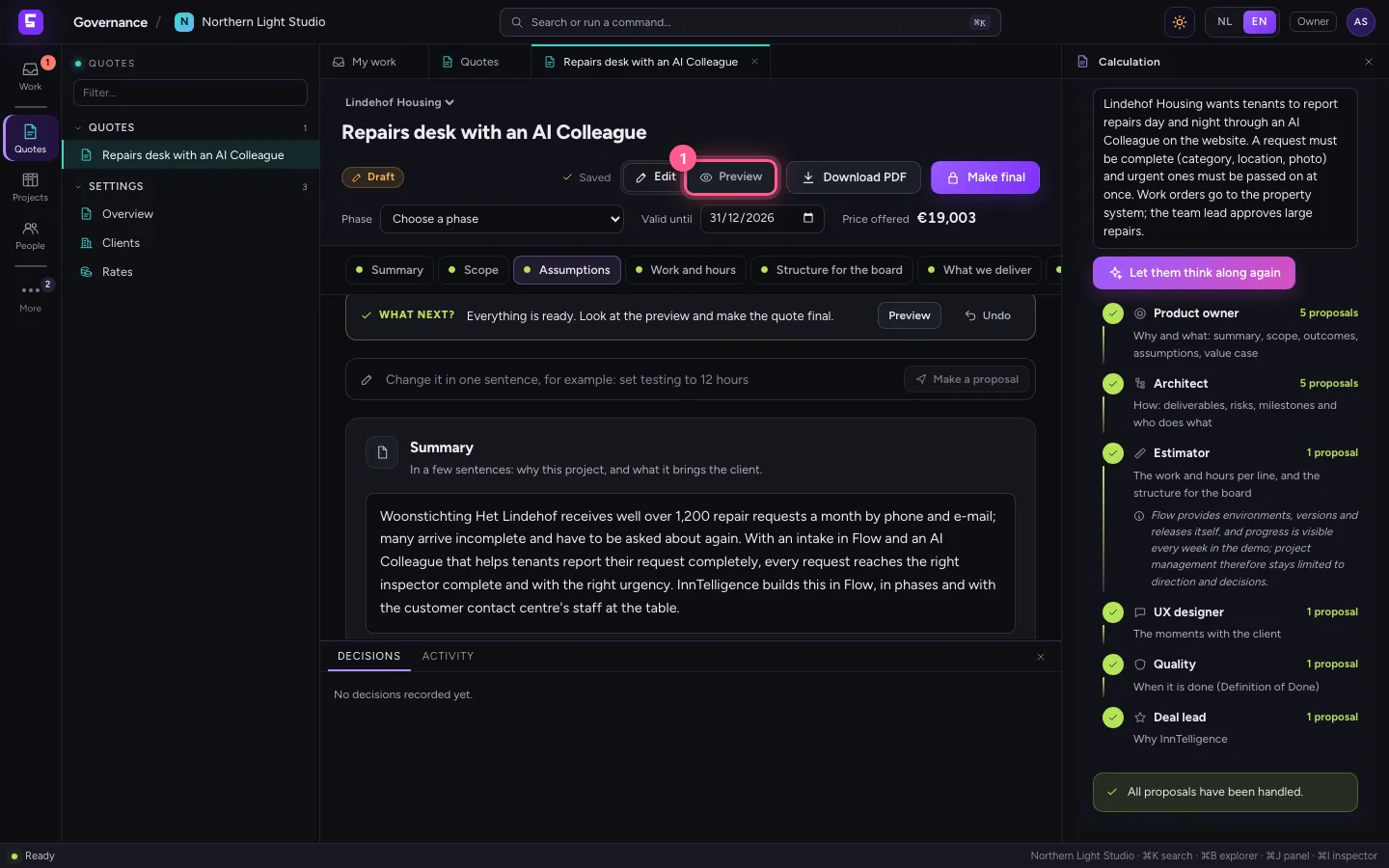
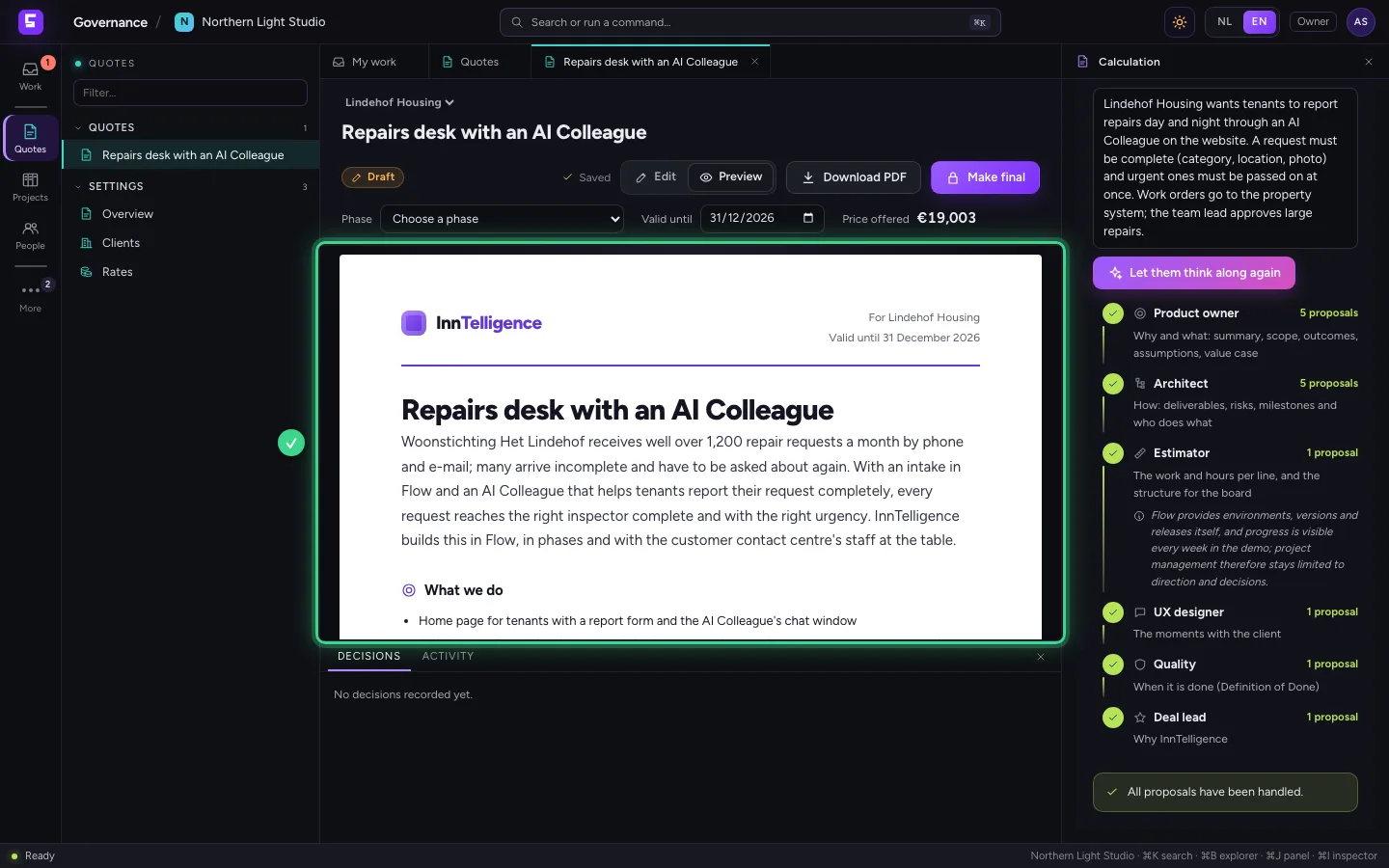
Click Preview at the top: the quote as the client gets it, with the fixed price, the planning and when it is done. The word Draft is across it as long as the quote is not final.
- Click Preview
Make the quote final
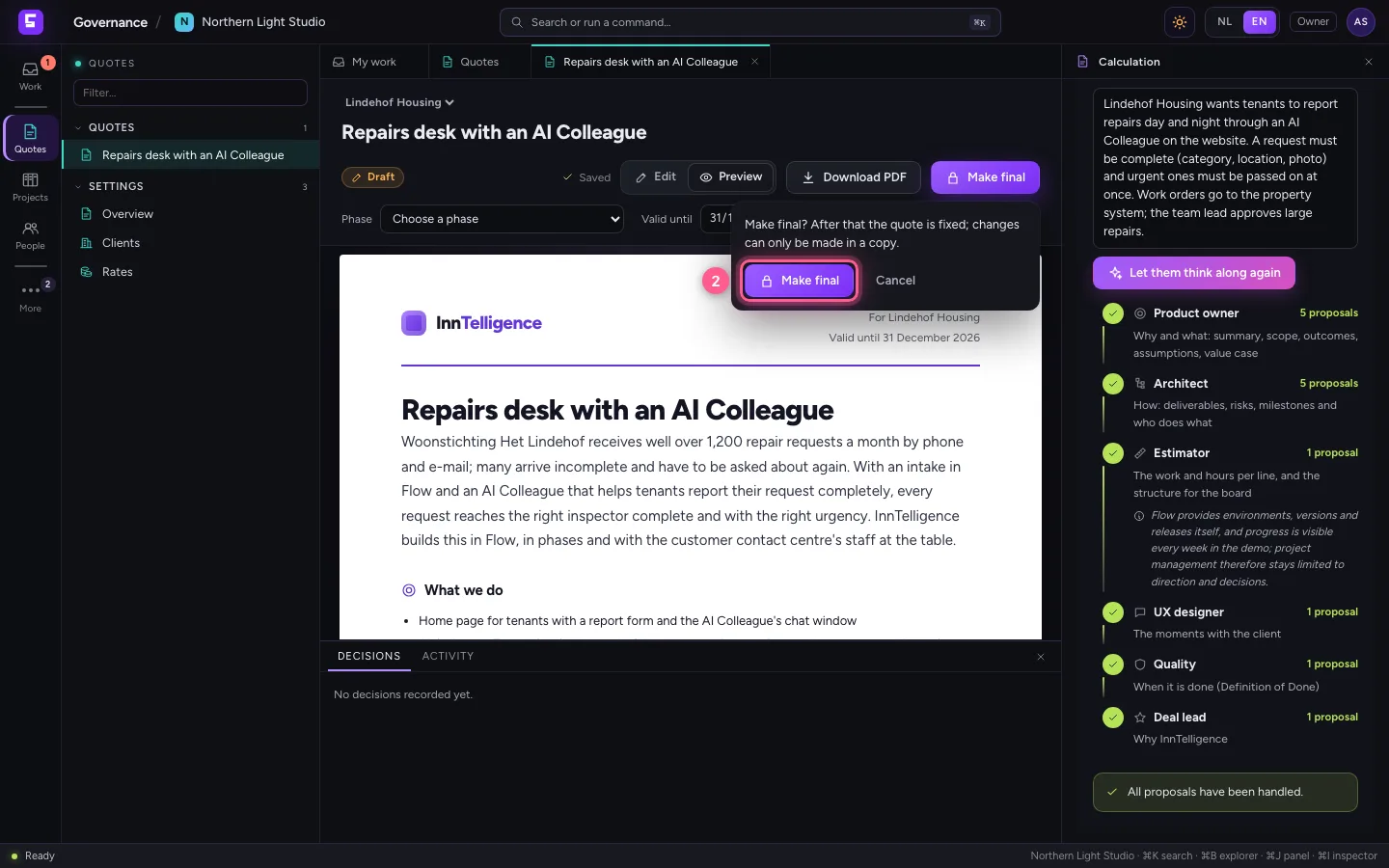
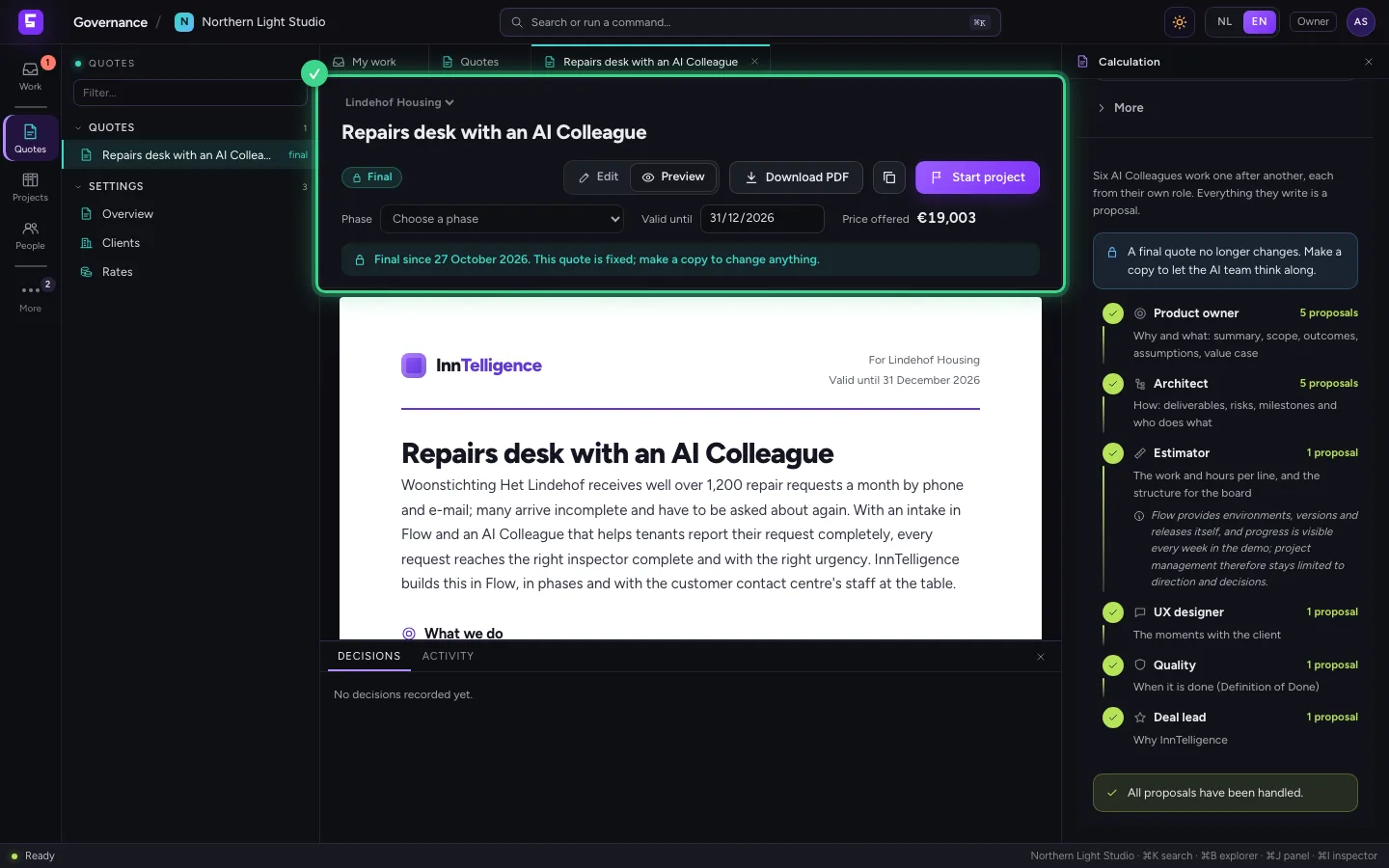
When everything is right, click Make final and confirm. From then on the quote is fixed: nobody can change it, the AI team neither. A final quote is what you later turn into a project.
- Click Make final
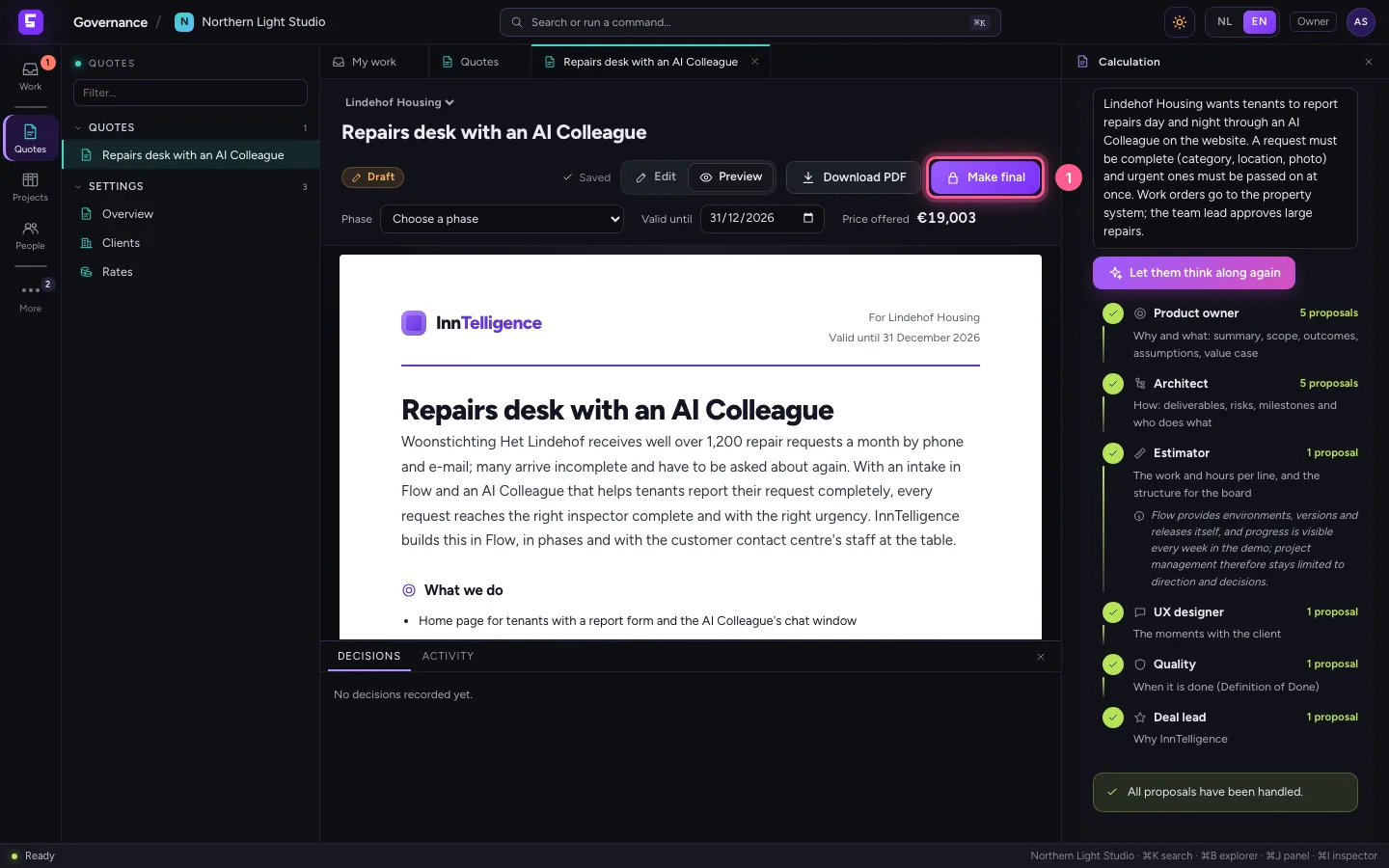
- Click Make final
Download the PDF
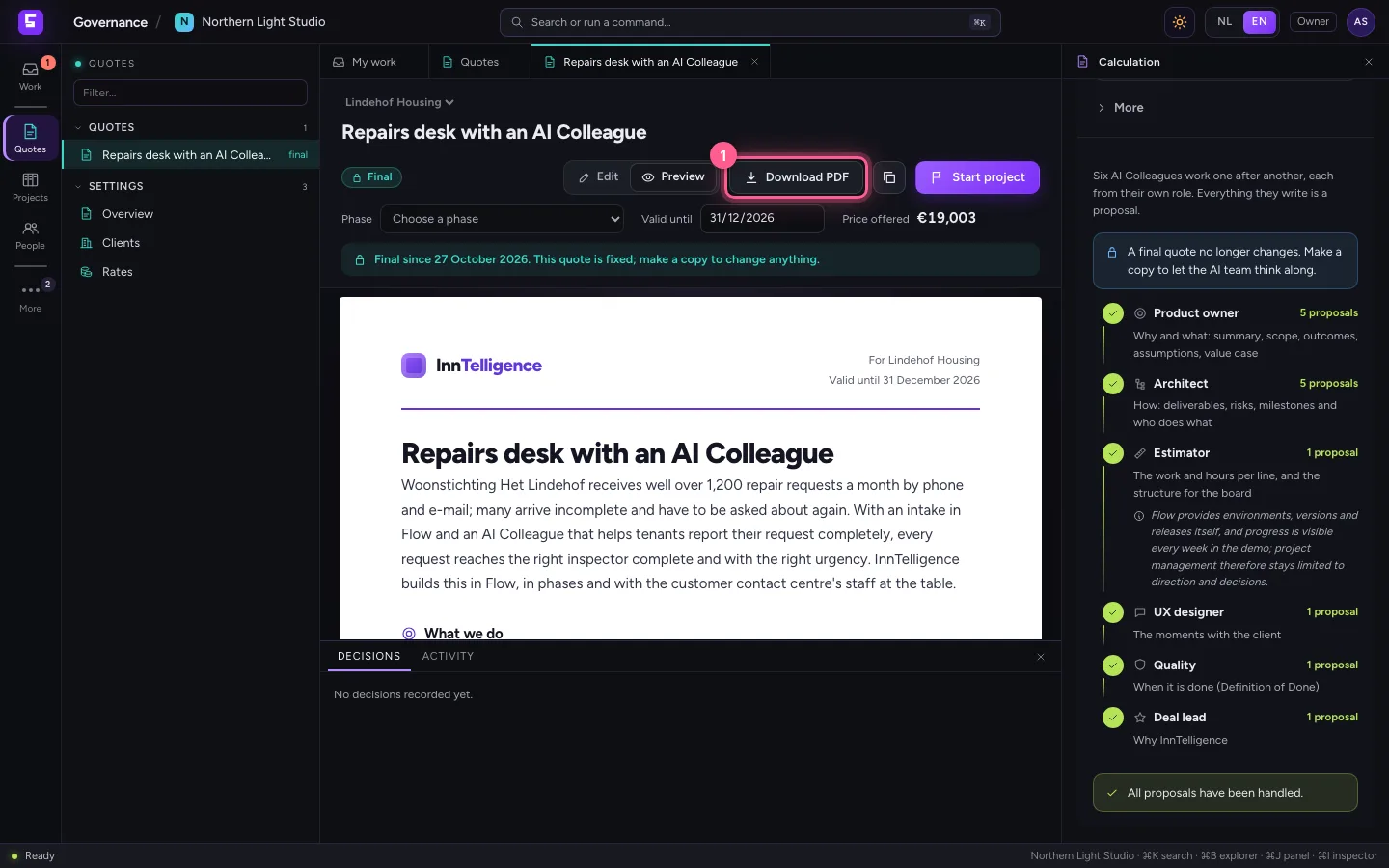
Click Download PDF: the quote as a PDF in your house style, as in the preview, ready to send to the client. Choose English at the top and the PDF comes in English.
- Click Download PDF
Keep working in a copy
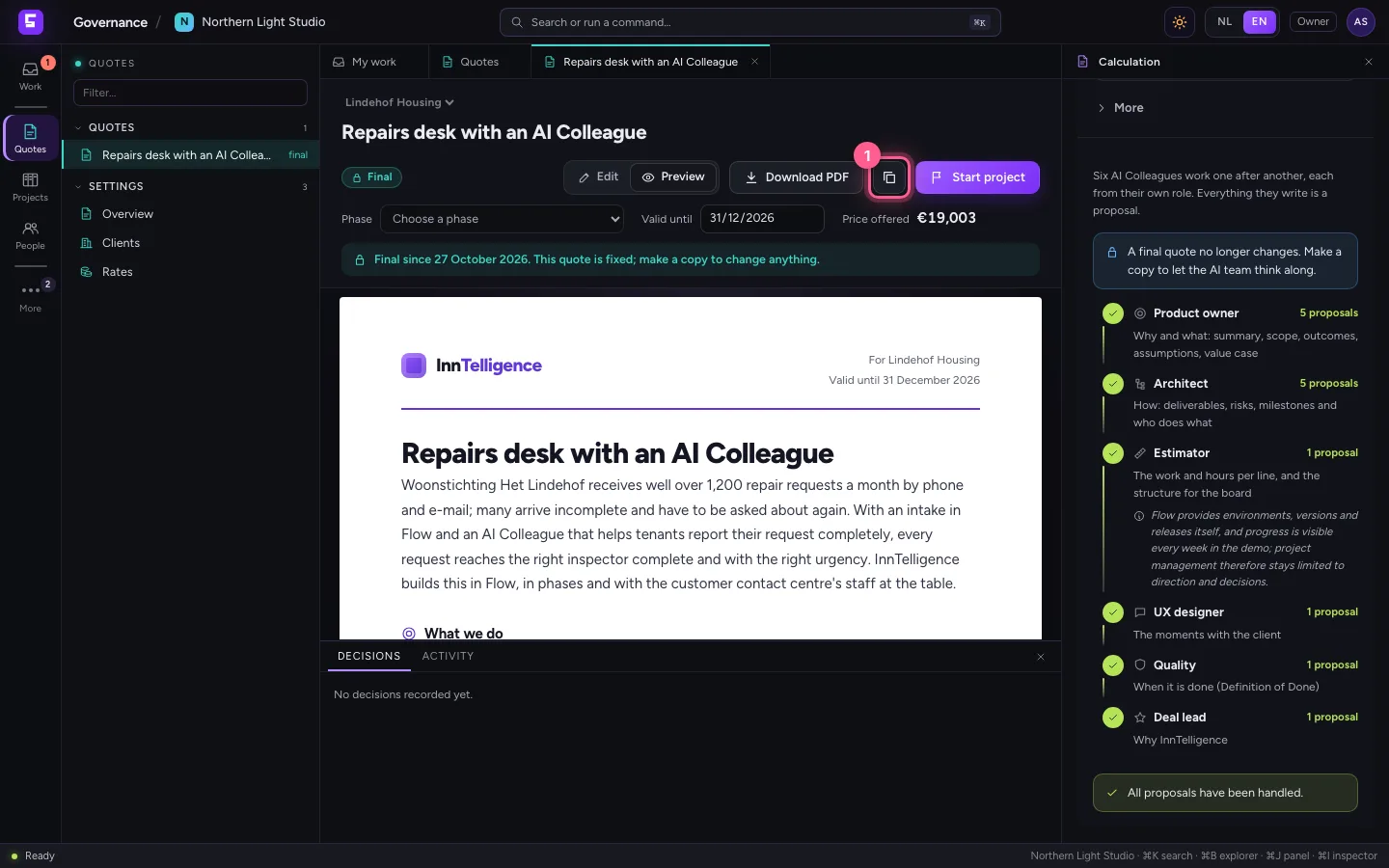
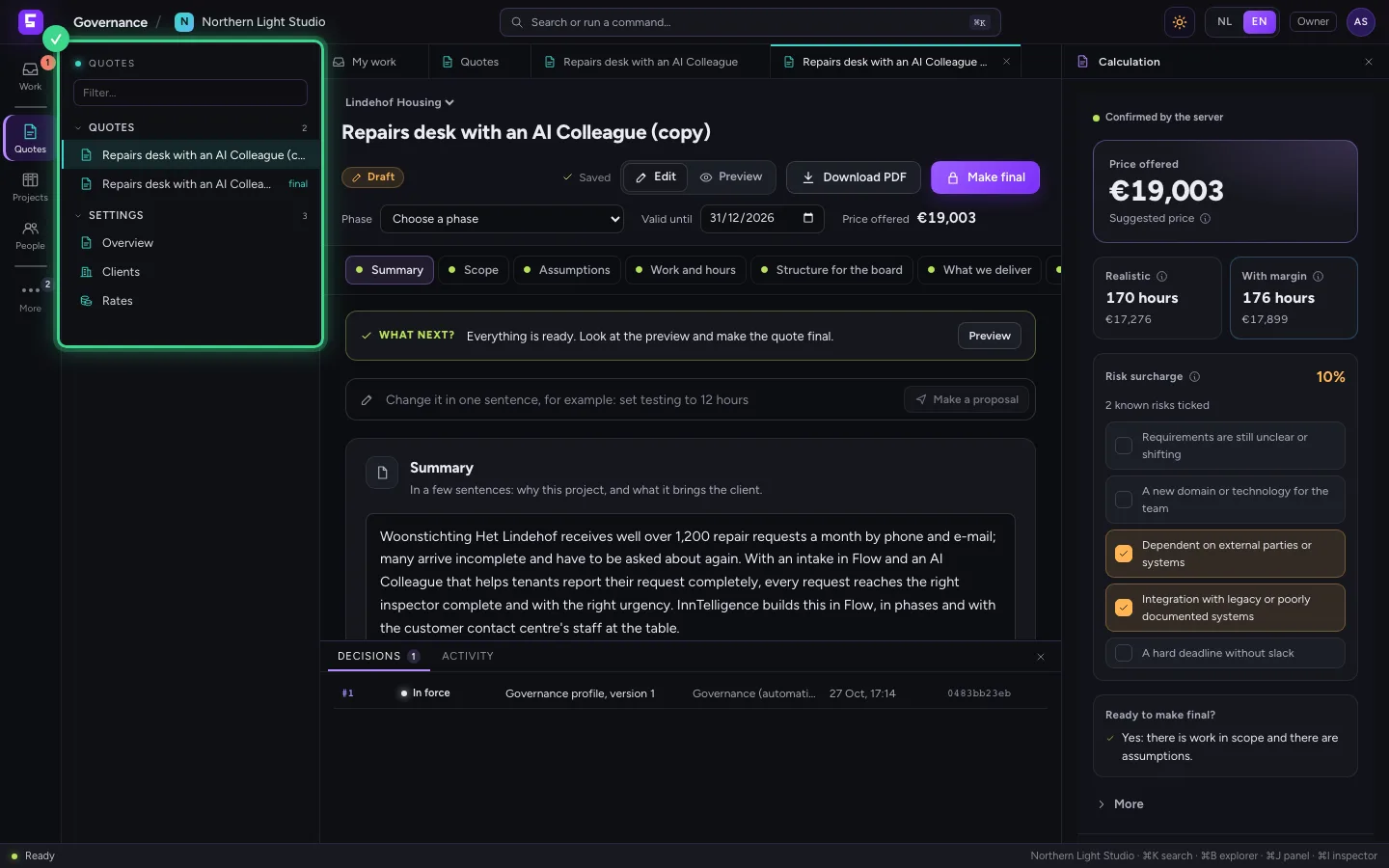
If the client wants something else after all, click Make a copy. You keep working in a new draft; the final quote stays as it was, with all of its decisions.
- Click Make a copy
This guide was carried out step by step on 27 Oct 2026 by an automated test on Flow (version 7d21bad8).